EasyManua.ls Logo

Panasonic KX-A405 - User Manual

Panasonic KX-A405
24 pages
Print Icon
To Next Page IconTo Next Page
Loading...
Model No.
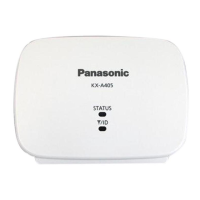
KX-A405
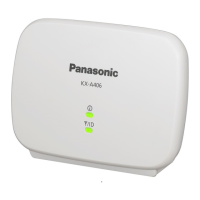
DECT Repeater
Installation Manual
Thank you for purchasing a Panasonic DECT Repeater.
Please read this manual carefully before using this product and save this manual for future use.

Other manuals for Panasonic KX-A405

Questions and Answers

  • E
    Erica CooperSep 3, 2025
    What to do if I hear alarm or continuous noise when talking and moving between zones with Panasonic KX-A405 Repeater?
    • E
      Elizabeth BlackSep 4, 2025
      If you hear an alarm or continuous noise, or your call is disconnected when talking and moving between zones with your Panasonic Repeater, it means that the new zone is "busy", so handover cannot occur. Return to the original zone and continue your call.
  • G
    Gregory SimmonsSep 18, 2025
    Why is my Panasonic PS beeping?
    • K
      Kevin SparksSep 18, 2025
      If your Panasonic PS is beeping, it's because the verification tone is turned on. You can turn it off.
  • A
    Alexander MendozaSep 16, 2025
    Why does Panasonic Repeater disconnect when moving between zones?
    • C
      Charles RodriguezSep 16, 2025
      If you hear an alarm or continuous noise, or your call is disconnected when talking and moving between zones with your Panasonic Repeater, it means the new zone is busy, preventing handover. Return to the original zone to continue your call.
  • R
    Ryan ClarkSep 14, 2025
    Why does my Panasonic KX-A405 call stop when moving between zones?
    • D
      Duane WarnerSep 14, 2025
      If a ringing call suddenly stops when moving between CS/repeater zones using Panasonic Repeater, it's likely due to a delay when moving from a CS zone to a repeater zone while receiving a call in group ring mode. To avoid this, answer the call before moving between zones.
  • P
    Patrick PowellSep 12, 2025
    What to do if Panasonic Repeater cannot register in Manual Registration mode?
    • S
      Sandra McfarlandSep 13, 2025
      If your Panasonic Repeater cannot be registered in Manual Registration mode and the process repeats automatically, first, confirm that the destination repeater is turned on. If it is, the selected ID might not match the destination repeater's ID. To fix this: 1. Check the ID of the destination repeater in ID Confirmation mode. 2. Enter Manual Registration mode by pressing and holding the PROGRAM button for 5 seconds while the repeater’s STATUS LED is flashing red, and releasing it. 3. Select the ID that matches the destination repeater in manual registration again.
  • S
    Stephen LoganSep 12, 2025
    How to fix Panasonic KX-A405 Repeater STATUS LED flashing green and red?
    • S
      Sydney JonesSep 12, 2025
      If the Panasonic Repeater's STATUS LED and RSSI/ID LED flash green and red alternately, indicating an alarm, it means the repeater's ID is the same as another repeater registered to the same CS. To resolve this: 1. Press the PROGRAM button to cancel the alarm. 2. Check the IDs of both repeaters in ID Confirmation mode. 3. Enter ID Modification mode by pressing and holding the PROGRAM button for 5 seconds. 4. Change the ID of the repeater to avoid overlap.
  • J
    Joshua MooreSep 9, 2025
    What to do if Panasonic KX-A405 Repeater cannot be registered in Easy Registration mode?
    • L
      Lori ThorntonSep 9, 2025
      If your Panasonic Repeater cannot be registered in Easy Registration mode and the process repeats automatically, it could be due to the CS (base station) being out of range. Try moving the repeater closer to the CS. Another possibility is that the CS is not turned on; please ensure that it is.
  • L
    Leslie PughSep 7, 2025
    Why is the audio quality poor on my Panasonic Repeater?
    • A
      ahernandezSep 7, 2025
      If you experience poor audio quality with your Panasonic Repeater, it might be due to range issues. Try moving the repeater closer to the CS (base station). Also, ensure the PS (portable station) is closer to the repeater.
  • C
    Christine ProctorSep 5, 2025
    Why is my Panasonic Repeater PS beeping?
    • E
      Emily WarrenSep 6, 2025
      Your Panasonic Repeater PS is beeping because the verification tone is turned on. Turn the verification tone off.
  • M
    Mitchell ScottAug 21, 2025
    Why is my Panasonic KX-A405 Repeater not working?
    • M
      melissa19Aug 21, 2025
      Your Panasonic Repeater might not be working due to several reasons. First, ensure the AC adapter is properly connected. If the indicators aren't green, move the unit closer to the base unit. It's also possible that the registration has been cancelled; in this case, deregister the unit and then re-register it. To deregister, unplug the AC adapter, press and hold the {PROGRAM} button, then reconnect the AC adapter while still holding {PROGRAM}. Keep holding for about 10 seconds until the & indicator stops flashing and lights red, then release {PROGRAM}. If deregistration fails (the & indicator flashes green), try again. To re-register, unplug the AC adapter and follow the steps from 'Installation/Registering the DECT repeater to the base unit'.

Summary

Safety Notices

Safety Requirements (Installation & Environment)

Covers product installation, handling, environmental conditions, and electrical safety precautions.

Security Requirements

Network Security and Privacy

Focuses on securing private conversations and communications privacy in wireless systems.

General Notices and Notes

1 Overview

System Overview and Connection Example

Explains repeater purpose, range extension, and illustrates connection setup.

Names and Locations of Controls

Identifies physical components of the repeater, including LEDs, buttons, and ports.

Unpacking and LED Indications

Lists package contents and details LED patterns for initial states and de-registration.

LED Indicators for Registration Modes

Details LED status for manual registration and ID modification modes.

LED Indicators for Site Survey and Flashing Speeds

Explains LED status for Site Survey mode and defines LED flashing speed parameters.

Compatible Devices

Lists the specific Panasonic PBX (CS) and handset (PS) models compatible with the repeater.

Technical Specifications

Details basic, general, and RF specifications of the DECT repeater.

2 Procedure Overview

Registering and Installing Repeaters

Outlines the general steps and notes for registering repeaters to a CS and initial installation planning.

Installing the Repeater Placement

Details placement guidelines based on coverage areas and LED status checks for optimal installation.

3 Registering the Repeater

Easy Registration Procedure

Step-by-step guide for simple registration of the repeater to a CS.

Manual Registration Procedure

Detailed procedure for registering repeaters in a cascade configuration to a destination repeater.

De-registration Procedure

Instructions on how to remove a repeater's registration from a CS or another repeater.

ID Modification Procedure

Procedure to change the assigned ID of a registered repeater.

4 Using the Repeater

ID Confirmation and Coverage Check

How to check repeater IDs and verify coverage using a verification tone.

Site Survey for Transmission Quality

Method to measure transmission quality and identify installation issues using a PS.

5 Wall Mounting

Mounting the Repeater Unit

Steps and precautions for physically mounting the repeater unit to a wall.

Wall Mounting Reference Guide

Provides a template or guide for marking screw positions for wall mounting.

6 Troubleshooting

Troubleshooting Common Issues

Addresses common problems like the repeater not turning on, registration failures, and alarm indications.

Troubleshooting Performance Issues

Covers issues like PS beeping, poor audio quality, call interruptions, and call disconnections.

Panasonic KX-A405 Specifications

General IconGeneral
BrandPanasonic
ModelKX-A405
CategoryRepeater
LanguageEnglish

Related product manuals