EasyManua.ls Logo

Panasonic KX-B620 - Page 7

Panasonic KX-B620
75 pages
Print Icon
To Next Page IconTo Next Page
To Previous Page IconTo Previous Page
Loading...
KX-B620
Series
KX-B520
Series
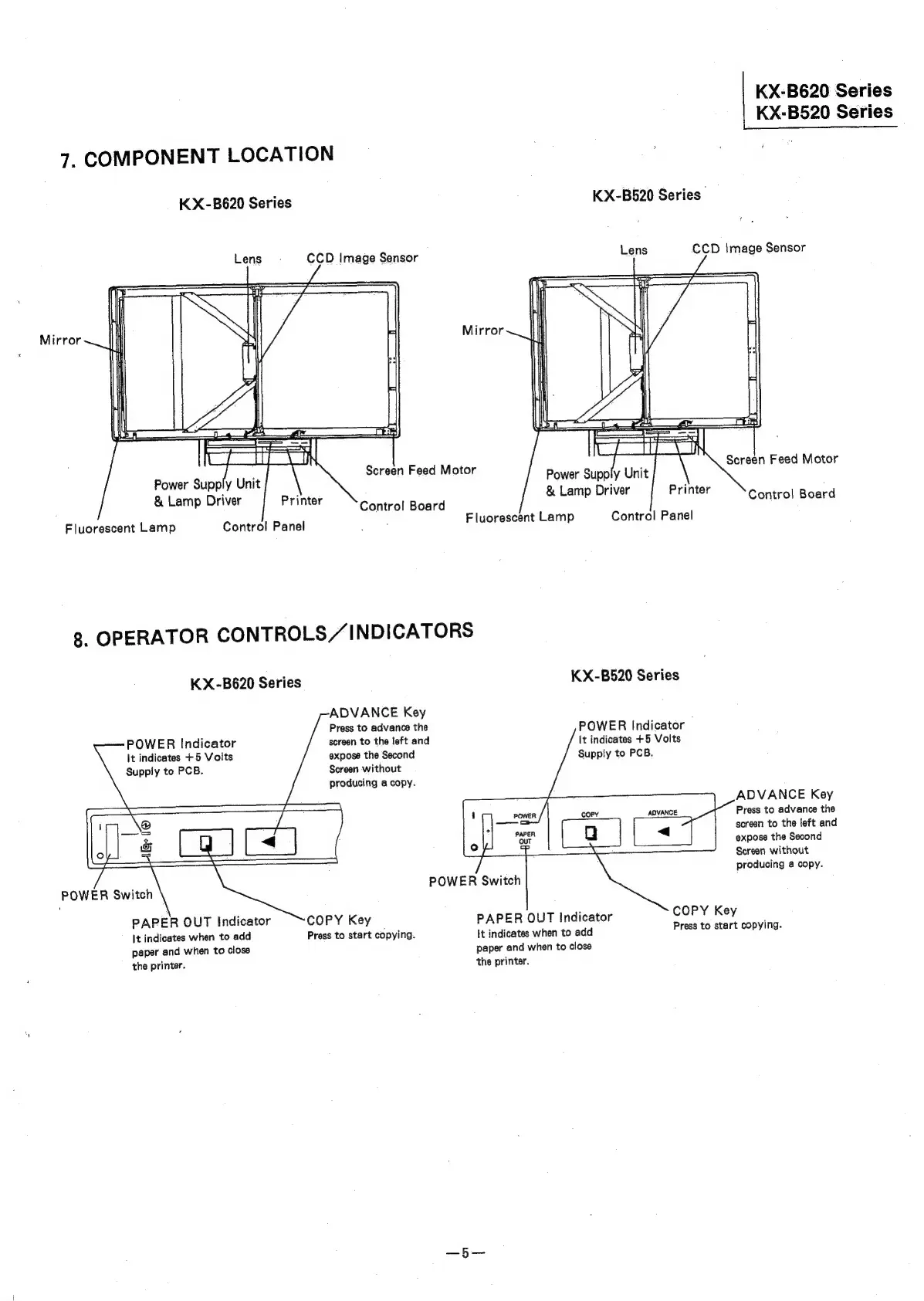
7.
COMPONENT
LOCATION
KX-B520
Series”
KX-B620
Series
Mirror
Screen
Feed
Motor
Power
Supply
Unit
&
Lamp
Driver
Printer
Control
Board
Power
Supply
Unit
&
Lamp
Driver
Printer
Control
Board
Fluorescent
Lamp
Control
Panel
Fluorescent
Lamp
Control
Panel
8.
OPERATOR
CONTROLS//
INDICATORS
KX-B620
Series
KX-B520
Series
ADVANCE
Key
Press
to
advance
the
screen
to
the
left
and
expose
the
Second
Screen
without
producing
a
copy.
POWER
Indicator
It
indicates
+5
Volts
Supply
to
PCB.
ie
|
|
Oo
POWER
Switch
POWER
Indicator
It
indicates
+5
Volts
Supply
to
PCB.
ADVANCE
Key
Press
to
advance
the
screen
to
the
left
and
expose
the
Second
Screen
without
producing
4
copy.
ADVANCE
<
POWER
Switch
COPY
Key
PAPER
OUT
Indicator
COPY
Key
PAPER
OUT
Indicator
;
It
indicates
when
to
add
Press
to
start
copying.
It
indicates
when
to
add
Press
to
start
copying.
paper
and
when
to
close
paper
and
when
to
close
the
printer.
the
printer.

Related product manuals