1. Introduction and Installation
18
For assistance, please visit http://www.panasonic.com/help
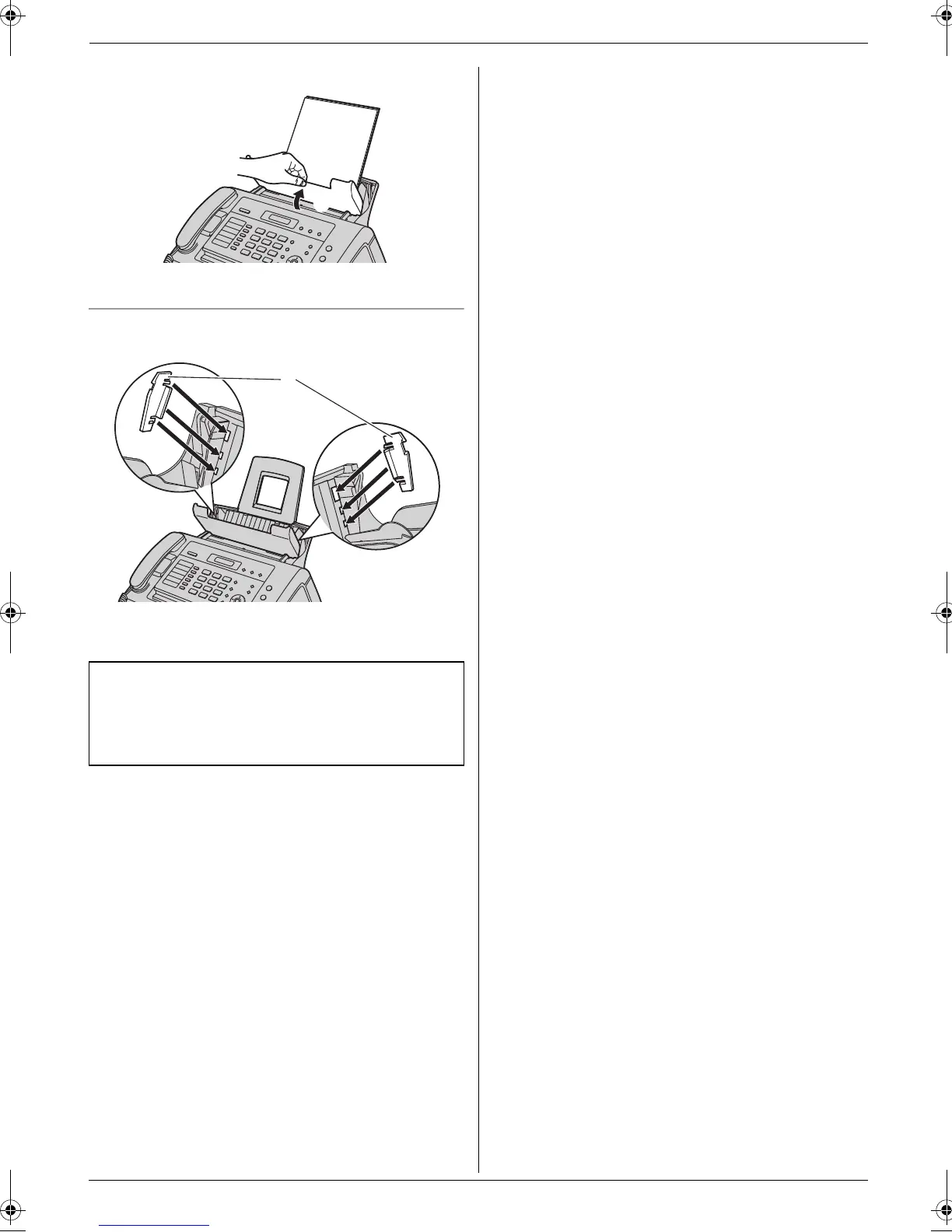
4 Push the tension plate back (1).
To use A4-size paper
Insert the tabs on the A4 paper guides (1) into the slots.
L “L” is shown on the A4 paper guide for the left side.
“R” is shown on the A4 paper guide for the right side.
Note:
L When you use letter or legal paper, you do not
need to install the A4 paper guides.
L Change the recording paper size to “A4” (feature
#16 on page 42).
1
1
FL421-PNQX3022ZA-OI-en.book Page 18 Thursday, July 29, 2010 9:35 AM





 To Next Page