2. Preparation
22
For assistance, please visit http://www.panasonic.com/help
Note:
L The other party’s fax machine will print the date and
time on the top of each page you send according to
your unit’s date and time setting.
L The accuracy of the clock is approximately ±60
seconds a month.
To correct a mistake
Press {<} or {>} to move the cursor to the incorrect
number, and make the correction.
If you have subscribed to a Caller ID service
The date and time will be automatically set according to
the received caller information.
L If the time has not previously been set, Caller ID will
not adjust the clock.
L You can turn this feature OFF (feature #33 on page
44).
2.6 Your logo
The logo can be your name or the name of your
company.
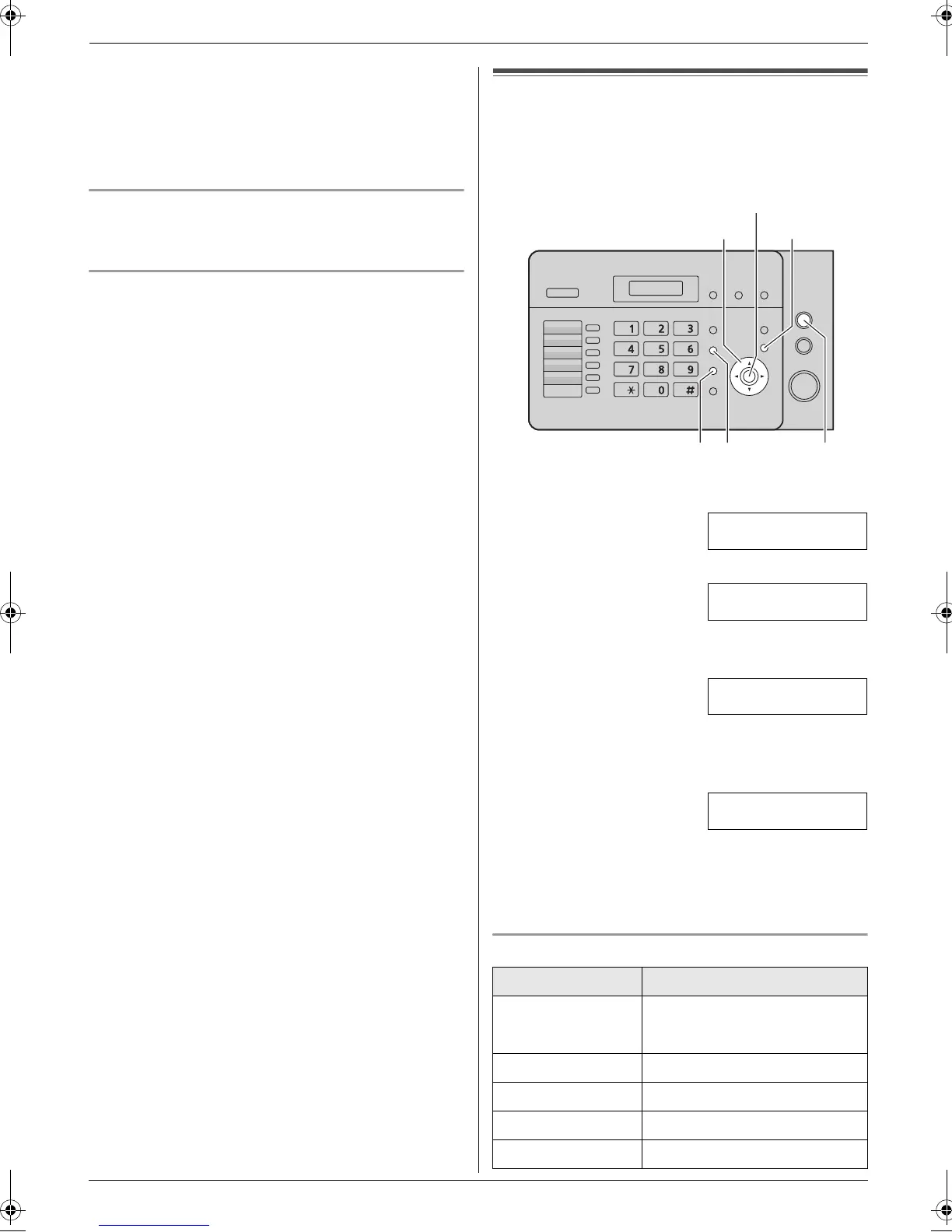
1 Press {Menu}.
SYSTEM SETUP
PRESS [()]
2 Press {#}, then {0}{2}.
YOUR LOGO
PRESS SET
3 Press {Set}.
L The cursor (|) will appear on the display.
LOGO=|
4 Enter your logo, up to 30 characters. See the
following character table for details.
5 Press {Set}.
SETUP ITEM [ ]
6 Press {Menu} to exit.
Note:
L Your logo will be printed on the top of each page sent
from your unit.
To select characters with the dial keypad
Keypad Characters
{1} Space # & ’ ( ) @
, –./1
{2} ABCabc2
{3} DEFde f 3
{4} GHI gh i 4
{5} JKLjkl5
{<}{>}{A}{B}
{Handset Mute} {Stop}{Flash}
{Menu}
{Set}
FL421-PNQX3022ZA-OI-en.book Page 22 Thursday, July 29, 2010 9:35 AM





 To Next Page