71
Jams
For fax advantage assistance, call 1-800-435-7329.
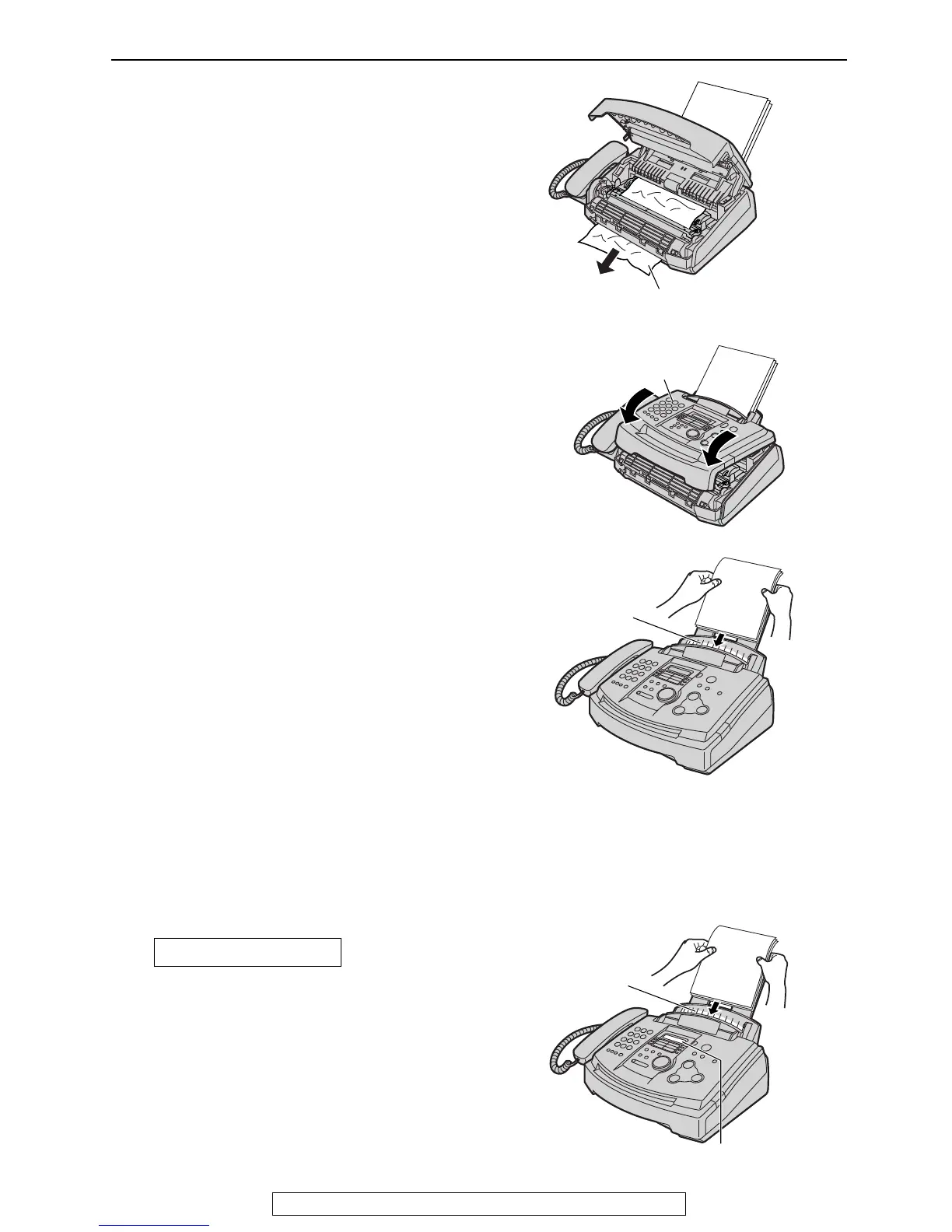
When the recording paper has jammed
near the recording paper exit:
Remove the jammed paper by pulling it
toward you.
The display will show the following message.
Remove the recording paper. Straighten and
reinsert it into the recording paper entrance.
FAILED PICK UP
Recording
paper
entrance
Display
When the recording paper was not fed into the unit
properly
4
Remove the recording paper.
Straighten and reinsert it into the
recording paper entrance.
3
Close the front cover, until locked, by
pushing down on both sides.





 To Next Page