9
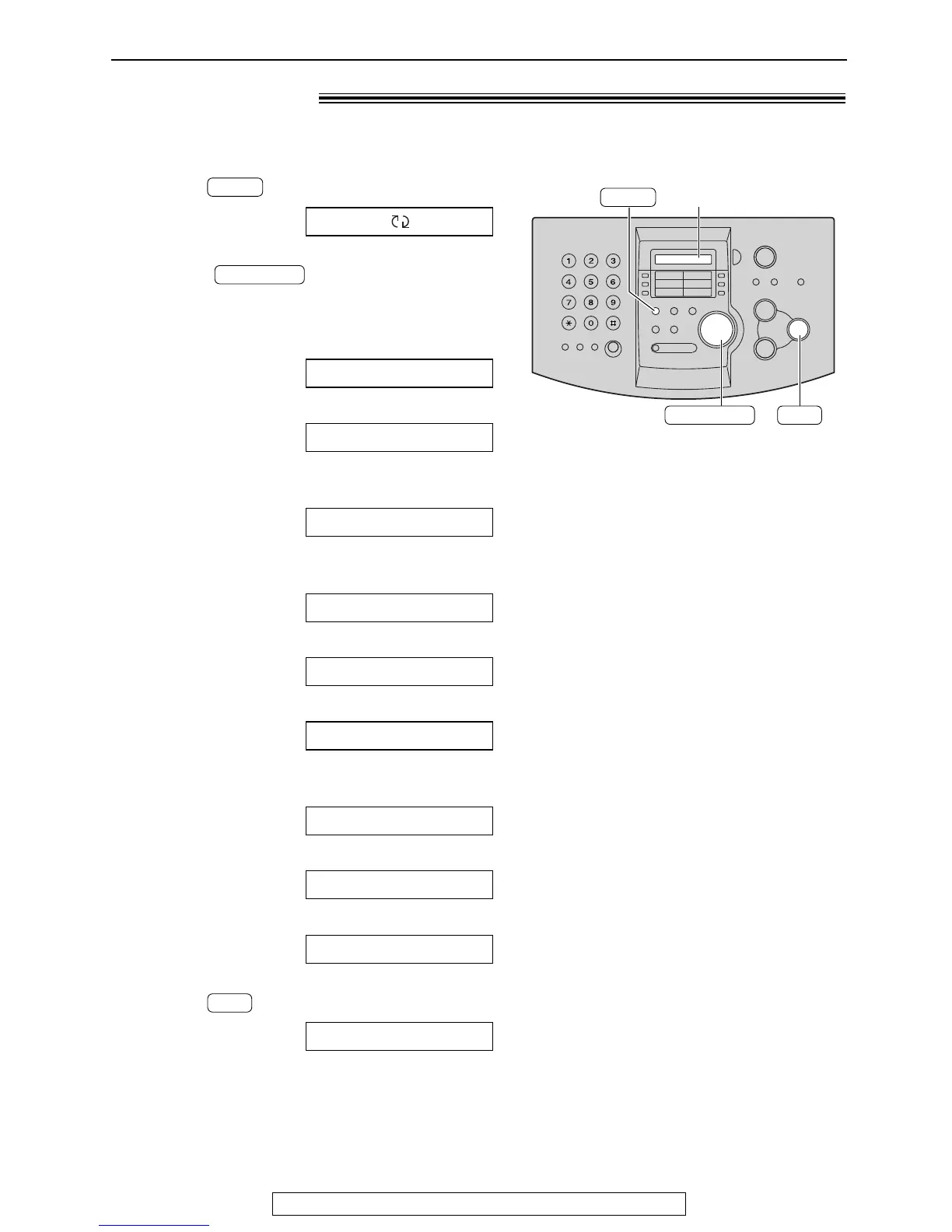
Help Button
For fax advantage assistance, call 1-800-435-7329.
Help function!
1
Press .
Display:
2
Rotate until the desired item is
displayed.
1. How to set the date, time, your logo and
fax number.
2. How to program the features.
3. How to store names in the JOG DIAL
directory and how to dial them.
4. Help with problems sending/receiving
faxes.
5. How to use the copier function.
6. Frequently asked questions and answers.
7. Explanation of error messages shown on
the display.
8. List of available reports.
9. How to use the Caller ID service.
3
Press .
PRINTING



 To Next Page