EasyManua.ls Logo

Panasonic KX-NCP0158 - User Manual

Panasonic KX-NCP0158
88 pages
Print Icon
To Next Page IconTo Next Page
Loading...
Model No.
KX-NCP0158
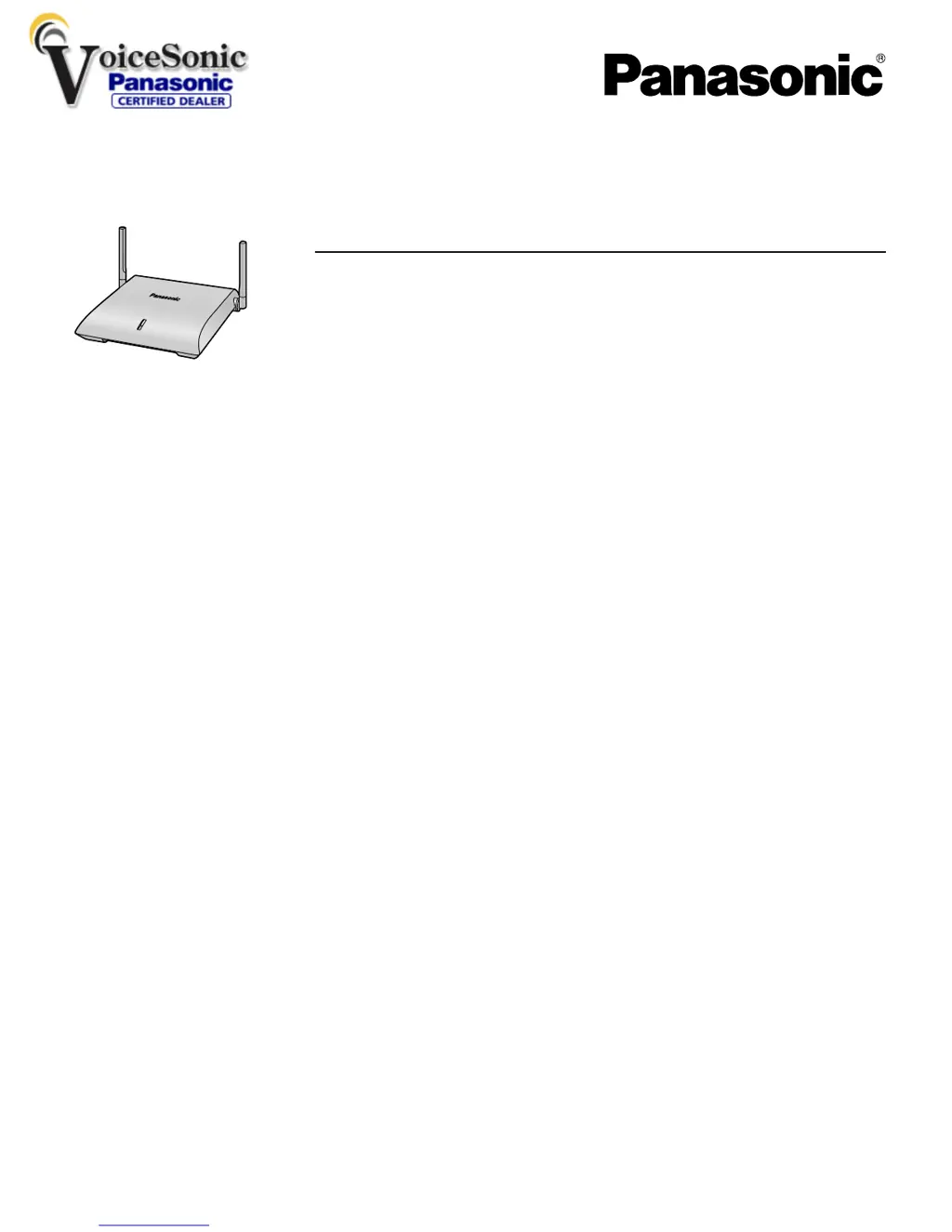
DECT 6.0 8-Channel IP Cell Station Unit
Quick Installation Guide
Document Version: 2009-12
Thank you for purchasing a Panasonic DECT 6.0 8-Channel IP Cell Station Unit.
Please read this manual carefully before using this product and save this manual for future use.
www.voicesonic.com
Phone: 877.289.2829

Questions and Answers

Summary

Important Information

Safety Notices

Important safety precautions to prevent injury and property damage.

Safety Requirements

Essential requirements for product installation and usage to ensure safety and proper function.

Cautionary Guidelines

Key precautions and safety rules for operation and placement.

Additional Information

RF Exposure Warning

Critical warning regarding safe operating distances and conditions for RF exposure.

Procedure Overview

Conduct Site Survey

Detailed steps for performing the radio signal strength and coverage site survey.

Connect CS to PBX

Procedure for connecting the IP Cell Station to the PBX network.

Register CS to PBX

Steps for registering the IP Cell Station with the PBX system.

Site Planning

CS Coverage Area for Conversations

Illustrates coverage zones for establishing calls with Portable Stations.

CS Coverage Area for Air Synchronization

Shows coverage zones for maintaining air synchronization between CSs.

Mutual Interference of Radio Waves

Identifies conditions causing radio wave interference and loss of synchronization.

Before Site Survey

Site Survey Preparation

Detailed checklist for preparing the installation site and gathering information.

Temporary CS Installation for Site Survey

Steps for temporarily setting up the CS for survey purposes.

Site Survey with PS

Testing Radio Signal Strength

Procedure for measuring radio signal strength and error rates.

Error Rate for Conversations

Interpreting error rates for call quality and potential noise.

Error Rate for Air Synchronization

Understanding error rates related to synchronization between CSs.

Connecting IP Cell Stations

Assigning IP Address Information

Steps for configuring IP addresses for the IP-CS.

Registering IP Cell Stations

Registering the IP-CS

Detailed steps for adding the IP Cell Station to the PBX.

Assigning Synchronizing CSs

How to assign roles for air synchronization (Master/Slave).

Assigning Master CSs

Specific steps for assigning Master CS1 and Master CS2 roles.

Confirming Air Synchronization Status

Monitoring Air Synchronization

Steps to display and collect air synchronization status data.

Registering Portable Stations

Registering the PS

Steps for registering a Portable Station to the PBX.

Wall Mounting

Mounting Instructions

Step-by-step guide for attaching the unit to a wall.

Troubleshooting

Initializing the IP Cell Station

Easy Installation Guide

Importance of Site Survey for Air Synchronization

Explains why a site survey is crucial for air synchronization.

Setting Up IP-CSs for Site Survey

Preparations and temporary installation of IP-CSs for conducting the survey.

Performing Site Survey

Steps to conduct the actual site survey using Radio Signal Test mode.

Air Synchronization Settings

Configuring air synchronization parameters via the PC Maintenance Console.

Confirming Air Synchronization Status

Verifying the air synchronization status of IP-CSs.

VoIP Installation Guidance

Summary

Important Information

Safety Notices

Important safety precautions to prevent injury and property damage.

Safety Requirements

Essential requirements for product installation and usage to ensure safety and proper function.

Cautionary Guidelines

Key precautions and safety rules for operation and placement.

Additional Information

RF Exposure Warning

Critical warning regarding safe operating distances and conditions for RF exposure.

Procedure Overview

Conduct Site Survey

Detailed steps for performing the radio signal strength and coverage site survey.

Connect CS to PBX

Procedure for connecting the IP Cell Station to the PBX network.

Register CS to PBX

Steps for registering the IP Cell Station with the PBX system.

Site Planning

CS Coverage Area for Conversations

Illustrates coverage zones for establishing calls with Portable Stations.

CS Coverage Area for Air Synchronization

Shows coverage zones for maintaining air synchronization between CSs.

Mutual Interference of Radio Waves

Identifies conditions causing radio wave interference and loss of synchronization.

Before Site Survey

Site Survey Preparation

Detailed checklist for preparing the installation site and gathering information.

Temporary CS Installation for Site Survey

Steps for temporarily setting up the CS for survey purposes.

Site Survey with PS

Testing Radio Signal Strength

Procedure for measuring radio signal strength and error rates.

Error Rate for Conversations

Interpreting error rates for call quality and potential noise.

Error Rate for Air Synchronization

Understanding error rates related to synchronization between CSs.

Connecting IP Cell Stations

Assigning IP Address Information

Steps for configuring IP addresses for the IP-CS.

Registering IP Cell Stations

Registering the IP-CS

Detailed steps for adding the IP Cell Station to the PBX.

Assigning Synchronizing CSs

How to assign roles for air synchronization (Master/Slave).

Assigning Master CSs

Specific steps for assigning Master CS1 and Master CS2 roles.

Confirming Air Synchronization Status

Monitoring Air Synchronization

Steps to display and collect air synchronization status data.

Registering Portable Stations

Registering the PS

Steps for registering a Portable Station to the PBX.

Wall Mounting

Mounting Instructions

Step-by-step guide for attaching the unit to a wall.

Troubleshooting

Initializing the IP Cell Station

Easy Installation Guide

Importance of Site Survey for Air Synchronization

Explains why a site survey is crucial for air synchronization.

Setting Up IP-CSs for Site Survey

Preparations and temporary installation of IP-CSs for conducting the survey.

Performing Site Survey

Steps to conduct the actual site survey using Radio Signal Test mode.

Air Synchronization Settings

Configuring air synchronization parameters via the PC Maintenance Console.

Confirming Air Synchronization Status

Verifying the air synchronization status of IP-CSs.

VoIP Installation Guidance

Panasonic KX-NCP0158 Specifications

General IconGeneral
BrandPanasonic
ModelKX-NCP0158
CategoryNetwork Router
LanguageEnglish

Related product manuals