EasyManua.ls Logo

Panasonic KX-T7700 Series - User Manual

Panasonic KX-T7700 Series
12 pages
Print Icon
To Next Page IconTo Next Page
Loading...
Quick Reference Guide
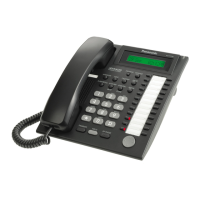
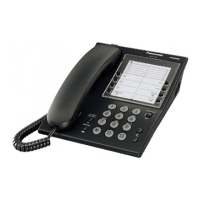
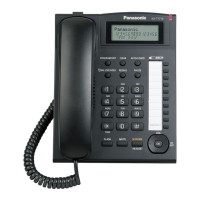
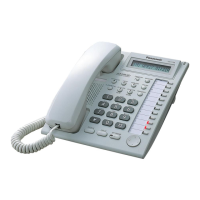
Model KX-T7720E/KX-T7730E/KX-T7750E
Important Information
Proprietary Telephones
When using the KX-T7700 series, keep the following conditions in mind.
If there is any problem, unplug the extension line and connect a known working phone. If
the known working phone operates properly, have the defective phone repaired by a
specified Panasonic Factory Service Centre. If the known working phone does not
operate properly, check the PABX System and the internal extension wiring.
Keep the unit away from heating appliances and electrical noise generating devices such
as fluorescent lamps and motors.
The unit should be kept free of dust, moisture and vibration, and should not be exposed to
direct sunlight.
Do not use benzine, thinner, or any abrasive powder to clean the cabinet. Wipe it with a
soft cloth.
Do not disassemble this unit. Dangerous electrical shock could result. The unit must only
be disassembled and repaired by qualified service technicians.
When a failure occurs which exposes any internal parts, disconnect the telephone line
cord immediately and return the unit to a service centre.
This unit is designed to be installed under controlled conditions of ambient temperature
and a relative humidity not greater than 60%.
Avoid installing the unit in damp or humid environments, such as bathrooms or swimming
pools.
Do not push the PAUSE button more than twice following the initial access digit (or digits).
Failure to comply with this requirement may result in unsatisfactory operation.
999 or 112 can be dialled on the product after accessing the CO line for the purpose of
making outgoing calls to the BT emergency (999) and (112) services.
WARNING:
TO PREVENT FIRE OR SHOCK HAZARD, DO NOT EXPOSE THIS PRODUCT TO RAIN
OR ANY TYPE OF MOISTURE.
THIS HANDSET EARPIECE IS MAGNETISED AND MAY RETAIN SMALL FERROUS
OBJECTS.
IMPORTANT NOTICE:
Under power failure conditions, this telephone may not operate. Please ensure that a
separate telephone, not dependent on local power, is available for use in an emergency.
Notes:
In this manual, the suffix of each model number is omitted.
For further information, refer to the Main Unit/PABX Manuals.
Question and Answer IconNeed help?

Do you have a question about the Panasonic KX-T7700 Series and is the answer not in the manual?

Overview

The Panasonic KX-T7700 series comprises proprietary telephones designed for use with Panasonic KX series PABX systems. This Quick Reference Guide covers models KX-T7720E, KX-T7730E, and KX-T7750E, providing essential information on their functions, usage, and maintenance.

Function Description

These telephones offer a comprehensive range of features for efficient communication within a business environment. They support basic calling functions, including making calls to extensions and external parties, and redialing. Advanced calling features include One-Touch Dialing, which allows users to program and dial frequently used numbers with a single button press. Speed Dialing (Personal and System) further enhances efficiency by enabling quick access to stored numbers.

For incoming calls, the phones support various options such as picking up directed calls or calls from a group. The KX-T7720 and KX-T7730 models feature Handsfree Answerback, allowing users to answer incoming calls without lifting the handset. When a dialled extension is busy or does not answer, the phones offer Automatic Callback Busy, enabling the system to notify the user when the line becomes free. Message Waiting functionality allows users to leave notifications for other extensions and call back parties who have left messages. Call Waiting is also supported, allowing users to be notified of and manage incoming calls while already on another call.

During a conversation, users can place calls on hold, retrieve calls from their own extension or another extension, and even hold calls exclusively. Call Transferring allows users to transfer an active call to another extension or an external party.

Useful features include Paging, which enables announcements to all extensions, specific groups, or external speakers. Three-party conferencing facilitates multi-party conversations. Users can set Absent Messages to inform others of their unavailability and manage their Log-In/Log-Out status, which can be useful for call routing and availability management. Call Forwarding allows users to redirect incoming calls to another extension or an outside line based on various conditions (e.g., all calls, busy, no answer, busy/no answer, follow me). The Do Not Disturb (DND) feature allows users to temporarily block incoming calls. For security and control, extensions can be locked and unlocked using a lock code.

Usage Features

The telephones are designed with user-friendly controls. The RINGER Volume Selector allows users to adjust the ringer volume to high, low, or off. The KX-T7730 model features an LCD (Liquid Crystal Display) for clear information display.

Key buttons include:

  • PROGRAM: Used to enter and exit the programming mode (available only when the main unit is a KX-TA624).
  • CONF (Conference): Establishes a multiple-party conversation.
  • INTERCOM: Makes or receives intercom calls.
  • FWD/DND (Call Forwarding/Do Not Disturb): Performs call forwarding or activates do not disturb.
  • FLASH/RECALL: Disconnects the current call and makes another call without hanging up.
  • AUTO ANS (Auto Answer) (KX-T7720/7730): Receives incoming calls in hands-free mode.
  • MUTE (KX-T7720/7730): Mutes the microphone during a conversation.
  • VOICE CALL (KX-T7750): Monitors an intercom call automatically.
  • AUTO DIAL/STORE: Used for speed dialing or storing program changes.
  • TRANSFER: Transfers a call to another party.
  • REDIAL: Redials the last dialed number.
  • HOLD: Places a call on hold.
  • SP-PHONE (KX-T7720/7730): For hands-free operation.
  • MONITOR (KX-T7750): For hands-free dialing and monitoring the party's voice hands-free.
  • NAVIGATOR KEY (KX-T7730): Adjusts volume, display contrast, or selects items for functions.
  • VOLUME KEY (KX-T7720/7750): Adjusts the volume.
  • Flexible Outside (CO) Line Button: Makes or receives outside calls, seizing an idle outside line automatically. Also functions as desired feature buttons.
  • PAUSE: Inserts a pause during dialing.
  • MESSAGE: Leaves a message waiting indication or calls back the party who left the message.
  • Message/Ringer Lamp: Visually indicates messages or calls, flashing for calls (depending on ringing pattern) and continuously lit for messages.

Initial settings such as speaker volume, handset/headset volume, ringer volume, and display contrast (for KX-T7730) can be easily adjusted. The speaker volume can be adjusted while on-hook or during a conversation using the SP-PHONE button and volume keys. Handset/headset volume is adjusted similarly while in use. Ringer volume is controlled by a physical lever. Display contrast is adjusted using the navigator keys while on-hook or receiving a call.

The phones are designed for easy connection to the main unit/PABX via an included telephone line cord. They also feature a headset jack (KX-T7730 only) for hands-free communication with a headset. For wall mounting, the handset hook can be pulled down to secure the handset, and the attached stand can be removed before mounting the unit on the wall. A convenient feature allows the handset to be temporarily placed down during a conversation by hooking it over the top edge of the phone.

Maintenance Features

To ensure proper operation and longevity, several maintenance guidelines are provided:

  • Troubleshooting: If there is a problem, users should unplug the extension line and connect a known working phone. If the known working phone operates properly, the defective phone should be repaired by a specified Panasonic Factory Service Centre. If the known working phone does not operate properly, the PABX System and internal extension wiring should be checked.
  • Environmental Care: The unit should be kept away from heating appliances and electrical noise-generating devices (e.g., fluorescent lamps, motors). It should also be kept free of dust, moisture, and vibration, and not be exposed to direct sunlight.
  • Cleaning: Do not use benzine, thinner, or any abrasive powder to clean the cabinet. Instead, wipe it with a soft cloth.
  • Disassembly: Users should not disassemble the unit themselves, as this could result in dangerous electrical shock. Disassembly and repair should only be performed by qualified service technicians.
  • Damage: If a failure occurs that exposes any internal parts, the telephone line cord should be disconnected immediately, and the unit returned to a service centre.
  • Installation Environment: The unit is designed for installation under controlled conditions of ambient temperature and a relative humidity not greater than 60%. Avoid installing the unit in damp or humid environments, such as bathrooms or swimming pools.
  • Cord Connection: When connecting the telephone line cord, ensure it is inserted into the groove to prevent damage to the connector.
  • Power Failure: In the event of a power failure, this telephone may not operate. It is important to have a separate telephone, not dependent on local power, available for emergency use.
  • Default Settings: Initial settings may return to default if the telephone line cord is disconnected or the main unit's power is interrupted.

The handset earpiece is magnetised and may retain small ferrous objects. The unit is capable of being used with hearing aids fitted with inductive coil pick-ups; the hearing aid should be set to its "T" position or as directed in its operating instructions.

Panasonic KX-T7700 Series Specifications

General IconGeneral
Dialing TypeTone/Pulse
Wall MountableYes
RedialYes
FlashYes
HandsetYes
Ringer Volume ControlYes
Volume ControlYes

Related product manuals