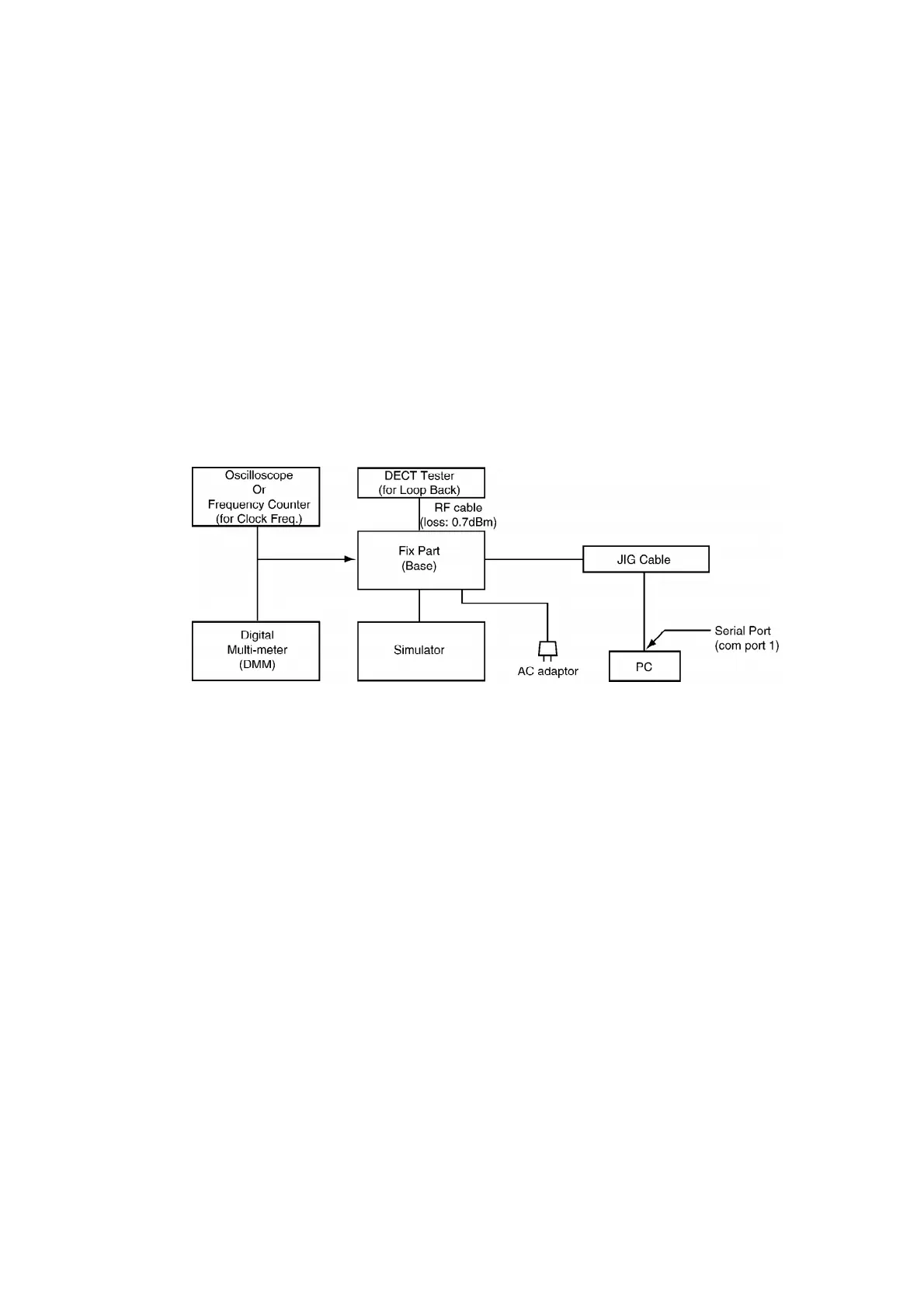
- DC power: it must be able to output at least 1A current under 9V.
- Digital multi-meter (DMM): it must be able to measure voltage and
current.
- Oscilloscope
12.1.2. JIG and PC
- EEPROM serial JIG
JIG Cable: PQZZ1CD505E
- PC which runs in DOS mode
- Batch file for setting: PQZZTCD500AL
12.2. PC Setting
12.2.1. Connections
12.2.2. PC Setting
1. Open a window of MS-DOS mode from the start-up menu.
2. Change a directory.
3. Type “SET RTX_COM = 1” from the keyboard (when COM port 1 is
used for the connection).
4. Type “doskey”.
Note:
See the table below for frequently used commands.
46



 To Next Page