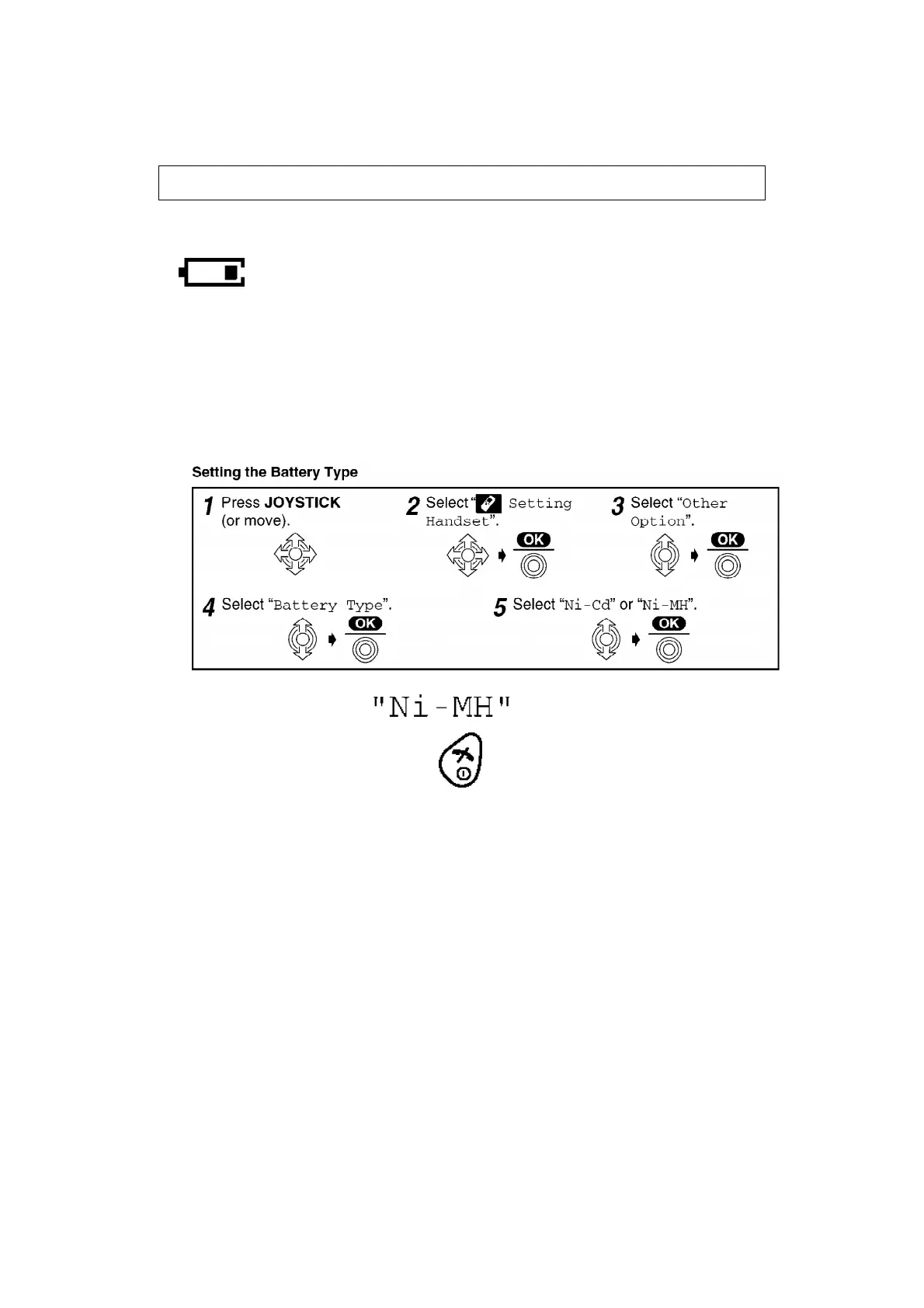
be recharged until the battery icon flashes
NOTATION PUBLIC "-//ALDUS//NOTATION TAGGED IMAGE FILE FORMAT//EN"
ENTITY SYSTEM "_batflas.tif"
.
4.4. Replacing the Batteries
If the icon flashes after a few telephone calls even when the handset batteries have
been fully charged, both batteries must be replaced.
- Charge new batteries for approximately 7 hours before initial use.
- When replacing the batteries, be sure to set up the battery type
even if you install the same type of batteries to initialise battery
remaining memory of your handset.
- The factory preset is .
- To exit the operation, press any time.
- Do not use non-rechargeable batteries. If non-rechargeable
batteries are fitted and start charging, it may cause the leakage of
the battery electrolyte.
- Press the notch on the cover firmly and slide it as indicated by the
arrow. Replace both batteries and close the cover then charge the
handset for about 7 hours.
7






 To Next Page