Preparation
9
Menu icons
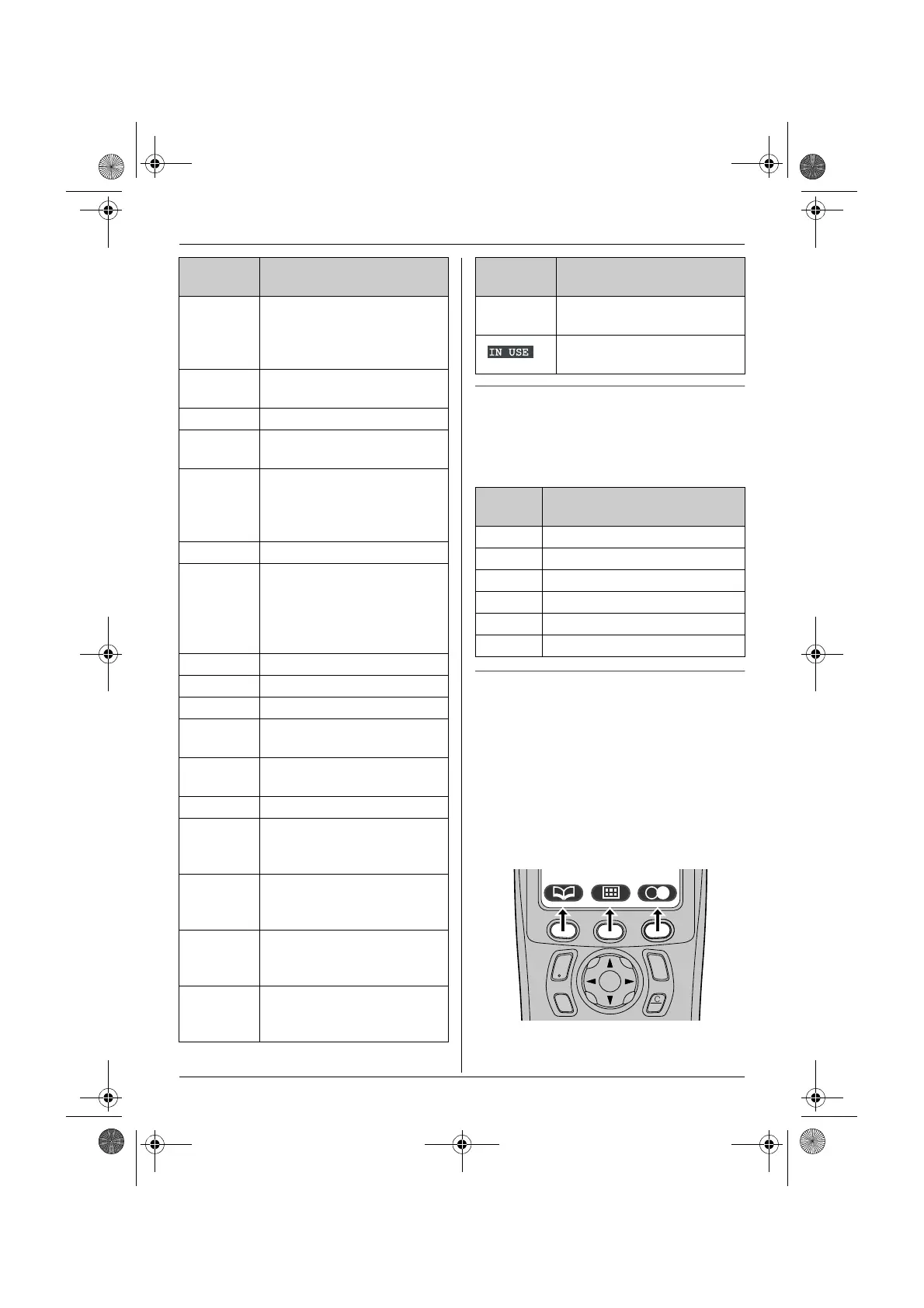
When in standby mode, pressing the middle
soft key reveals the handset’s main menu.
From here you can access various features
and settings.
Soft keys
The handset features 3 soft keys. By
pressing a soft key, you can select the
feature or operation indicated by the soft key
icon shown directly above it.
L Pressing the left, middle, or right soft key
selects the leftmost, centre, or rightmost
soft key icon respectively.
L The icons shown will vary depending on
how you are using the unit.
x Handset is accessing base
unit. (intercom, paging,
changing base unit settings,
etc.)
k Handset is on an outside
call.
x Call bar is on. (page 28)
y Missed call (Caller ID
subscribers only; page 36)
u Answering system is on
(page 45) and/or new
messages have been
recorded. (page 46)
n Answering system is full.
d Answering system will
answer calls with a greeting
message and caller
message will not be
recorded. (page 50)
i Batteries are charging.
1 Battery strength
e Alarm is on. (page 25)
d Voice enhancer is set to
high or low tone. (page 15)
U Ringer volume is off. (page
25)
f Night mode is on. (page 26)
[2] Handset number: The left
icon shows handset 2
example. (page 28)
-2- Base unit number: The left
icon shows base unit 2
example. (page 28)
h New SMS message
received (SMS users only;
page 41)
j Your written SMS message
is over 160 characters.
(SMS users only; page 40)
Display
icon
Meaning
m SMS memory is full. (SMS
users only)
Line is being used by
another handset.
Menu
icon
Menu/feature
W Caller List
X SMS (Short Message Service)
u Answer System
Y Handset Setup
Z Base Unit Setup
a Display Setup
Display
icon
Meaning
C
s
i
h
T
TCD320FX(e).book Page 9 Tuesday, January 18, 2005 1:25 PM











 To Next Page