Helpline Tel.No. :U.K. 08700 100 076 R.O.I. 01289 8333
19
Cordless Telephone
Phonebook
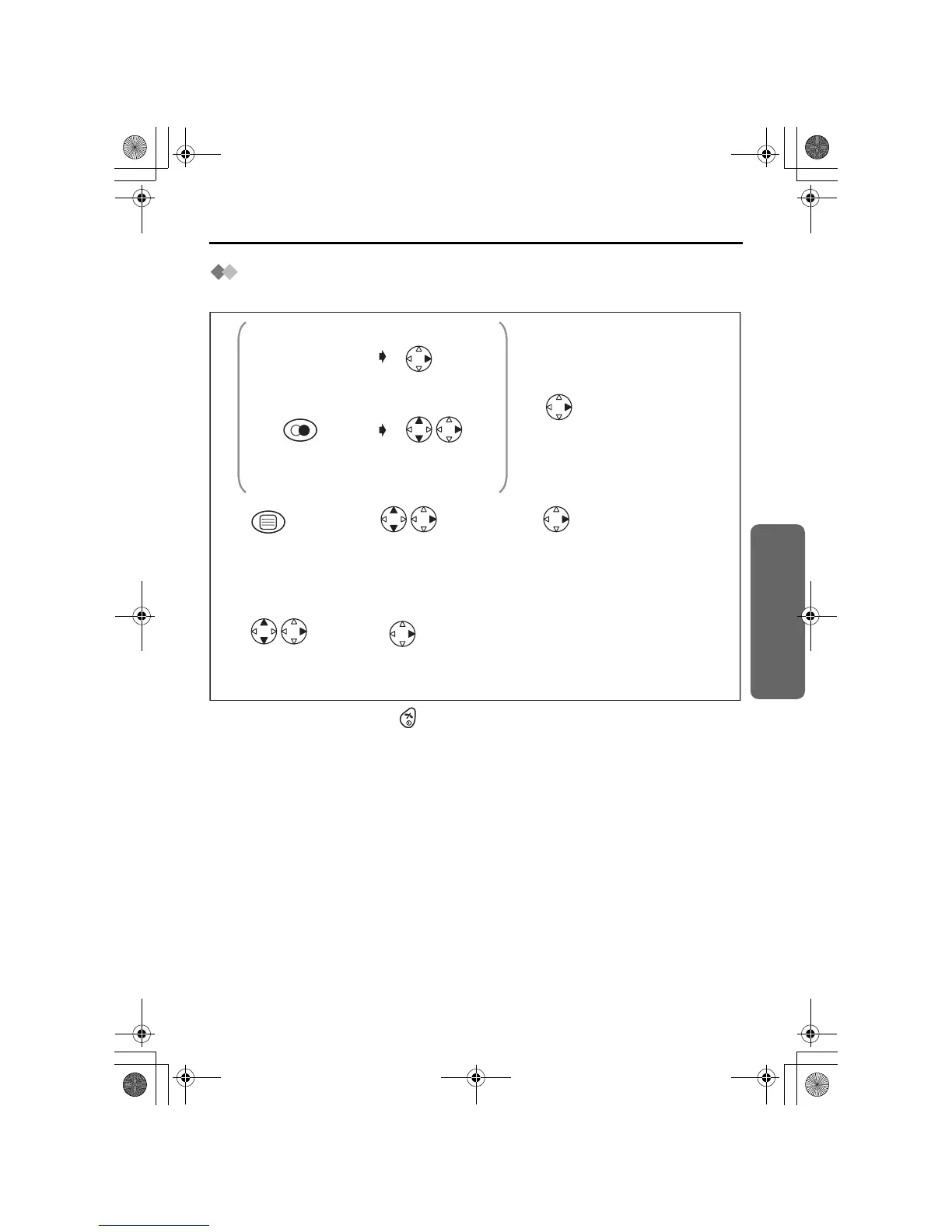
Storing a Phone Number (Pre-dialling/Redial List/
Caller ID List)
• To exit the operation, press any time.
*1 If you need to make a correction, press CLEAR. The digit is cleared to the left, then
you can enter numbers.
*2 If there is no item stored in the redial/caller ID list, the display shows "No Stored
Memory".
*3 If you need to make a correction, press RIGHT or LEFT to move cursor then clear a
character by pressing CLEAR, and/or enter characters. Characters are cleared or
added to the left of the flashing character. To enter characters, see Phonebook
Character Table on page 17.
Press REDIAL.*2
<Pre-dialling>
<Redial List>
<Caller ID List>
Press RIGHT.
Search/Select
the desired dialled
number.
Select "Save
Phonebook".
Search/Select
Private Category
number (1-9) or "OFF".
12
Select "Save
Phonebook".
2
Select "Save".
6
Phone Number
*1
Press OK twice.
4
3
5
Search/Select
the desired
received number.*2
1
Enter name.
(max. 16
characters)*3
Name
Follow from step
3 above.
Name
3
455E.book Page 19 Thursday, March 20, 2003 7:44 PM









 To Next Page