EasyManua.ls Logo

Panasonic KX-TCD200FX - User Manual

Panasonic KX-TCD200FX
44 pages
Print Icon
To Next Page IconTo Next Page
Loading...
This unit is Caller ID compatible. To display the caller’s phone
number, you must subscribe to Caller ID service.
Charge the batteries for about 7 hours before initial use.
Please read these operating instructions before using the unit and save them for
future reference.
Operating Instructions
Model No. KX-TCD200FX
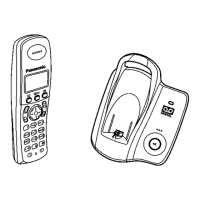
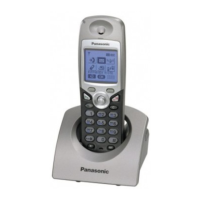
Digital Cordless Phone
TCD200FX(e-e).book Page 1 Monday, February 7, 2005 1:19 PM

Questions and Answers

  • P
    palmerjoseAug 20, 2025
    Why can't I make or receive calls on my Panasonic Cordless Telephone?
    • J
      Jasmin ContrerasAug 20, 2025
      If you are unable to make or receive calls on your Panasonic Cordless Telephone, check the AC adapter and telephone line cord connections. If you're using a splitter, remove it and connect the unit directly to the wall socket to see if that resolves the issue. Also, ensure that the dialing mode is set correctly to “Tone” or “Pulse” as needed, the call bar feature and the key lock feature are turned off. You may have dialed a call restricted number.
  • B
    Brett HudsonAug 22, 2025
    Why is my Panasonic Cordless Telephone not ringing?
    • J
      Jose SmithAug 22, 2025
      If your Panasonic Cordless Telephone is not ringing, check if the ringer volume is turned off on both the handset and the base unit and adjust it as needed. Also, verify that the night mode feature is turned off.
  • G
    gallagherpaulaAug 25, 2025
    What to do if Panasonic KX-TCD200FX batteries aren't charging?
    • N
      Nicole IrwinAug 25, 2025
      If the battery icon on your Panasonic Cordless Telephone isn't changing while charging, clean the charge contact and try charging again. Also, make sure the AC adapter is properly connected.
  • A
    Andrew VangAug 26, 2025
    Why is there static or sound cutting out on my Panasonic KX-TCD200FX?
    • D
      dunnchristinaAug 26, 2025
      If you're experiencing static or the sound cuts in and out on your Panasonic Cordless Telephone, try moving the handset and base unit away from other electrical appliances to avoid interference. Moving closer to the base unit may also help. If you have DSL service, consider connecting a filter between the base unit and the telephone line jack.
  • S
    Sandra SchwartzAug 28, 2025
    What to do if Panasonic Cordless Telephone handset will not turn on?
    • P
      Patrick MarshallAug 28, 2025
      If your Panasonic Cordless Telephone handset will not turn on, make sure the batteries are installed correctly. Fully charge the batteries. If that doesn't work, clean the charge contact and charge again.
  • W
    Willie WrightAug 30, 2025
    Why do I hear a busy tone when pressing {C} on my Panasonic KX-TCD200FX?
    • A
      Anthony MaloneAug 30, 2025
      If you hear a busy tone when pressing {C} on your Panasonic Cordless Telephone, it could be because the handset is too far from the base unit (move closer and try again). Alternatively, another handset might be on an outside call (wait for the other user to complete the call).
  • M
    Mr. Joseph JohnsonSep 1, 2025
    Why is the display blank on my Panasonic KX-TCD200FX Cordless Telephone handset?
    • C
      Christopher YorkSep 1, 2025
      If the handset display is blank on your Panasonic Cordless Telephone, turn the power on.
  • D
    Daniel BallardSep 3, 2025
    What does it mean when 'w' is flashing on my Panasonic KX-TCD200FX?
    • R
      richardjohnsonSep 3, 2025
      If the 'w' is flashing on your Panasonic Cordless Telephone, it could be due to several reasons: the handset is not registered to the base unit, the handset is too far from the base unit (move closer), or the AC adapter is not connected (check the connections).
  • V
    vazquezianSep 5, 2025
    Why does '7' still flash on my Panasonic KX-TCD200FX Cordless Telephone after charging?
    • C
      Cassandra PittsSep 5, 2025
      If '7' still flashes on your Panasonic Cordless Telephone after fully charging the batteries, clean the charge contact and charge again. If the issue persists, it may be time to replace the batteries.
  • J
    Jonathan KnappSep 7, 2025
    What to do if my Panasonic Cordless Telephone handset stops working during use?
    • S
      scottmeyersSep 7, 2025
      If your Panasonic Cordless Telephone handset stops working while you are using it, disconnect the AC adapter and turn off the handset. Then, reconnect the AC adapter, turn the handset back on, and try again.

Summary

Introduction

Introduction

Welcomes user and provides basic product overview.

Preparation

Accessory Information

Lists included and optional accessories for the phone.

Important Information

Covers safety, environment, location, and battery handling precautions.

Controls and Displays

Identifies and describes handset and base unit controls and display icons.

Connections

Instructions for connecting the AC adaptor and telephone line cord.

Battery Installation and Charging

Steps for installing batteries, charging, and understanding battery status.

Battery Life, Replacement, and Power

Details battery lifespan, replacement procedure, and how to turn the unit on/off.

Dialing Mode and Date;Time Settings

How to configure dial mode and set the current date and time.

Making and Answering Calls

Making Calls and Speakerphone

Instructions on how to make calls, use the speakerphone, and manage calls.

Redial Feature

How to use the redial function and manage the redial list.

Advanced Call Features

Explains voice enhancer, mute, key lock, recall, and pause functions.

Answering Calls and Auto Talk

How to answer calls, activate auto-talk, and adjust ringer volume.

Phonebook

Phonebook Operations

Overview of phonebook features: adding, editing, finding, and managing entries.

Managing Phonebook Entries

Details on erasing entries, one-touch dial assignment, and category management.

Advanced Phonebook Functions

How to make calls using one-touch dial, chain dial, and copy entries to other handsets.

Handset Settings

Guide to Handset Settings

A comprehensive chart of all customizable settings for the handset.

Time and Ringer Setup

How to set alarms and configure ringer volume and ringtones.

Night Mode Settings

How to set start/end times, turn on/off, and adjust ring delay for night mode.

Display and Language Settings

How to configure standby display, language, and contrast.

Call Options and Other Settings

Controls for call bar, auto talk, handset PIN, and keytones.

Resetting the Handset

Steps to reset the handset to default settings, noting retained/deleted items.

Base Unit Settings

Guide to Base Unit Settings

A comprehensive chart of all customizable settings for the base unit.

Ringer and Night Mode Settings

How to set base unit ringer volume, night mode times, and ring delay.

Call Options and Emergency Numbers

How to manage recall time, pause length, emergency numbers, and call restriction.

Area Code Restriction and PIN Management

How to restrict area codes, change the base unit PIN, and reset the base unit.

Resetting the Base Unit

Steps to reset the base unit to default settings, listing retained/deleted items.

Caller ID Service

Caller ID Features and List

Overview of Caller ID features, display, missed calls, category use, and caller list viewing.

Managing Caller List Entries

How to edit, erase, and store caller information from the list.

Multi-unit Operation

Operating Additional Units

Information on additional handsets, base units, and handset registration.

Manual Registration and Base Unit Selection

Steps for manual handset registration and selecting a base unit.

Cancelling Registration and Repeater Mode

How to cancel handset/base unit registration and manage repeater mode.

Transferring Calls Between Handsets

Procedures for transferring outside calls between handsets.

Useful Information

Wall Mounting

Instructions and template for wall-mounting the base unit.

Character Entry Modes

Explanation of character entry modes and tables for alphabet, numeric, and Greek.

Extended Character Tables

Details character tables for Extended 1, Extended 2, and Cyrillic entry modes.

Troubleshooting: Initial Settings

Solves problems related to initial setup, like registration and display issues.

Troubleshooting: Telephone and Ringing Issues

Addresses problems with making/receiving calls, unit not ringing, and signal interference.

Troubleshooting: Operation and Caller ID Issues

Solves problems with handset operation, battery, caller information, and registration.

Specifications

Technical specifications for the DECT phone, including frequency, power, and dimensions.

Panasonic KX-TCD200FX Specifications

General IconGeneral
TypeCordless Telephone
Number of Handsets1
Talk Time10 hours
Standby Time120 hours
Caller IDYes
Phonebook Capacity50 entries
DisplayLCD
RangeUp to 300 meters
Call WaitingYes
Answering MachineNo
Battery TypeNi-MH
IntercomYes

Related product manuals