EasyManua.ls Logo

Panasonic KX-TCD220FX - User Manual

Panasonic KX-TCD220FX
68 pages
Print Icon
To Next Page IconTo Next Page
Loading...
This unit is compatible with Caller ID and SMS. To use these
features, you must subscribe to the appropriate service of your
service provider.
Charge the batteries for about 7 hours before initial use.
Please read these operating instructions before using the unit and save them for
future reference.
Operating Instructions
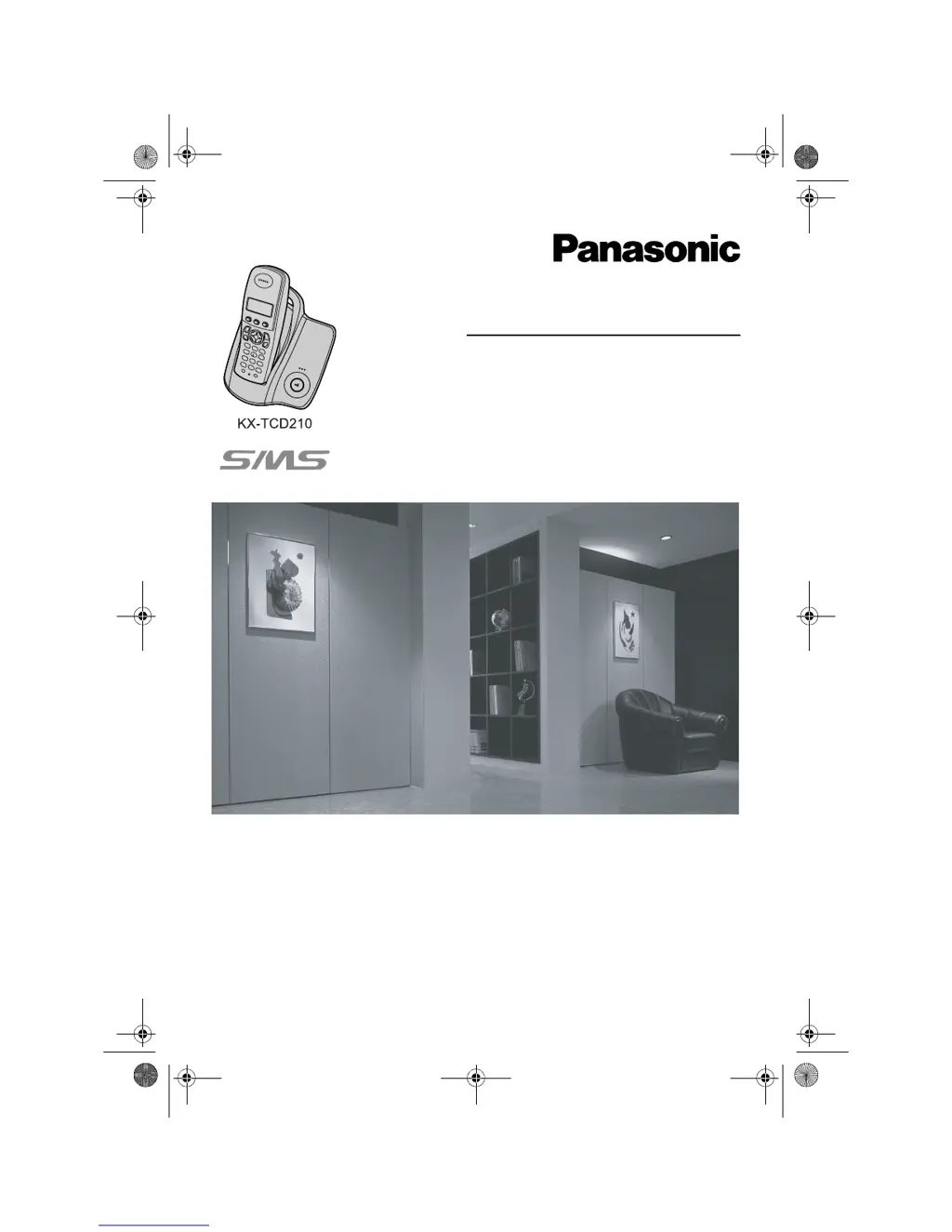
Model No. KX-TCD210FX
Digital Cordless Phone
Model No. KX-TCD220FX
Digital Cordless Answering System
TCD210220FX(e-e).book Page 1 Tuesday, January 18, 2005 9:04 AM

Table of Contents

Other manuals for Panasonic KX-TCD220FX

Questions and Answers

  • R
    Ronald HallAug 19, 2025
    Why I cannot make or receive calls on my Panasonic Cordless Telephone?
    • M
      Mary StewartAug 19, 2025
      If you cannot make or receive calls on your Panasonic Cordless Telephone, check the AC adapter and telephone line cord connections. If you're using a splitter, remove it and connect the unit directly to the wall socket; if it then works, check the splitter. If a working telephone operates properly when connected to the telephone line, contact service personnel to repair the unit. Also, ensure the dialing mode is set to 'Tone' or 'Pulse' as needed, turn off the call bar and key lock features if they are enabled, and be aware of restricted numbers.
  • C
    Christine RomeroAug 21, 2025
    Why does my Panasonic KX-TCD220FX not ring?
    • J
      Joann MorrisAug 21, 2025
      If your Panasonic Cordless Telephone does not ring, check if the ringer volume is turned off. Adjust the handset and base unit ringer volume. Also, check if the night mode feature is turned on and turn it off if it is.
  • K
    Kristen SotoAug 23, 2025
    What to do if Panasonic KX-TCD220FX handset stops working?
    • C
      Charles LoweAug 23, 2025
      If your Panasonic Cordless Telephone handset stops working while being used, disconnect the AC adapter and turn off the handset. Then, reconnect the AC adapter, turn the handset back on, and try again.
  • W
    william83Aug 26, 2025
    Why is there static or sound cutting in and out on my Panasonic KX-TCD220FX Cordless Telephone?
    • D
      Daniel SilvaAug 26, 2025
      If you hear static or the sound cuts in and out on your Panasonic Cordless Telephone, it might be due to interference from other electrical units. Try moving the handset and base unit away from other appliances. If that doesn't work, move closer to the base unit. Also, if you are connected to a telephone line with DSL service, consider connecting a filter between the base unit and the telephone line jack.
  • B
    Bonnie LivingstonAug 28, 2025
    Why do I hear a busy tone when {C} is pressed on my Panasonic Cordless Telephone?
    • J
      Julia MillsAug 28, 2025
      If you hear a busy tone when you press {C} on your Panasonic Cordless Telephone, it could be because the handset is too far from the base unit; move closer and try again. Another possibility is that another handset is already on an outside call; wait for the other user to complete their call.
  • D
    Danielle GarciaAug 30, 2025
    Why is the handset display blank on my Panasonic KX-TCD220FX Cordless Telephone?
    • J
      Jerry HoffmanAug 30, 2025
      If the handset display is blank on your Panasonic Cordless Telephone, the handset might not be turned on. Turn the power on.
  • A
    Abigail BooneSep 1, 2025
    What to do if Panasonic Cordless Telephone handset will not turn on?
    • G
      gabriellecoxSep 1, 2025
      To resolve the issue of the Panasonic Cordless Telephone handset not turning on, ensure the batteries are installed correctly. Fully charge the batteries. If the problem persists, clean the charge contact and charge again.
  • M
    Melissa HutchinsonSep 4, 2025
    What to do if 'w' is flashing on my Panasonic Cordless Telephone?
    • A
      Andrea FlynnSep 4, 2025
      If 'w' is flashing on your Panasonic Cordless Telephone, it could be due to several reasons. The handset might not be registered to the base unit, so you should register it. Alternatively, the handset may be too far from the base unit, so move closer. Also, check if the AC adapter is properly connected.
  • V
    Virginia NelsonSep 6, 2025
    Why the other party cannot leave a message on my Panasonic KX-TCD220FX Cordless Telephone?
    • M
      Michael BartlettSep 6, 2025
      If the other party cannot leave a message on your Panasonic Cordless Telephone, it might be because the recording time is set to 'Greeting Only'. Change it to '1 Minute' or '3 Minutes'. Alternatively, the message memory might be full, so erase unnecessary messages.
  • S
    Sarah CohenSep 8, 2025
    Why is caller information not displayed on my Panasonic KX-TCD220FX?
    • P
      pfloydSep 9, 2025
      If caller information is not displayed on your Panasonic Cordless Telephone, you must subscribe to Caller ID service. Also, if your unit is connected to a telephone line with DSL service, connecting a filter to the telephone line between the base unit and the telephone line jack is recommended.

Panasonic KX-TCD220FX Specifications

General IconGeneral
TypeCordless Telephone
Number of Handsets1
Frequency1.9 GHz
RangeUp to 300 meters outdoors, 50 meters indoors
Talk TimeUp to 10 hours
Standby TimeUp to 100 hours
Caller IDYes
Phonebook Capacity50 entries
DisplayLCD
Call WaitingYes
SpeakerphoneYes
Answering MachineNo
KeypadYes
Volume ControlYes
RedialYes
FlashYes
HoldYes
MuteYes
Power SourceRechargeable battery
IntercomYes (handset to handset)
WeightApprox. 150g

Related product manuals