EasyManua.ls Logo

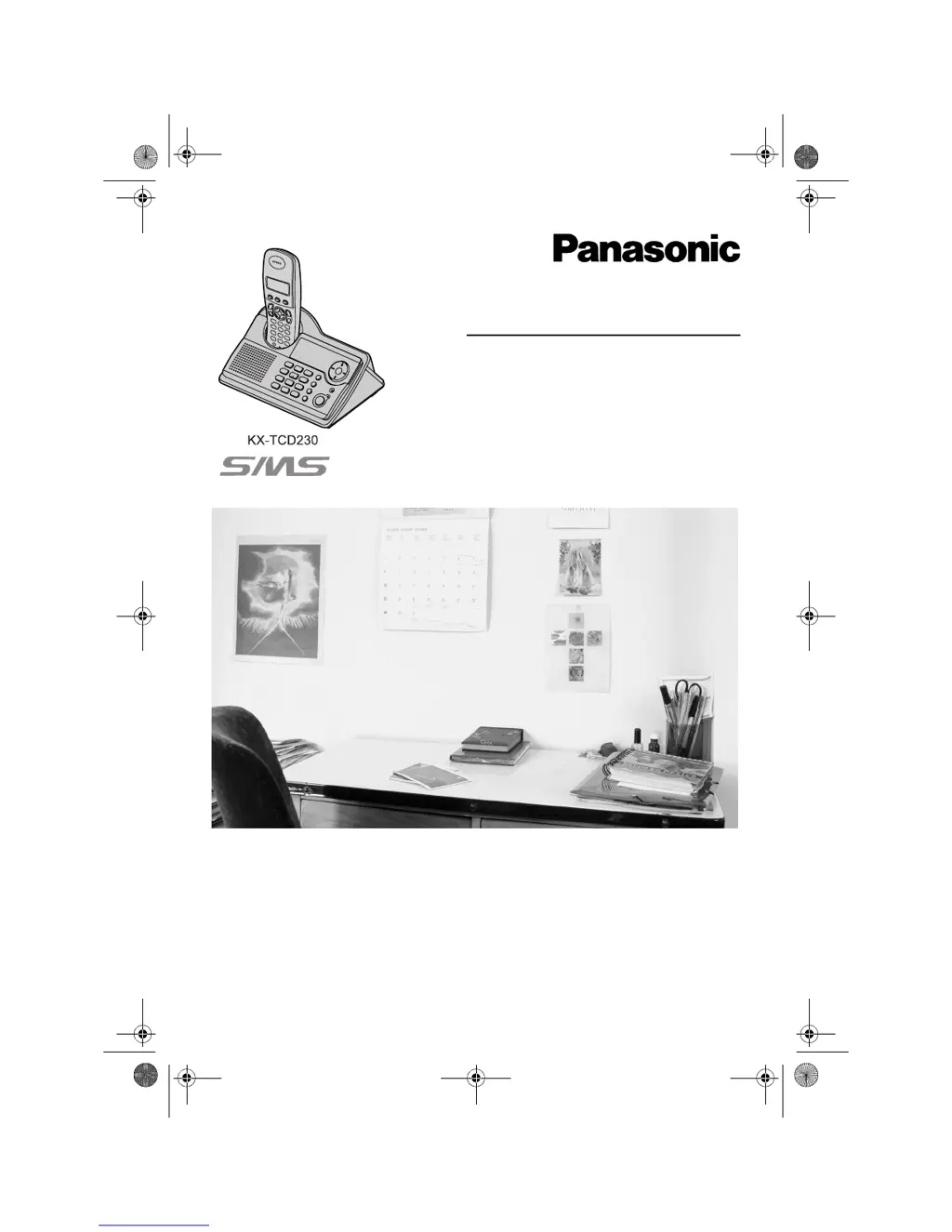
Panasonic KX-TCD230FX - User Manual

Panasonic KX-TCD230FX
72 pages
Print Icon
To Next Page IconTo Next Page
Loading...
This unit is compatible with Caller ID and SMS. To use these
features, you must subscribe to the appropriate service of your
service provider.
Charge the batteries for about 7 hours before initial use.
Please read these operating instructions before using the unit and save them for
future reference.
Operating Instructions
Model No. KX-TCD230FX
Digital Cordless Phone
Model No. KX-TCD240FX
Digital Cordless Answering System
TCD230-240FX(e).book Page 1 Wednesday, June 8, 2005 7:15 PM

Table of Contents

Other manuals for Panasonic KX-TCD230FX

Questions and Answers

  • T
    teresa17Sep 23, 2025
    What does “E0” displayed on my Panasonic Cordless Telephone mean?
    • S
      Stephanie MosleySep 23, 2025
      If “E0” is displayed on your Panasonic Cordless Telephone, your phone number is permanently withheld, or you have not subscribed to the appropriate service. Consult your service provider.
  • S
    Stephen HillAug 25, 2025
    How to fix Panasonic KX-TCD230FX when it does not ring?
    • J
      John BlakeAug 25, 2025
      If your Panasonic Cordless Telephone isn't ringing, there are a couple of things to check: * First, make sure the ringer volume isn't turned off. Adjust the handset and base unit ringer volume. * Also, ensure that the night mode feature is turned off, as this can silence incoming calls.
  • T
    Tina MartinezAug 25, 2025
    What to do if 'w' is flashing on my Panasonic KX-TCD230FX Cordless Telephone?
    • W
      wmartinezAug 26, 2025
      If 'w' is flashing on your Panasonic Cordless Telephone, it could indicate a few things: * The handset may not be registered to the base unit; in this case, register it. * The handset might be too far from the base unit; try moving closer. * The AC adapter might not be connected; check the connections. * There may be high electrical interference; move the handset and base unit away from sources like antennas and mobile phones.
  • R
    Robert AndersonAug 27, 2025
    What to do if 7 still flashes after fully charging Panasonic KX-TCD230FX Cordless Telephone batteries?
    • K
      Kristen BishopAug 27, 2025
      If the number 7 continues to flash on your Panasonic Cordless Telephone even after fully charging the batteries: * Clean the charge contacts and try charging again. * It may also indicate that it's time to replace the batteries.
  • M
    Mark AdamsAug 27, 2025
    Why is there static or sound cutting in and out on my Panasonic KX-TCD230FX?
    • D
      Dillon ButlerAug 28, 2025
      If you're experiencing static or sound cutting in and out on your Panasonic Cordless Telephone, here are a couple of potential causes: * Interference from other electrical units could be the issue. Try moving the handset and base unit away from other electrical appliances. * If your unit is connected to a telephone line with DSL service, it's recommended to connect a filter to the telephone line between the base unit and the telephone line jack. Contact your DSL service provider for a filter.
  • L
    Loretta RobinsonSep 15, 2025
    Why does the display return to standby mode while viewing caller information on my Panasonic KX-TCD230FX Cordless Telephone?
    • J
      Jacqueline CopelandSep 15, 2025
      Do not pause for over 1 minute while searching.
  • R
    Renee JonesSep 12, 2025
    Why does my Panasonic KX-TCD230FX Cordless Telephone ring and stop recording while recording a greeting message or listening to messages?
    • M
      mayerjosephSep 13, 2025
      If your Panasonic Cordless Telephone rings and stops recording while you are recording a greeting message or listening to messages, it's likely because a call is being received. Answer the call and try again later.
  • B
    Becky LyonsSep 14, 2025
    Why doesn't pressing {R} display/dial the last number dialed on my Panasonic Cordless Telephone?
    • M
      Mark RobinsonSep 14, 2025
      If pressing {R} does not display or dial the last number dialed on your Panasonic Cordless Telephone, it may be because the redialed number was more than 24 digits long. Redial the number manually.
  • B
    Brandon MejiaSep 5, 2025
    What to do if my Panasonic Cordless Telephone handset/base unit stops working while being used?
    • G
      George WoodwardSep 5, 2025
      If your Panasonic Cordless Telephone handset or base unit stops working while being used, disconnect the AC adapter and turn off the handset. Then, reconnect the AC adapter, turn on the handset, and try again.
  • K
    kimberly52Sep 3, 2025
    What to do if the handset display is blank on my Panasonic Cordless Telephone?
    • D
      Darren AguilarSep 3, 2025
      If the handset display is blank on your Panasonic Cordless Telephone, the handset may not be turned on. Turn the power on.

Panasonic KX-TCD230FX Specifications

General IconGeneral
TypeCordless Telephone
Number of Handsets1
Caller IDYes
DisplayLCD
Ringer melodies10
Call WaitingYes
Answering MachineNo
Standby TimeUp to 7 days
Phonebook Capacity50 entries
RangeUp to 300 meters outdoors

Related product manuals