Helpline Tel.No. :U.K. 08700 100 076 R.O.I. 01289 8333
47
Cordless Telephone
Walkie-Talkie
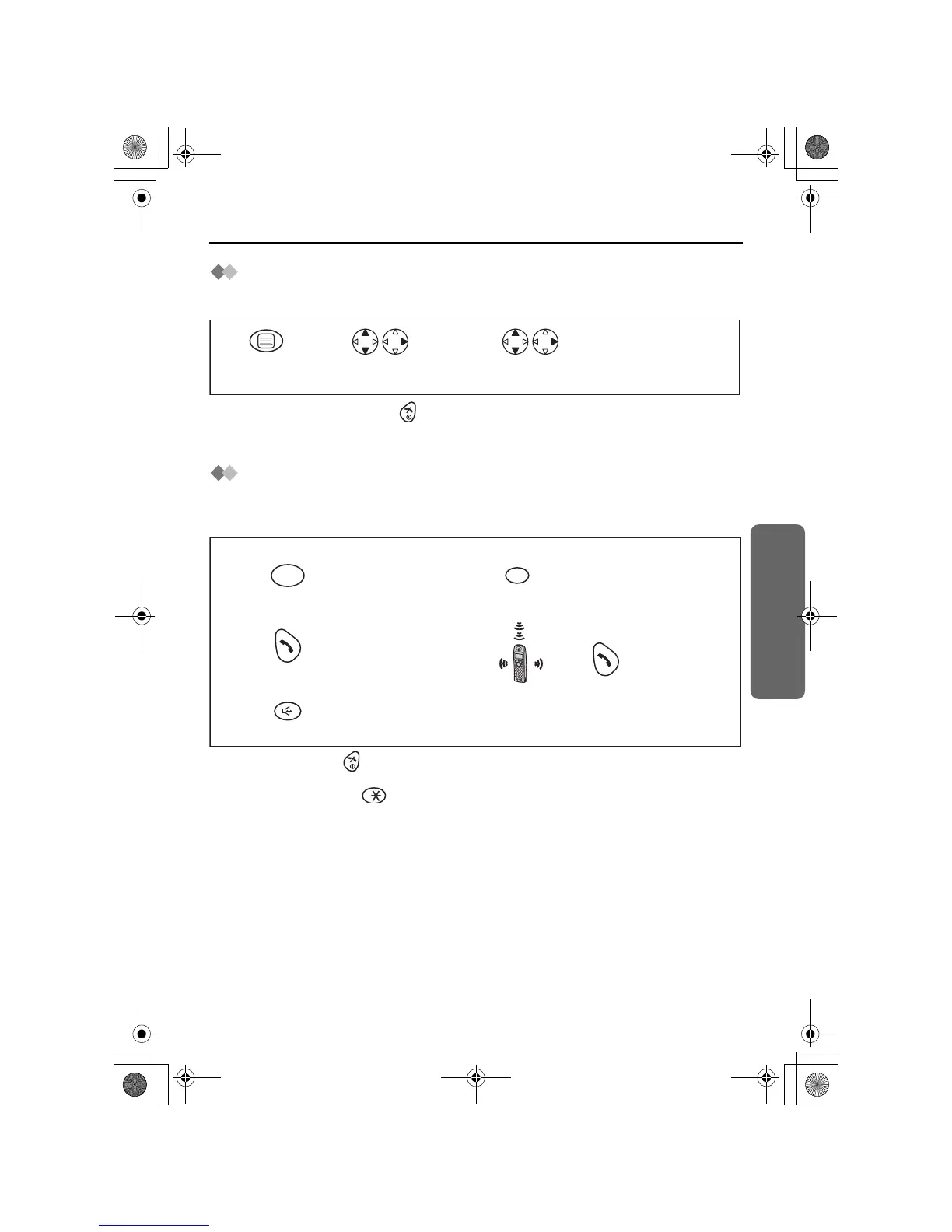
To turn the Walkie-Talkie Mode ON/OFF
To use the Walkie-Talkie feature, all handsets in conversation must be in Walkie-Talkie
mode.
• To exit the operation, press any time.
*1 When the Walkie-Talkie mode is ON, the handset number is displayed after “Walkie-
Talkie” in the first line of the display.
Talking in Walkie-Talkie Mode
Before proceeding with this function, please ensure Walkie-Talkie mode is turned on,
and the appropriate Walkie-Talkie mode has been selected.
For example, when Handset 1 is calling Handset 2:
• To hang up, press .
• You can press UP or DOWN to adjust the volume while in Walkie-Talkie mode.
*1 The sender can input as a remote internal number. In this case all handsets in
the same Walkie-Talkie mode are called.
*2 You can also press a dialling button, INTERCOM,
t
,
x
or SPEAKERPHONE.
Press MENU.
Search/Select
"ON" or "OFF".*1
Search/Select
"Walkie-Talkie".
1
23
Press TALK.*2
<Handset 1>
Press INTERCOM.
Press SPEAKERPHONE.
OR
OR
Press desired
handset number.*1
INT
<Handset 2>
2
12
3
Press TALK .
455E.book Page 47 Thursday, March 20, 2003 7:44 PM










 To Next Page