EasyManua.ls Logo

Panasonic KX-TG4023N - User Manual

Panasonic KX-TG4023N
52 pages
Print Icon
To Next Page IconTo Next Page
Loading...
Thank you for purchasing a Panasonic product.
Please read these operating instructions before using the unit and save
them for future reference.
This unit is compatible with Caller ID. You must subscribe to the appropriate
service offered by your service provider/telephone company.
For assistance, visit our Web site: http://www.panasonic.com/help
for customers in the U.S.A. or Puerto Rico.
Before initial use, see “Getting
Started” on page 10.
Consulte “Guía Rápida Española”, página 44.
Please register your product: http://www.panasonic.com/prodreg
Operating Instructions
Expandable Digital Cordless
Answering System
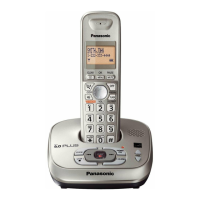
Model shown is KX-TG4011.
KX-TG4024
KX-TG4073
KX-TG4074
Model No.
KX-TG4021
KX-TG4022
KX-TG4023
Expandable Digital Cordless Phone
Model No.
KX-TG4011
KX-TG4012
KX-TG4013
TG401x.book Page 1 Wednesday, December 23, 2009 9:30 AM

Questions and Answers

  • K
    kimberly04Sep 10, 2025
    Why does 7 still flash on my Panasonic KX-TG4023N Telephone after fully charging the batteries?
    • D
      dennis77Sep 10, 2025
      If 7 still flashes or the operating time seems shorter on your Panasonic Telephone after fully charging the batteries, clean the battery ends and the charge contacts with a dry cloth and charge again. It may also be time to replace the batteries.
  • J
    Jasmine TravisAug 22, 2025
    What to do if my Panasonic KX-TG4023N does not record new messages?
    • T
      Tyler HerreraAug 22, 2025
      If your Panasonic Telephone is not recording new messages, ensure that the answering system is turned on. Also, check if the message memory is full and erase any unnecessary messages. If you subscribe to a voice mail service, messages are recorded by your service provider, not your telephone; in this case, adjust the unit’s number of rings setting or contact your service provider.
  • K
    Kristen ClarkAug 25, 2025
    What to do if my Panasonic KX-TG4023N Telephone unit does not work?
    • A
      angelamercerAug 25, 2025
      If your Panasonic Telephone unit isn't working, first ensure the batteries are installed correctly. Then, fully charge the batteries. Check all the connections. Try resetting the unit by unplugging the base unit’s AC adaptor, then reconnecting it. Finally, confirm that the handset has been registered to the base unit; if not, register the handset.
  • K
    Kendra BergAug 26, 2025
    Why can't I hear a dial tone on my Panasonic Telephone?
    • J
      James BellAug 26, 2025
      If you cannot hear a dial tone on your Panasonic Telephone, check that the base unit’s AC adaptor and telephone line cord are properly connected. If the connections are correct, disconnect the base unit from the telephone line and connect the line to a known working telephone. If the working telephone operates properly, contact service personnel to have the unit repaired. If the working telephone does not operate properly, contact your service provider/ telephone company.
  • S
    Stephen KnightAug 27, 2025
    Why does my Panasonic KX-TG4023N Telephone handset beep and flash 7 times?
    • Y
      youngmelissaAug 28, 2025
      If your Panasonic Telephone handset beeps and flashes 7 times, it indicates that the battery charge is low. You should fully charge the batteries.
  • A
    Amanda PerezAug 29, 2025
    How to fix a Panasonic KX-TG4023N handset that does not ring?
    • G
      garciacourtneyAug 29, 2025
      If your Panasonic Telephone handset does not ring, the ringer volume may be turned off. Adjust the ringer volume.
  • S
    Sherry MillerSep 18, 2025
    What to do if liquid entered my Panasonic KX-TG4023N handset/base unit?
    • D
      Danny Coleman DDSSep 18, 2025
      If liquid or other form of moisture has entered the handset/base unit, disconnect the AC adaptor and telephone line cord from the base unit. Remove the batteries from the handset and leave to dry for at least 3 days. After the handset/base unit are completely dry, reconnect the AC adaptor and telephone line cord. Insert the batteries and charge fully before use.
  • B
    Bradley PerezSep 12, 2025
    Why can't I operate the answering system on my Panasonic Telephone?
    • B
      bcohenSep 12, 2025
      If you cannot operate the answering system on your Panasonic Telephone, it could be because someone else is currently using the unit. Wait for them to finish. Alternatively, a caller might be leaving a message, so wait for the caller to finish. The handset may also be too far from the base unit, so move closer.
  • T
    Taylor LaraSep 8, 2025
    What does flashing 'w' mean on my Panasonic Telephone?
    • S
      Sherry KennedySep 8, 2025
      If you see 'w' flashing on your Panasonic Telephone, it could mean the handset is too far from the base unit; try moving closer. Alternatively, the base unit’s AC adaptor may not be properly connected, so ensure it is securely connected to the base unit. It could also indicate that the handset is not registered to the base unit; in this case, register the handset.
  • J
    Jennifer JacksonSep 5, 2025
    What to do if Panasonic Telephone handset does not turn on?
    • B
      brodriguezSep 5, 2025
      If the handset does not turn on even after installing charged batteries, place the handset on the base unit or charger to turn on the handset.

Summary

Important Information

For Your Safety

Precautions to prevent injury and property damage during product use.

Operating Safeguards

Guidelines for safe operation and maintenance of the phone system.

Battery

Important Safety Instructions

Basic safety precautions when using the product, including battery handling.

For Best Performance

Getting Started

Connections

How to connect the base unit to power and the telephone line.

Battery Installation

Guide to inserting rechargeable batteries into the handset.

Battery Charge

Instructions on how to charge the handset batteries.

Controls

Initial Settings

Handset Registration;Deregistration

Adding or removing handsets from the base unit.

Making Calls

Answering Calls

How to receive incoming phone calls.

Useful Features During a Call

Shared Phonebook

Programmable Settings

Registering a Unit

Registering Handset to Base Unit

Step-by-step process for pairing a handset to the base unit.

Using Caller ID Service

Caller List

Viewing Caller List and Calling Back

Navigating the caller list and returning calls.

Answering System

Turning Answering System On;Off

How to activate or deactivate the answering system.

Greeting Message

Recording Greeting Message

Steps to record a personalized greeting.

Listening to Messages (Base Unit)

How to play messages using the base unit.

Listening to Messages (Handset)

Remote Operation

Using Answering System Remotely

Step-by-step guide to accessing and controlling the answering system from outside.

Remote Access Code

Setting and managing the code for remote access.

Answering System Settings

Number of Rings Before Answer

Setting how many rings before the unit answers.

Intercom Calls

Transferring and Conference Calls

Error Messages

Troubleshooting

General Use Troubleshooting

Resolving issues with handset power and basic functions.

Unit Not Working;No Dial Tone Troubleshooting

Call;Intercom Troubleshooting

Caller ID Troubleshooting

Answering System Troubleshooting

Panasonic KX-TG4023N Specifications

General IconGeneral
Number of Handsets Included3
Frequency1.9 GHz
TechnologyDECT 6.0
Expandable HandsetsYes
Answering SystemYes
SpeakerphoneYes
Caller IDYes
Call WaitingYes
DisplayLCD
Wall MountableYes
Battery TypeNi-MH
RangeUp to 1000 feet
IntercomYes
Answering Machine TypeDigital
Answering Machine Recording TimeUp to 18 minutes
TypeCordless

Related product manuals