EasyManua.ls Logo

Panasonic KX-TG4134M - User Manual

Panasonic KX-TG4134M
56 pages
Print Icon
To Next Page IconTo Next Page
Loading...
Thank you for purchasing a Panasonic product.
Please read these operating instructions before using the unit and save them for
future reference.
This unit is compatible with Caller ID. You must subscribe to the appropriate service
offered by your service provider/telephone company.
For assistance, visit our Web site: http://www.panasonic.com/help for customers
in the U.S.A. or Puerto Rico.
Before initial use, see “Getting Started
on page 9.
Consulte “Guía Rápida Española”, página 47.
Please register your product: http://www.panasonic.com/prodreg
Operating Instructions
Digital Cordless Answering System
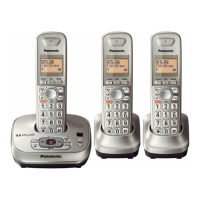
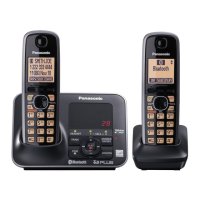
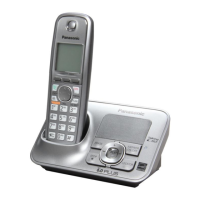
Model shown is KX-TG4132.
Model No.
KX-TG4132
KX-TG4133
KX-TG4134
TG413x(e).book Page 1 Tuesday, December 7, 2010 8:01 AM

Questions and Answers

  • J
    Joshua DelgadoSep 23, 2025
    Why I cannot operate the answering system on Panasonic KX-TG4134M Telephone?
    • J
      Justin MartinezSep 23, 2025
      If you cannot operate the answering system on your Panasonic telephone, someone might be using the unit, so wait for the other user to finish. A caller might be leaving a message, so wait for the caller to finish. The handset could be too far from the base unit, so move closer.
  • J
    James RyanAug 23, 2025
    How to fix a Panasonic KX-TG4134M handset that does not ring?
    • N
      Nancy MonroeAug 23, 2025
      If your Panasonic telephone handset is not ringing, the ringer volume may be turned off, so adjust the ringer volume. Another possibility is that silent mode is turned on, so turn it off.
  • E
    ediazAug 25, 2025
    How to fix a Panasonic KX-TG4134M base unit that does not ring?
    • R
      Ryan HendersonAug 26, 2025
      If your Panasonic telephone base unit is not ringing, the ringer volume is likely turned off. Adjust the ringer volume to resolve this.
  • S
    Samuel SanchezAug 26, 2025
    How to fix my Panasonic Telephone if I cannot make a call?
    • I
      icollinsAug 27, 2025
      If you cannot make a call on your Panasonic telephone, the dialing mode may be set incorrectly, so change the setting. Also, the handset may be too far from the base unit, so move closer and try again.
  • M
    Melissa DuffyAug 27, 2025
    What to do if time on Panasonic KX-TG4134M has shifted?
    • S
      stokesbelindaAug 27, 2025
      If the time on your Panasonic telephone has shifted, it could be due to incorrect time information from incoming Caller ID changing the time. Set the time adjustment to “Manual” (off).
  • M
    Michael DonovanSep 18, 2025
    Why I cannot dial the phone number edited in the caller list on Panasonic KX-TG4134M?
    • G
      georgejohnSep 18, 2025
      If you cannot dial the phone number edited in the caller list on your Panasonic telephone, the phone number you dialed might have been edited incorrectly (for example, the long distance “1” or the area code is missing). Edit the phone number with another pattern.
  • C
    Christina EdwardsSep 15, 2025
    What to do if liquid entered my Panasonic KX-TG4134M?
    • I
      iwilsonSep 15, 2025
      If liquid or moisture has entered your Panasonic telephone handset or base unit, disconnect the AC adaptor and telephone line cord from the base unit. Remove the batteries from the handset and leave to dry for at least 3 days. After the handset/base unit are completely dry, reconnect the AC adaptor and telephone line cord. Insert the batteries and charge fully before use. If the unit does not work properly, contact an authorized service center.
  • R
    Robert HudsonSep 16, 2025
    Why the caller list is not edited automatically on my Panasonic KX-TG4134M?
    • H
      hintonerikSep 16, 2025
      If the caller list/incoming phone numbers are not being edited automatically on your Panasonic telephone, the Caller ID number auto edit feature might be turned off. Turn it on and try again. You may also need to call back the edited number to activate Caller ID number auto edit.
  • C
    Christina GarciaSep 6, 2025
    How to fix noise and sound cutting in and out on Panasonic KX-TG4134M Telephone?
    • S
      Stephanie DurhamSep 6, 2025
      If you're experiencing noise or sound cutting in and out on your Panasonic telephone, it could be due to using the handset or base unit in an area with high electrical interference. Try re-positioning the base unit and using the handset away from sources of interference. Also, move closer to the base unit. If you use a DSL/ADSL service, consider connecting a DSL/ADSL filter between the base unit and the telephone line jack.
  • J
    jenniferbrennanSep 3, 2025
    Why I cannot register a handset to Panasonic Telephone base unit?
    • Y
      youngtammySep 4, 2025
      If you cannot register a handset to your Panasonic telephone base unit, it may be because the maximum number of handsets (6) is already registered to the base unit. Cancel unused handset registrations from the base unit to resolve this.

Summary

Important Information

Safety Precautions

Covers crucial safety warnings, operating safeguards, and medical precautions for product use.

Battery Information and Performance

Details battery handling, safety instructions, and tips for optimal performance.

Getting Started

Initial Setup and Connections

Step-by-step guide for connecting the base unit, charger, and installing batteries.

Battery Charging and Level Indicators

Instructions for charging batteries and understanding battery level icons.

Initial Configuration Settings

Covers setting date, time, display, and voice guidance languages.

Making and Answering Calls

Shared Phonebook Management

Programming Features

Answering System Configuration

Customizing answering system settings like ring count and recording time.

Caller ID Service

Using Caller ID Features

How to view caller information, manage missed calls, and use phonebook name display.

Answering System Operations

Answering System Control

Turning the system on/off, call screening, and setting greeting messages.

Message Playback and Erasure

Recording, playing back, and erasing voice messages via handset or base unit.

Remote System Access

How to remotely control the answering system using a phone.

Voice Mail Service

Useful Information and Troubleshooting

Troubleshooting Error Messages and Problems

Detailed guide to identifying and resolving common error messages and operational problems.

Panasonic KX-TG4134M Specifications

General IconGeneral
Number of Handsets4
Caller IDYes
Talk Time13 hours
DECT TechnologyYes
IntercomYes
Call BlockYes
Frequency1.9 GHz
TechnologyDECT 6.0
Answering SystemYes
SpeakerphoneYes
Call WaitingYes
DisplayLCD
RangeUp to 1000 feet
Answering MachineYes
Power SourceAC Adapter
TypeCordless Phone
Phonebook Capacity50

Related product manuals