EasyManua.ls Logo

Panasonic KX-TG744SK1 - User Manual

Panasonic KX-TG744SK1
88 pages
Print Icon
To Next Page IconTo Next Page
Loading...
Operating Instructions
Link2Cell Cordless Telephone with
Digital Answering Machine
Model No.
KX-TGD560
KX-TGD562
KX-TGD563
KX-TG743SK
KX-TGD564
KX-TG744SK
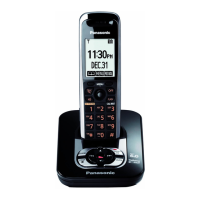
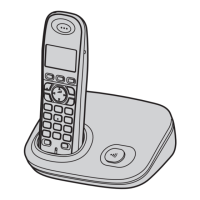
Model shown is KX-TGD560.
Before initial use, see “Getting Started”
on page 11.
Thank you for purchasing a Panasonic product.
Please read these operating instructions before using the unit and save them for
future reference.
Consulte “Guía Rápida Española”, página 73.
For assistance, visit our Web site: http://shop.panasonic.com/support for
customers in the U.S.A.
Please register your product: http://shop.panasonic.com/support
TGD56x(en)_1121_ver021.pdf 1 2016/11/21 17:27:32

Questions and Answers

  • E
    Emily CollinsAug 10, 2025
    What to do if I cannot connect a cellular phone to the Panasonic KX-TG744SK1 Cordless Telephone base unit?
    • B
      Brian CamposAug 10, 2025
      If you're having trouble connecting your cellular phone to the base unit, make sure your cellular phone is turned on and is within the base unit range. Try turning your cellular phone on. If the auto connection feature is on, there may be a delay due to the state of the wireless environment or electrical interference; you can try connecting to the base unit manually. You can also try pairing the cellular phone again or disconnecting and reconnecting the device to the base unit. It is recommended to remove the registration of the phone on both your cellular phone and on the Panasonic DECT phone.
  • E
    Emily WhiteAug 15, 2025
    Why I cannot pair a cellular phone to the Panasonic Cordless Telephone base unit?
    • K
      Kristen MoyerAug 15, 2025
      You may not be able to pair your cellular phone to the base unit depending on its compatibility. Confirm that your cellular phone supports the hands-free profile (HFP) specification. Also, make sure the Bluetooth feature of your cellular phone is turned on. Try turning off and on your cellular phone. Also, confirm that you entered the correct PIN.
  • V
    Veronica SinghAug 21, 2025
    What to do if my Panasonic Cordless Telephone unit does not work?
    • J
      John WrightAug 21, 2025
      If your unit isn't working, ensure the batteries are correctly installed. Fully charge the batteries. Check all connections. Unplug the base unit’s AC adaptor to reset the unit, then reconnect and try again. Also, verify that the handset has been registered to the base unit; if not, register the handset.
  • J
    Joseph GarnerAug 27, 2025
    Why can't I hear a dial tone on my Panasonic KX-TG744SK1?
    • A
      Andrew WilliamsAug 27, 2025
      If you cannot hear a dial tone, check that the base unit’s AC adaptor or telephone line cord is connected properly. You can also disconnect the base unit from the telephone line and connect the line to a known working telephone. If the working telephone does not operate properly, contact your phone service provider.
  • K
    Kelly WattsSep 2, 2025
    How to turn on the Panasonic KX-TG744SK1 Cordless Telephone handset?
    • A
      Alexander CarterSep 2, 2025
      Place the handset on the base unit or charger to turn on the handset.

Summary

Introduction

Model Composition

Details the base unit and handset parts for each model number, listing quantities.

Important Information

For Your Safety

Provides critical safety warnings regarding power connection, installation, and general usage to prevent injury or fire.

Safety and Performance Guidelines

Important Safety Instructions

Lists essential safety precautions to reduce risk of fire, electric shock, and injury, including usage near water and electrical storms.

Getting Started

Setting Up: Connections

Guides through connecting the base unit and charger, including telephone line cord and DSL/ADSL filter requirements.

Battery Installation

Instructs on the correct installation of rechargeable Ni-MH batteries, emphasizing polarity and type.

Link to Cell

Link to Cell Feature Overview

Explains how to connect your base unit and cellular phone via Bluetooth to make/answer cellular calls using the phone system.

Pairing a Cellular Phone

Provides detailed instructions for pairing a cellular phone to the base unit, including base unit and phone operations.

Making;Answering Calls

Making Cellular Calls

Explains how to make cellular calls, including using the redial list and adjusting volume.

Making Landline Calls

Guides on making landline calls, including using the speakerphone and adjusting volume.

Call Block

Call Block Feature

Explains how to block calls by adding numbers to the call block list, including situations for blocking.

Phonebook

Adding Phonebook Entries

Details the process of adding new entries to the phonebook, including name, number, and group assignment.

Programming

Using Caller ID Service

Using Bluetooth Devices

Copying Phonebook from Cellular Phone

Guides on copying phonebook entries from paired or non-paired cellular phones to the unit's phonebook.

Remote Voice Assist

Remote Voice Assist Operation

Explains how to use the handset to operate the cellular phone's voice recognition feature for commands like making calls.

Bluetooth Headset Management

Pairing a Bluetooth Headset

Provides step-by-step instructions for pairing a Bluetooth headset to the base unit, including PIN entry.

Answering System for Landline

Answering System Operation

Introduces the answering system's function for answering and recording calls, and setting greeting-only mode.

Answering System Advanced Operations

Remote Operation

Explains how to access and control the answering system remotely using a touch-tone phone.

Answering System Remote Control

Useful Information

Error Messages and Troubleshooting

Error Messages: Cause;Solution

Lists common error messages displayed by the unit and their corresponding causes and solutions.

Troubleshooting: General Use Problems

Addresses general troubleshooting issues like handset not turning on or the unit not working, providing solutions.

Troubleshooting Guide

Troubleshooting Connectivity Issues

Cellular Phone Pairing and Connection Issues

Troubleshoots problems with pairing or connecting a cellular phone, including compatibility and Bluetooth issues.

Troubleshooting Common Problems

Troubleshooting Call Functionality

Cellular Call and Sound Issues

Addresses problems making/answering cellular calls, hearing sound, switching calls, and making landline calls.

Troubleshooting Bluetooth Device Issues

Phonebook Transfer and Headset Conversation Issues

Troubleshoots problems copying phonebooks, having headset conversations, and connecting headsets.

Troubleshooting App and Voice Features

Answering System and Bluetooth PIN Troubleshooting

Answering System Recording Problems

Troubleshoots issues where the unit does not record new messages, cannot operate remotely, or emits incorrect number of rings.

FCC and Other Information

Limited Warranty (USA Only)

Panasonic KX-TG744SK1 Specifications

General IconGeneral
BrandPanasonic
ModelKX-TG744SK1
CategoryCordless Telephone
LanguageEnglish

Related product manuals