EasyManua.ls Logo

Panasonic KX-TG7321E - User Manual

Panasonic KX-TG7321E
52 pages
Print Icon
To Next Page IconTo Next Page
Loading...
This unit is compatible with Caller ID. You must subscribe to the appropriate
service offered by your service provider/telephone company.
Please read these operating instructions before using the unit and save
them for future reference.
Charge the batteries for about 7 hours before initial use.
Operating Instructions
Model No.
KX-TG7321E
KX-TG7322E
Digital Cordless Answering System
Model No.
KX-TG7301E
KX-TG7302E
KX-TG7303E
KX-TG7304E
Digital Cordless Phone
KX-TG7323E
KX-TG7324E
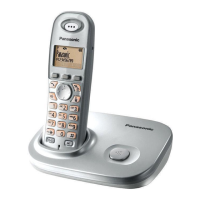
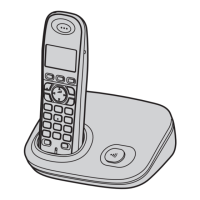
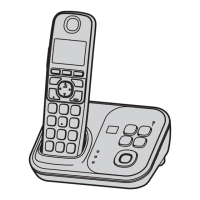
Model shown is KX-TG7301.
TG7301-7321E(e).book Page 1 Thursday, February 14, 2008 9:26 AM

Other manuals for Panasonic KX-TG7321E

Questions and Answers

  • R
    Robert BrownSep 8, 2025
    Why is caller information not displayed on my Panasonic Cordless Telephone?
    • J
      James ClarkSep 9, 2025
      If caller information is not displayed on your Panasonic Cordless Telephone, it may be because you need to subscribe to a Caller ID service. If you are already subscribed, check if the unit is connected to any additional telephone equipment and, if so, remove it and plug the unit directly into the wall jack. If you use a DSL/ADSL service, connect a DSL/ADSL filter between the base unit and the telephone line jack. Also, other telephone equipment may be interfering with the unit, so disconnect the other equipment and try again.
  • S
    Samantha RiceAug 23, 2025
    Why can't I hear a dial tone on my Panasonic KX-TG7321E?
    • R
      Ralph BarberAug 23, 2025
      If you cannot hear a dial tone on your Panasonic Cordless Telephone, check the following: Ensure the base unit’s AC adapter and telephone line cord are properly connected. If you're using a splitter, remove it and connect the unit directly to the wall jack to see if the splitter is the issue. If the problem persists, disconnect the base unit and connect the telephone line to a known working telephone to determine if the issue is with the phone line or the unit.
  • M
    Mary KentAug 25, 2025
    Why doesn't my Panasonic KX-TG7321E Cordless Telephone handset ring?
    • A
      Allen RichardsAug 25, 2025
      If your Panasonic Cordless Telephone handset does not ring, the ringer volume may be turned off. Adjust the ringer volume.
  • A
    andrewhallAug 27, 2025
    Why is the handset display blank on my Panasonic Cordless Telephone?
    • M
      mikecraigAug 27, 2025
      If the handset display is blank on your Panasonic Cordless Telephone, turn the power on.
  • V
    Victoria LambertAug 28, 2025
    How to fix noise and sound cutting out on Panasonic KX-TG7321E Cordless Telephone?
    • M
      Max AllenAug 28, 2025
      If you are experiencing noise or sound cutting in and out on your Panasonic Cordless Telephone, it may be due to: High electrical interference, so try moving the base unit and handset away from sources of interference. You may be too far from the base unit, so move closer. If you use a DSL/ADSL service, connect a DSL/ADSL filter between the base unit and the telephone line jack.
  • K
    Kirk RamirezSep 22, 2025
    What to do if liquid entered my Panasonic KX-TG7321E Cordless Telephone?
    • J
      Judith GonzalezSep 22, 2025
      If liquid or other moisture has entered your Panasonic Cordless Telephone handset/base unit, disconnect the AC adaptor and telephone line cord from the base unit. Remove the batteries from the handset and leave to dry for at least 3 days. After the handset/base unit are completely dry, reconnect the AC adaptor and telephone line cord. Insert the batteries and charge fully before use. If the unit does not work properly, contact your nearest Panasonic service centre.
  • A
    Anthony MooreSep 16, 2025
    Why can't I operate the answering system on my Panasonic KX-TG7321E Cordless Telephone?
    • T
      Tina McdonaldSep 16, 2025
      If you cannot operate the answering system on your Panasonic Cordless Telephone, it might be because someone else is using the unit, a caller is leaving a message, or the handset is too far from the base unit. Wait for the other user or caller to finish, or move closer to the base unit.
  • R
    Rodney NguyenSep 18, 2025
    Why does my Panasonic KX-TG7321E ring and stop recording while recording a greeting message?
    • C
      Curtis RichardsonSep 18, 2025
      If your Panasonic Cordless Telephone rings and stops recording while recording a greeting message or listening to messages, it is because a call is being received. Answer the call and try again later.
  • A
    Alicia BriggsSep 7, 2025
    Why does my Panasonic Cordless Telephone handset beep and/or flash 3 times?
    • F
      fmartinSep 7, 2025
      If your Panasonic Cordless Telephone handset beeps and/or flashes 3 times, it indicates that the battery charge is low. Fully charge the batteries.
  • P
    Paige SmithSep 4, 2025
    Why is my Panasonic Cordless Telephone not recording new messages?
    • J
      John BrockSep 4, 2025
      If your Panasonic Cordless Telephone is not recording new messages, consider the following: Ensure the answering system is turned on. If the message memory is full, erase unnecessary messages. Check if the recording time is set to “Greeting Only” and change the setting if needed. If you subscribe to a voice mail service, messages may be recorded by your service provider, so adjust the unit’s number of rings setting.

Summary

Introduction

Product Information

Details about the purchased Panasonic digital cordless phone model and compliance.

Notable Differences Between Models

Highlights key distinctions between the KX-TG7301 and KX-TG7321 series.

Accessory Information

Details about supplied and optional accessories for the phone system.

Expanding Your Phone System

Details on how to expand the phone system by registering optional handsets.

Sales and Support Information

Contact details and resources for customer care and product information.

For Your Safety

General Safety Warnings

Precautions for power connection, installation, operation, and general use.

Medical and Cautionary Notes

Advice for users with medical devices and installation cautions.

Important Safety Instructions

Essential safety guidelines to reduce risk of fire, electric shock, and injury.

Best Performance Tips

Guidance on placing the base unit for optimal coverage and noise-free communication.

Environmental Considerations

Recommendations for product placement and operating conditions.

Routine Care and Disposal

Instructions for cleaning the product and its responsible disposal.

Preparation

Base Unit Controls

Identification and function of buttons and indicators on the base unit.

Handset Controls

Identification and function of buttons and indicators on the handset.

Handset Navigation and Display

How to use the navigator key, soft keys, and understand handset display items.

Connections

Instructions for connecting the AC adaptor and telephone line cord.

Battery Installation and Replacement

Step-by-step guide for installing and replacing handset batteries.

Battery Charging

Instructions for charging handset batteries and understanding battery status.

Wall Mounting

Instructions for mounting the base unit on a wall.

Operating Symbols Guide

Explanation of symbols used throughout the operating instructions.

Powering the Unit On;Off

Instructions on how to turn the phone unit on and off.

Initial Unit Setup

Steps for setting display language and date/time before first use.

Making;Answering Calls

Making Calls

Detailed steps for initiating calls, using speakerphone, redial, and adjusting volume.

Answering Calls

Instructions on how to answer incoming calls and use the Auto Talk feature.

Handset Ringer Volume

How to adjust the ringer volume for incoming calls on the handset.

In-Call Features

Using Mute, Recall/Flash, Call Waiting, Call Share, and Call Privacy during a call.

Key Lock Functionality

How to lock and unlock the handset to prevent unauthorized use.

Phonebook

Handset Phonebook Management

How to add, find, call, edit, and erase entries in the handset phonebook.

Advanced Phonebook Features

Using Chain Dial for calls and copying entries to other compatible handsets.

Programming

Programmable Settings Overview

Guide to customizing unit features via display menus and settings.

Alarm Functionality

How to set and manage alarms on the handset.

Caller ID Time Adjustment

Setting the unit to automatically adjust date/time from Caller ID.

Base Unit PIN Management

How to change the base unit's Personal Identification Number (PIN).

Registering Handsets

Procedure for registering additional handsets to the base unit.

Deregistering Handsets

How to cancel the registration of handsets from the base unit.

Repeater Mode Setup

Instructions for enabling or disabling repeater mode to extend range.

Caller ID Service

Using Caller ID Service Features

How Caller ID displays caller information, missed calls, and phonebook matching.

Managing the Caller List

Viewing, calling back, and editing caller list entries for missed calls.

Caller List Operations

Erasing caller information and storing entries to the phonebook.

Answering System

Answering System Overview

Features, capacity, and initial setup of the answering system.

Answering System On;Off & Call Screening

How to turn the answering system on/off and enable call screening.

Greeting Message Management

Recording, using pre-recorded, playing, and erasing custom greeting messages.

Listening to Messages (Base Unit)

How to play new or all messages using the base unit's controls.

Answering System Key Operations

Using dial keys and soft keys to operate the answering system.

Managing Messages and Handset Listening

Erasing all messages and listening to messages via the handset.

Remote Operation Setup and Use

Setting a remote access code and using the answering system remotely.

Caller Call Back and Editing

Calling back callers from the list and editing numbers before calling back.

Remote Command Reference

Reference table for remote commands to control the answering system.

Answering System Settings

Configuring settings like number of rings and skipping greeting messages.

Caller Recording Time

Setting the maximum message recording time or greeting-only mode.

Call Screening Feature

Enabling or disabling the call screening feature.

Voice Mail Service

Understanding Voice Mail Service

Information on the voice mail service offered by your service provider.

Intercom;Locator

Intercom Features

Making, answering, and managing intercom calls between handsets.

Call Transferring

How to transfer outside calls between handsets, with or without speaking.

Conference Calls

Setting up and participating in conference calls with an outside party.

Handset Locator Function

How to locate a misplaced handset by paging it.

Useful Information

Character Entry Guide

Instructions and tables for entering characters and numbers using different modes.

Troubleshooting Error Messages

List of error messages, their causes, and solutions for the unit.

General Troubleshooting

Solutions for common problems like unit not working, no dial tone, or clearing missed calls.

Troubleshooting Programmable Settings & Battery

Solutions for issues with display language, ringing, registration, PIN, and battery recharge.

Troubleshooting Calls and Intercom

Solutions for problems during calls, intercom, ringing, and making calls.

Troubleshooting Caller ID & Answering System

Resolving issues with Caller ID display, time, and answering system message recording.

Answering System Operation & Liquid Damage

Solutions for answering system operation issues and handling liquid damage.

Specifications

Conditions of Guarantee

Panasonic KX-TG7321E Specifications

General IconGeneral
BrandPanasonic
ModelKX-TG7321E
CategoryCordless Telephone
LanguageEnglish

Related product manuals