EasyManua.ls Logo

Panasonic KX-TG7302FX - User Manual

Panasonic KX-TG7302FX
60 pages
Print Icon
To Next Page IconTo Next Page
Loading...
This unit is compatible with Caller ID and SMS. You must subscribe to the
appropriate service offered by your service provider/telephone company.
To use this unit in your country, first change the unit’s region setting
to match your country (page 27). Change the unit’s display language
as needed (page 17).
(For Czech and Slovakia)
This cordless telephone is possible to use according to General licence
No.: VO-R/8/08.2005-23 (for Czech), VPR-7/2001 (for Slovakia).
Please read these operating instructions before using the unit and save
them for future reference.
Charge the batteries for about 7 hours before initial use.
Operating Instructions
Model No.
KX-TG7321FX
Digital Cordless Answering System
Model No.
KX-TG7301FX
KX-TG7302FX
Digital Cordless Phone
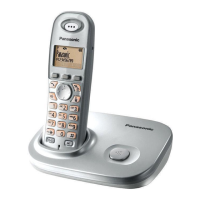
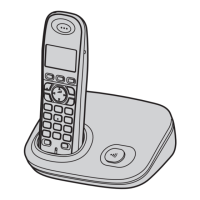
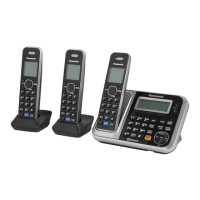
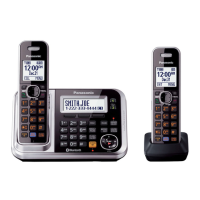
Model shown is KX-TG7301.
TG7301-7321FX(e).book Page 1 Wednesday, March 26, 2008 5:19 PM


Table of Contents

Other manuals for Panasonic KX-TG7302FX

Questions and Answers

  • R
    Robert FryeSep 9, 2025
    Why is my Panasonic Telephone battery life short?
    • T
      Tonya ThompsonSep 9, 2025
      If you fully charged the batteries in your Panasonic Telephone, but the operating time seems to be shorter, clean the battery ends and the charge contacts with a dry cloth, and charge again.
  • L
    Laurie KellerAug 23, 2025
    Why is caller information not displayed on my Panasonic Telephone?
    • Z
      Zachary GarrettAug 23, 2025
      If caller information is not displayed on your Panasonic Telephone, you may need to subscribe to a Caller ID service. Contact your service provider/telephone company for details. Also, if your unit is connected to any additional telephone equipment, remove it and plug the unit directly into the wall jack. If you use a DSL/ADSL service, connecting a DSL/ADSL filter between the base unit and the telephone line jack may help; contact your DSL/ADSL provider for details. Other telephone equipment may be interfering with this unit, so disconnect the other equipment and try again.
  • D
    davidjessicaAug 25, 2025
    What to do if I cannot register a handset to a Panasonic Telephone base unit?
    • C
      Cynthia HensleyAug 25, 2025
      If you cannot register a handset to a Panasonic Telephone base unit, it may be because the maximum number of handsets (6) is already registered to the base unit. Cancel unused handset registrations from the base unit. Another reason might be that you entered the wrong PIN. If you forget your PIN, contact your nearest Panasonic service centre. Also, place the handset and the base unit away from other electrical appliances.
  • T
    tony06Aug 26, 2025
    Why can't I hear a dial tone on my Panasonic Telephone?
    • J
      jacksonchristopherAug 27, 2025
      If you cannot hear a dial tone on your Panasonic Telephone, the base unit’s AC adaptor or telephone line cord may not be connected, so check the connections. If you are using a splitter, remove it and connect the unit directly to the wall jack. If the unit operates properly, check the splitter. You can also disconnect the base unit from the telephone line and connect the line to a known working telephone. If the working telephone operates properly, contact service personnel to have the unit repaired. If the working telephone does not operate properly, contact your service provider/telephone company.
  • A
    Ann AcostaAug 27, 2025
    Why is there noise on my Panasonic Telephone?
    • T
      Terry DiazAug 27, 2025
      Noise or sound cutting in and out on your Panasonic Telephone can occur if you are using the handset or base unit in an area with high electrical interference. Place the base unit and use the handset away from sources of interference. Also, move closer to the base unit. If you use a DSL/ADSL service, connecting a DSL/ADSL filter between the base unit and the telephone line jack may help; contact your DSL/ADSL provider for details.
  • A
    Amy RiveraAug 29, 2025
    How to erase missed call from Panasonic Telephone display?
    • S
      Stacey HayesAug 29, 2025
      To erase the missed call notification from your Panasonic Telephone display, view all unviewed missed calls. Press the middle soft key, select “Caller List”, then press the down arrow to search from the most recent call, or press the up arrow to search from the oldest call.
  • A
    Amanda MyersSep 18, 2025
    Why is SMS message centre number logged in the caller list on Panasonic Telephone?
    • C
      Chad LambSep 18, 2025
      If the SMS message centre number is logged in the caller list and the message is not received on your Panasonic Telephone, someone tried to send you a message while SMS is turned off. Turn it on.
  • J
    Jonathan FieldsSep 19, 2025
    Why is “Q” not displayed after I read a message on Panasonic Telephone?
    • T
      Tyler HaysSep 19, 2025
      If “Q” is not displayed after you read a message on your Panasonic Telephone, when an error code (“FD”, “FE”, or “E0”) is displayed, “Q” will not be displayed even if you have read the message.
  • B
    bjonesSep 8, 2025
    How to fix Panasonic Telephone batteries that won't hold charge?
    • A
      Angela SmithSep 8, 2025
      If you have fully charged the batteries in your Panasonic Telephone, but the battery indicator still flashes, clean the charge contacts and charge again. It may also be time to replace the batteries.
  • S
    Sean WareSep 4, 2025
    What does 'E0' mean on my Panasonic Telephone?
    • C
      Christopher PaceSep 4, 2025
      The “E0” message on your Panasonic Telephone indicates that your phone number is permanently withheld or you have not subscribed to the appropriate service. Contact your service provider/telephone company.

Panasonic KX-TG7302FX Specifications

General IconGeneral
TypeCordless Telephone
Number of Handsets2
Frequency1.9 GHz
Caller IDYes
Talk TimeUp to 10 hours
SpeakerphoneYes
Call WaitingYes
IntercomYes
Conference CallYes
Headset JackNo
ExpandableUp to 6 handsets
Phonebook Capacity50 entries
Standby TimeUp to 120 hours
RangeUp to 300 meters outdoors
DisplayLCD
Battery TypeNi-MH

Related product manuals