EasyManua.ls Logo

Panasonic KX-TG7842C - User Manual

Panasonic KX-TG7842C
84 pages
Print Icon
To Next Page IconTo Next Page
Loading...
Operating Instructions
Model No. KX-TG7842C
KX-TG7843C
KX-TG365CSK
KX-TG395CSK
KX-TG7872C
KX-TG7873C
Link-to-Cell Cellular Convergence Solution
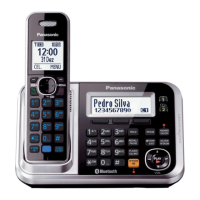
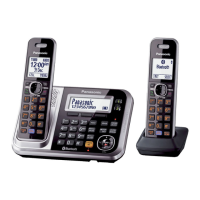
Model shown is KX-TG7842.
Before initial use, see “Getting Started”
on page 11.
Thank you for purchasing a Panasonic product.
Please read these operating instructions before using the unit and save them for
future reference.
For assistance, please call 1-800-561-5505 or visit us at www.panasonic.ca
TG78xxC(en)_1221_ver013.pdf 1 2012/12/21 11:21:28

Table of Contents

Questions and Answers

  • A
    Amber BowersAug 18, 2025
    Why can't I hear a dial tone on my Panasonic KX-TG7842C Cordless Telephone?
    • N
      Nathan RamirezAug 18, 2025
      If you cannot hear a dial tone on your Panasonic Cordless Telephone, ensure that the CELL 1 or CELL 2 indicator lights up. Check that the base unit’s AC adaptor or telephone line cord is connected. Disconnect the base unit from the telephone line and connect the line to a known working telephone to identify if the unit or the line is faulty.
  • M
    Mark McdonaldAug 20, 2025
    Why I cannot pair a cellular phone to the Panasonic KX-TG7842C base unit?
    • L
      Laura SchultzAug 20, 2025
      If you cannot pair a cellular phone to the base unit of your Panasonic Cordless Telephone, first confirm that your cellular phone supports the hands-free profile (HFP) specification and that the Bluetooth feature of your cellular phone is turned on. Try turning off and on your cellular phone. If your cellular phone is already connected to another Bluetooth device, turn it off or disconnect it from your cellular phone. Some cellular phones may require you to enter the base unit PIN to pairing; confirm that you entered the correct PIN.
  • J
    Jerry HarrisAug 23, 2025
    Why is my Panasonic KX-TG7842C Cordless Telephone base unit beeping?
    • L
      Lindsay RiceAug 23, 2025
      The base unit of your Panasonic Cordless Telephone beeps when new messages have been recorded. Listen to the new messages.
  • D
    Dale FarrellAug 26, 2025
    Why is there noise and sound cutting in and out on my Panasonic Cordless Telephone?
    • J
      jhunterAug 26, 2025
      If you're experiencing noise or sound cutting in and out while using your Panasonic Cordless Telephone, it might be due to high electrical interference in your area. Try re-positioning the base unit and using the handset away from sources of interference. Also, try moving closer to the base unit. If you use a DSL/ADSL service, consider connecting a DSL/ADSL filter between the base unit and the telephone line jack.
  • A
    Amy WaltersAug 28, 2025
    Why does my Panasonic Cordless Telephone handset beep and/or flash?
    • M
      Melissa Perkins PhDAug 28, 2025
      If your Panasonic Cordless Telephone handset beeps and/or flashes, it means the battery charge is low. Fully charge the batteries.
  • D
    Danielle DavisAug 30, 2025
    What to do if my Panasonic KX-TG7842C does not work?
    • B
      Brandon CampbellAug 30, 2025
      If your Panasonic Cordless Telephone is not working, make sure the batteries are installed correctly and fully charged. Check the connections. Unplug the base unit’s AC adaptor to reset the unit, then reconnect the adaptor and try again. The handset may need to be registered to the base unit.
  • K
    Keith JenningsSep 2, 2025
    What to do if Panasonic KX-TG7842C handset does not turn on?
    • S
      Samantha CrossSep 2, 2025
      If the Panasonic Cordless Telephone handset does not turn on even after installing charged batteries, place the handset on the base unit or charger to turn on the handset.
  • B
    Bailey SullivanSep 4, 2025
    Why is my Panasonic KX-TG7842C Cordless Telephone still flashing after fully charging the batteries?
    • J
      Jennifer MillsSep 4, 2025
      If you fully charged the batteries of your Panasonic Cordless Telephone, but the phone still flashes, displays a battery icon, or the operating time seems shorter, clean the battery ends and the charge contacts with a dry cloth and charge again. It may also be time to replace the batteries.
  • A
    Ashley LambertSep 7, 2025
    Why I cannot register a handset to a Panasonic KX-TG7842C base unit?
    • M
      Melissa CannonSep 7, 2025
      If you cannot register a handset to a base unit of your Panasonic Cordless Telephone, it may be because the maximum number of handsets (6) is already registered to the base unit. Cancel unused handset registrations from the base unit.
  • K
    Kelly KirbySep 9, 2025
    Why does my Panasonic Cordless Telephone not record new messages?
    • R
      Robert HouseSep 9, 2025
      There are several reasons why your Panasonic Cordless Telephone may not record new messages: the answering system might be turned off, so turn it on. The message memory could be full, so erase unnecessary messages. The recording time might be set to “Greeting only”, so change the setting. Also, the answering system will not answer incoming calls while the base unit or 2 or more handsets are on a cellular call or an intercom call, or a headset is in use.

Summary

Important Information

For Your Safety

Provides crucial safety warnings and precautions for product use.

Important Safety Instructions

Details essential safety precautions to reduce risks.

Getting Started

Battery Installation and Charging

Instructions for installing and charging the handset batteries.

Link to Cell

Link to Cell Feature

Explains the benefits of using cellular calls with the home phone.

Pairing a Cellular Phone

Step-by-step guide to pair a cellular phone via Bluetooth.

Making;Answering Calls Using the Handset

Power Back-up Operation for Landline

Details how the phone operates during a power failure.

Making;Answering Calls Using the Base Unit

Making Cellular Calls

Instructions for initiating cellular calls from the base unit.

Answering Calls

How to answer incoming calls on the base unit.

Shared Phonebook

Finding and Calling from a Phonebook Entry

How to locate and initiate calls from phonebook entries.

Speed Dial

Adding Phone Numbers to Speed Dial Keys

Assigns phone numbers to speed dial keys for quick access.

Programming

Programmable Settings

Customizing unit features via menus or direct command codes.

Using Bluetooth Devices

Copying Phonebook from a Cellular Phone

Transferring phonebook entries from a mobile device.

Answering System for Landline

Turning the Answering System On;Off

Instructions to enable or disable the answering system.

Useful Information

Error Messages

Troubleshooting common error messages displayed by the unit.

Troubleshooting

Solutions for common operational problems with the phone.

Panasonic KX-TG7842C Specifications

General IconGeneral
BrandPanasonic
ModelKX-TG7842C
CategoryCordless Telephone
LanguageEnglish

Related product manuals