EasyManua.ls Logo

Panasonic KX-TG7892AZ - User Manual

Panasonic KX-TG7892AZ
80 pages
Print Icon
To Next Page IconTo Next Page
Loading...
Operating Instructions
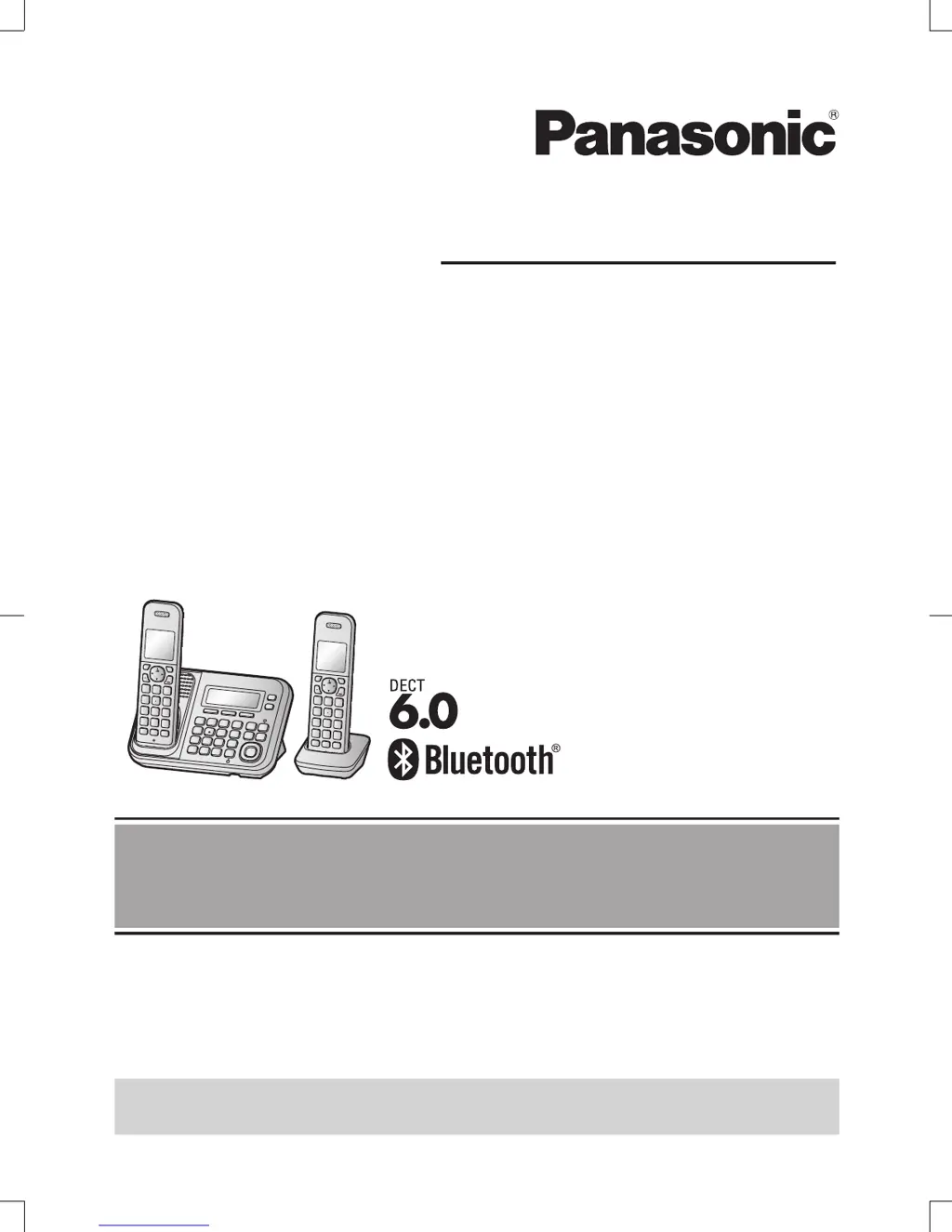
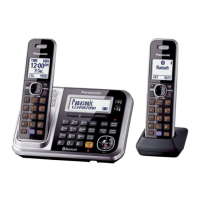
Model No. KX-TG7872AZ
KX-TG7873AZ
KX-TG7892AZ
KX-TG7893AZ
Digital Cordless Telephone
with Link-to-Cell System
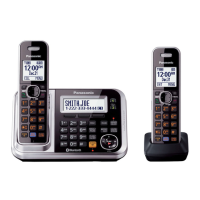
Model shown is KX-TG7872.
Before initial use, see “Getting Started”
on page 10.
Thank you for purchasing a Panasonic product.
Please read these operating instructions before using the unit and save them for
future reference.
To use this unit in your country, first change the unit’s region setting to match
your country (page 44).
Please access our online customer survey:
http://panasonic.net/pcc/tel/q
TG787x9xAZ(en)_0925_ver211.pdf 1 2013/09/25 15:24:45

Table of Contents

Questions and Answers

  • M
    Michael JonesSep 23, 2025
    What to do if I can make and answer cellular calls but cannot hear a sound on my Panasonic Cordless Telephone?
    • R
      Richard PattersonSep 23, 2025
      The Bluetooth technology on your cellular phone may not be functioning normally, so turn off and on your cellular phone. Also, disconnect and reconnect the base unit AC adaptor and try again.
  • P
    Paul MoralesAug 25, 2025
    What to do if my Panasonic KX-TG7892AZ unit does not work?
    • R
      Robert SmithAug 25, 2025
      First, ensure the batteries are installed correctly. Then, fully charge the batteries. Check all connections. Unplug the base unit’s AC adaptor to reset the unit, then reconnect it and try again. It is also possible that the handset has not been registered to the base unit and needs registration.
  • J
    Julie HendrixAug 25, 2025
    Why I cannot hear a dial tone on my Panasonic KX-TG7892AZ Cordless Telephone?
    • V
      Victor DrakeAug 26, 2025
      Make sure that the CELL 1 or CELL 2 indicator lights up. Also, check that the base unit’s AC adaptor or telephone line cord is properly connected.
  • S
    Sabrina KellyAug 27, 2025
    Why is there noise heard, and sound cuts in and out, on my Panasonic KX-TG7892AZ Cordless Telephone?
    • J
      James AdamsAug 27, 2025
      This can occur if you are using the handset or base unit in an area with high electrical interference. Try re-positioning the base unit and use the handset away from sources of interference. Also, move closer to the base unit. If you use a DSL/ADSL service, consider connecting a filter to the telephone line between the base unit and the telephone line socket, or contact your DSL/ADSL service provider to have a DSL/ADSL Splitter installed.
  • C
    charles33Aug 27, 2025
    How to fix if I cannot make or answer cellular calls with my Panasonic KX-TG7892AZ Cordless Telephone?
    • A
      ana15Aug 27, 2025
      If you're unable to make or answer cellular calls, ensure that the CELL 1 or CELL 2 indicator lights up and the cellular phone is connected to the base unit. Note that if someone is already on a cellular call or using the headset, the cellular feature cannot be used, as there can only be one active Bluetooth connection at a time. Also, ensure the cellular phone is not being used separately from the system.
  • N
    Natalie DavenportSep 14, 2025
    Why do I hear an error tone when I try to program the Bluetooth feature on my Panasonic Cordless Telephone?
    • J
      James JonesSep 14, 2025
      The Bluetooth feature cannot be accessed immediately after connecting the AC adaptor to the base unit. Wait a few seconds and try again. The headset may not have connected to the base unit yet, even though you performed the connecting procedure setting. Wait a few seconds and try again.
  • J
    Joshua JohnsonSep 12, 2025
    What to do if I cannot connect my headset to the base unit of my Panasonic Cordless Telephone?
    • M
      Matthew KnappSep 12, 2025
      Confirm that your headset is turned on. If your headset is already connected to another Bluetooth device such as your cellular phone, disconnect the headset from your cellular phone, then perform the connecting procedure from the base unit. If someone is using a cellular line, you cannot connect the headset, as there can be only one active Bluetooth connection at a time. Also, ensure that the headset has been paired to the base unit.
  • J
    John WagnerSep 13, 2025
    Why some headset enhanced features are not available on my Panasonic Cordless Telephone?
    • T
      Tony MillerSep 13, 2025
      The base unit does not support enhanced features such as Last number redial or Call reject.
  • A
    Adam PerkinsSep 4, 2025
    Why does my Panasonic KX-TG7892AZ unit does not emit the specified number of rings?
    • S
      Sandra SchmidtSep 5, 2025
      If the first ring is turned off, the number of rings decreases by 1 from the specified number of rings.
  • J
    Jennifer BennettSep 2, 2025
    What to do if I cannot copy phonebook entries from a cellular phone to my Panasonic Cordless Telephone?
    • S
      sarahhumphreySep 2, 2025
      Confirm that the cellular phone supports Bluetooth wireless technology and the Phone Book Access Profile (PBAP) or Object Push Profile (OPP) specification. If the cellular phone is already connected to another Bluetooth device, turn it off or disconnect it from the cellular phone. If someone is using a cellular line or headset, try again later. Try turning the cellular phone off, then turning it on and trying again. If an entry is already stored in the unit’s shared phonebook, the entry cannot be copied even by selecting another group.

Summary

Introduction

Model Composition

Details the different models and their composition, including base unit and handset.

Accessory Information

Lists and describes the accessories supplied with the product, with quantities for different models.

Headset and Bluetooth Devices

Headset (Optional)

Explains connecting a headset for hands-free conversations.

Bluetooth Devices

Describes expanding the phone system with Bluetooth cellular phones and headsets.

Important Information

Safety Precautions and Warnings

Crucial safety advice for preventing injury, fire, electric shock, and detailed warnings.

Battery Handling and General Notices

Covers battery handling, charging, general notices, and power failure advice.

Best Performance and Environmental Considerations

Advice on base unit placement, environmental conditions, and routine care.

Other Information and Specifications

Cautions on battery replacement, disposal, and technical specifications of the unit.

Getting Started

Initial Setup and Connections

Guides on connecting the base unit, AC adaptor, and telephone line cord for setup.

Battery Installation, Charging, and Setup Notes

Instructions for battery installation, charging, and important notes for setup.

Handset and Base Unit Controls Overview

Describes soft keys, navigator keys, and other controls on both handset and base unit.

Initial Settings - Command Codes and Date;Time

Guides on setting up initial configurations like direct command codes and date/time.

Link to Cell

Link to Cell Feature Overview and Cellular Phone Pairing

Explains the feature and the process of pairing cellular phones.

Link to Cell Settings

Covers selecting units for cellular calls and ring as cell mode.

Cellular Line Selection, Area Code Storage, and Bluetooth PIN

Selecting cellular lines, storing area codes, and changing the Bluetooth PIN.

Making;Answering Calls Using the Handset

Making Cellular and Landline Calls

Step-by-step guides for making cellular and landline calls.

Phonebook, Pause, Answering Calls, and Auto Talk

Storing numbers, using pause, answering calls, auto talk, and ringer volume.

Call Management Features (Mute, Recall, Noise Reduction, Equalizer, Call Share)

Mute, Recall, Noise Reduction, Equalizer, and Call Share functions.

Power Back-up Operation and Making Calls During Failure

How the unit works during power failure and making calls.

Making;Answering Calls Using the Base Unit

Cellular, Landline Calls, Redial, and Pause

Making calls, using redial, and pausing calls on the base unit.

Answering Calls, Volume, and Call Features (Hold, Mute)

Answering calls, adjusting ringer volume, and using call features like Hold and Mute.

Cellular Call Transfer and Multi-line Handling on Base Unit

Transferring cellular calls and handling multiple lines from the base unit.

Shared Phonebook

Adding, Editing, Erasing, and Grouping Entries

Instructions for managing phonebook entries, including groups and character entry.

Finding and Calling from Phonebook Entries

Methods for searching and calling from the phonebook by scrolling, character, query, or group.

Speed Dial

Speed Dial Operations (Adding, Editing, Erasing, Making Calls)

Instructions for managing speed dial keys and making calls.

Programming

Programmable Settings Overview and Menu Navigation

Introduction to customizing features via menus or direct codes, and menu navigation.

Bluetooth Menu Settings (Link to Cell, Phonebook Transfer, Headset)

Configuration options for Bluetooth features.

Date, Time, Alarm, Initial Settings, and Ringer Options

Settings for date, time, alarms, initial setup, ringer settings, and night mode.

Incoming Call Barring and Storing Unwanted Callers

Features to block unwanted calls and manage the barred list.

Registering and Operating Additional Units

Process for registering new units like handsets.

Caller ID Service

Using Caller ID Service and Features

Overview of Caller ID, its features, requirements, and display behavior.

Missed Calls, Phonebook Display, and Call Waiting

How missed calls are handled, phonebook name display, and call waiting functionality.

Caller ID Type II, Call Waiting, and Talking Caller ID

Features for Type II users, call waiting, and voice caller announcements.

Caller List Viewing, Callback, and Area Code Deletion

Viewing call history, making callbacks, and managing area codes.

Using Bluetooth Devices

Phonebook Transfer and Conversion Codes

Copying phonebook entries and setting conversion codes for international calls.

Text Message Alert and Headset Pairing

Setting up text message alerts and pairing Bluetooth headsets.

Headset Connection, Operation, and Call Sharing

Connecting, unpairing headsets, operating them for calls, and sharing calls.

Answering system for landline

Answering System On;Off, Call Screening, and Greeting Messages

Turning the answering system on/off, call screening, and greeting message options.

Greeting Message Operations and Listening to Messages

Recording, using, resetting greeting messages, and listening to messages.

New Message Alert Features (Audible Alert, Alert by Call)

Features for alerting about new messages, including audible alerts and call alerts.

Remote Access Code and Remote Operation

Setting and using a remote access code for message playback and answering system operation.

Voice Mail Service for Landline

Voice Mail Service Overview and Access Number Storage

Information on voice mail services and storing access numbers.

Intercom;Locator

Intercom Calls, Handset Locator, and Call Transfer;Conference

Making intercom calls, locating handsets, and initiating call transfers/conferences.

Useful Information

Wall Mounting Instructions for Base Unit

Detailed steps for mounting the base unit on a wall.

Error Messages and Solutions

Lists common error messages displayed by the unit and their corresponding causes/solutions.

Troubleshooting Common Issues (General Use, Pairing)

Guides on troubleshooting general use, handset issues, and cellular phone pairing.

Troubleshooting Connectivity, Battery, and Settings

Troubleshooting connection, battery recharge, and programmable settings issues.

Warranty Information

Panasonic New Zealand Warranty Terms

Details the product warranty terms and conditions for New Zealand.

Panasonic KX-TG7892AZ Specifications

General IconGeneral
TypeCordless Telephone
Number of Handsets2
Frequency1.9 GHz
Caller IDYes
Phonebook Capacity100 entries
SpeakerphoneYes
Call WaitingYes
IntercomYes
Conference CallYes
Headset JackYes
ColorBlack
ExpandableYes
Answering SystemYes
RangeUp to 300 meters
DisplayLCD
Battery TypeNi-MH

Related product manuals