EasyManua.ls Logo

Panasonic KX-TG7882AZ - User Manual

Panasonic KX-TG7882AZ
84 pages
Print Icon
To Next Page IconTo Next Page
Loading...
Operating Instructions
Model No. KX-TG7882AZ
KX-TG7883AZ
Model No. KX-TG7892AZ
KX-TG7893AZ
Digital Cordless Telephone with Link-to-Cell System
Digital Cordless Telephone with Link to Mobile
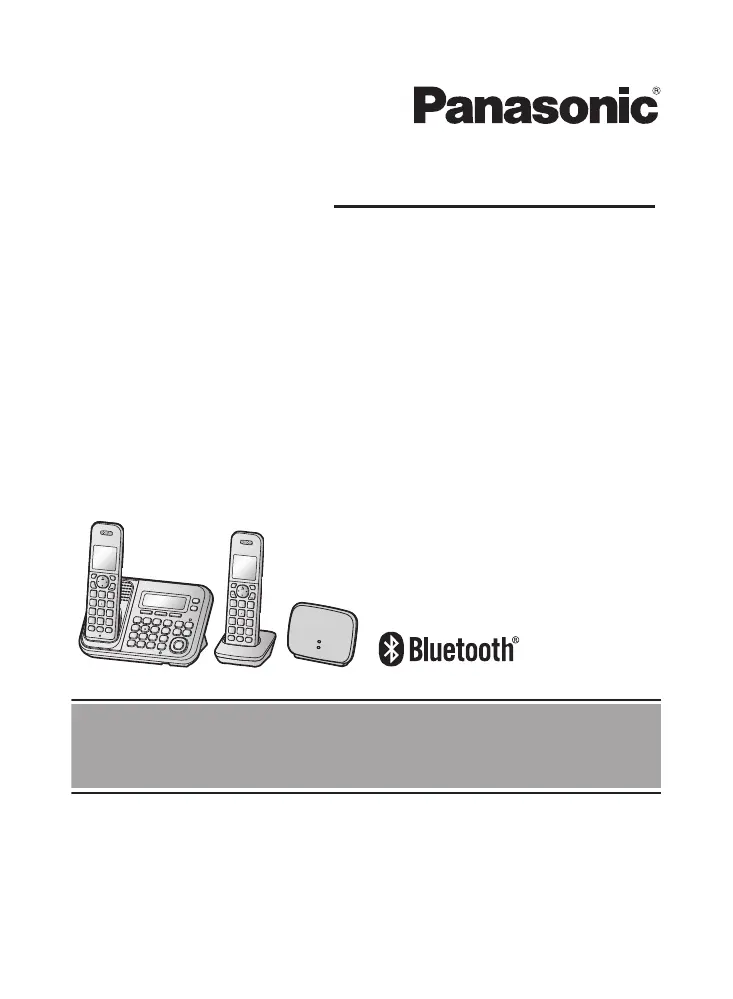
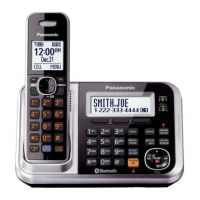
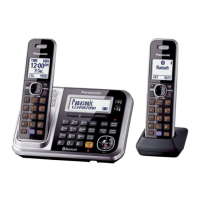
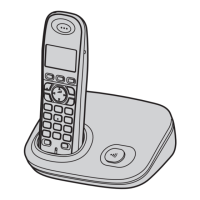
Model shown is KX-TG7882.
Before initial use, see “Getting Started”
on page 11.
Thank you for purchasing a Panasonic product.
Please read these operating instructions before using the unit and save them for
future reference.
To
use this unit in your country, first change the unit’s region setting to match
your country (page 45).
TG78xxAZ(en)_0217_ver521.pdf 1 17/2/2016 11:47:37 AM

Table of Contents

Other manuals for Panasonic KX-TG7882AZ

Questions and Answers

  • S
    Shannon LarsenSep 23, 2025
    What to do if I can make and answer cellular calls but cannot hear a sound on my Panasonic KX-TG7882AZ?
    • A
      Amy BriggsSep 23, 2025
      The Bluetooth technology on your cellular phone may not be functioning normally, so turn off and on your cellular phone. Also, disconnect and reconnect the base unit AC adaptor and try again.
  • D
    Deborah ScottAug 25, 2025
    What to do if my Panasonic Cordless Telephone unit does not work?
    • L
      lovelindseyAug 25, 2025
      First, ensure the batteries are installed correctly. Then, fully charge the batteries. Check all connections. Unplug the base unit’s AC adaptor to reset the unit, then reconnect it and try again. It is also possible that the handset has not been registered to the base unit and needs registration.
  • T
    Terry LutzAug 25, 2025
    Why I cannot hear a dial tone on my Panasonic KX-TG7882AZ?
    • P
      Peggy TaylorAug 26, 2025
      Make sure that the CELL 1 or CELL 2 indicator lights up. Also, check that the base unit’s AC adaptor or telephone line cord is properly connected.
  • J
    Jermaine DaltonAug 27, 2025
    Why is there noise heard, and sound cuts in and out, on my Panasonic Cordless Telephone?
    • C
      chaveztravisAug 27, 2025
      This can occur if you are using the handset or base unit in an area with high electrical interference. Try re-positioning the base unit and use the handset away from sources of interference. Also, move closer to the base unit. If you use a DSL/ADSL service, consider connecting a filter to the telephone line between the base unit and the telephone line socket, or contact your DSL/ADSL service provider to have a DSL/ADSL Splitter installed.
  • K
    Kendra MillerAug 27, 2025
    How to fix if I cannot make or answer cellular calls with my Panasonic KX-TG7882AZ?
    • G
      Gabriela SantiagoAug 27, 2025
      If you're unable to make or answer cellular calls, ensure that the CELL 1 or CELL 2 indicator lights up and the cellular phone is connected to the base unit. Note that if someone is already on a cellular call or using the headset, the cellular feature cannot be used, as there can only be one active Bluetooth connection at a time. Also, ensure the cellular phone is not being used separately from the system.
  • T
    tdaySep 14, 2025
    Why do I hear an error tone when I try to program the Bluetooth feature on my Panasonic KX-TG7882AZ Cordless Telephone?
    • L
      Larry AyalaSep 14, 2025
      The Bluetooth feature cannot be accessed immediately after connecting the AC adaptor to the base unit. Wait a few seconds and try again. The headset may not have connected to the base unit yet, even though you performed the connecting procedure setting. Wait a few seconds and try again.
  • T
    traci49Sep 12, 2025
    What to do if I cannot connect my headset to the base unit of my Panasonic KX-TG7882AZ?
    • F
      francisrobertSep 12, 2025
      Confirm that your headset is turned on. If your headset is already connected to another Bluetooth device such as your cellular phone, disconnect the headset from your cellular phone, then perform the connecting procedure from the base unit. If someone is using a cellular line, you cannot connect the headset, as there can be only one active Bluetooth connection at a time. Also, ensure that the headset has been paired to the base unit.
  • M
    Mr. Michael Lee DDSSep 13, 2025
    Why some headset enhanced features are not available on my Panasonic KX-TG7882AZ Cordless Telephone?
    • W
      William LeachSep 13, 2025
      The base unit does not support enhanced features such as Last number redial or Call reject.
  • S
    Stephen JonesSep 4, 2025
    Why does my Panasonic Cordless Telephone unit does not emit the specified number of rings?
    • J
      johnny04Sep 5, 2025
      If the first ring is turned off, the number of rings decreases by 1 from the specified number of rings.
  • C
    Cindy WilsonSep 2, 2025
    What to do if I cannot copy phonebook entries from a cellular phone to my Panasonic KX-TG7882AZ?
    • B
      Barbara LloydSep 2, 2025
      Confirm that the cellular phone supports Bluetooth wireless technology and the Phone Book Access Profile (PBAP) or Object Push Profile (OPP) specification. If the cellular phone is already connected to another Bluetooth device, turn it off or disconnect it from the cellular phone. If someone is using a cellular line or headset, try again later. Try turning the cellular phone off, then turning it on and trying again. If an entry is already stored in the unit’s shared phonebook, the entry cannot be copied even by selecting another group.

Panasonic KX-TG7882AZ Specifications

General IconGeneral
BrandPanasonic
ModelKX-TG7882AZ
TypeCordless Telephone
Number of Handsets2
Answering SystemYes
Answering MachineYes
SpeakerphoneYes
Caller IDYes
DECT TechnologyYes
DECT 6.0 TechnologyYes
Expandable HandsetsYes
Keypad on BaseYes
DisplayLCD
Call WaitingYes
IntercomYes
Backlit DisplayYes
Power BackupNo
Standby Time7 days
Range50m indoor/300m outdoor

Related product manuals