EasyManua.ls Logo

Panasonic KX-TG785SK - User Manual

Panasonic KX-TG785SK
104 pages
Print Icon
To Next Page IconTo Next Page
Loading...
Operating Instructions
Link2Cell Cordless Telephone with
Digital Answering Machine
Model No.
KX-TGF572
KX-TGF573
KX-TGF574
KX-TGF575
KX-TG785SK
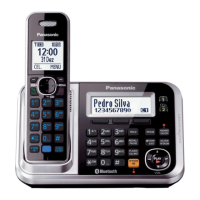
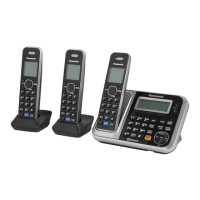
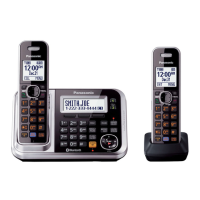
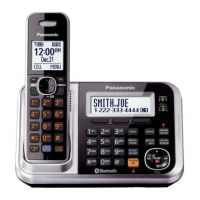
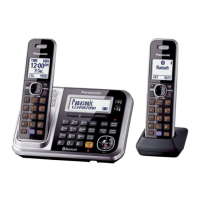
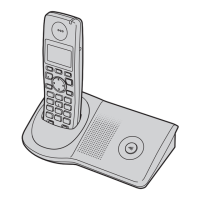
Model shown is KX-TGF572.
Before initial use, see “Getting Started”
on page 12.
Thank you for purchasing a Panasonic product.
Please read these operating instructions before using the unit and save them for
future reference.
Consulte “Guía Rápida Española”, página 88.
For assistance, visit our Web site: http://shop.panasonic.com/support for
customers in the U.S.A.
Please register your product: http://shop.panasonic.com/support
TGF57xUSA(en)_1201_ver031.pdf 1 1/12/2016 6:41:04 PM

Table of Contents

Other manuals for Panasonic KX-TG785SK

Questions and Answers

  • A
    aprildurhamAug 15, 2025
    What to do if my Panasonic KX-TG785SK unit does not work?
    • R
      Ryan GrayAug 15, 2025
      There are several reasons why your Panasonic Cordless Telephone unit might not be working. First, ensure the batteries are correctly installed. Second, fully charge the batteries. Third, check all connections to ensure they are secure. Fourth, try resetting the unit by unplugging the base unit’s AC adaptor, then reconnecting it. Finally, the handset may not be registered to the base unit; in this case, you should register the handset.
  • J
    Jermaine DavisAug 18, 2025
    Why can't I pair my phone to my Panasonic KX-TG785SK?
    • K
      Kevin WelchAug 18, 2025
      If you're having trouble pairing your cellular phone to the Panasonic Cordless Telephone base unit, there could be several reasons: * First, confirm that your cellular phone supports the hands-free profile (HFP) specification, as compatibility issues may arise. * Second, ensure that the Bluetooth feature on your cellular phone is turned on. * Third, if the Bluetooth technology on your cellular phone is not functioning correctly, try turning your cellular phone off and then on again. * Fourth, if your cellular phone is already connected to another Bluetooth device, such as a Bluetooth headset, disconnect it. * Fifth, some cellular phones may require you to enter the Bluetooth PIN for pairing; confirm that you have entered the correct PIN.
  • A
    Ashley SandovalAug 21, 2025
    What to do if my Panasonic KX-TG785SK Cordless Telephone does not work?
    • T
      Tyler JonesAug 21, 2025
      If your Panasonic Cordless Telephone is not working, ensure the batteries are correctly installed and fully charged. Check all connections. Try resetting the unit by unplugging the base unit’s AC adapter, then reconnecting it. Also, ensure the handset is registered to the base unit.
  • V
    vriceAug 25, 2025
    Why I cannot hear a dial tone on my Panasonic KX-TG785SK Cordless Telephone?
    • N
      Nicole BondAug 25, 2025
      If you cannot hear a dial tone on your Panasonic Cordless Telephone, check that the base unit’s AC adapter and telephone line cord are properly connected. If the connections are correct, disconnect the base unit from the telephone line and connect the line to a known working telephone. If the working telephone operates properly, contact service personnel to have the unit repaired. If the working telephone does not operate properly, contact your phone service provider.
  • J
    Jeanette JacksonAug 27, 2025
    How to turn on Panasonic KX-TG785SK Cordless Telephone handset?
    • K
      Kristin KirbyAug 27, 2025
      If your Panasonic Cordless Telephone handset does not turn on even after installing charged batteries, place the handset on the base unit or charger to turn it on.
  • B
    Brandy FullerAug 30, 2025
    Why does my Panasonic KX-TG785SK Cordless Telephone handset beep and/or flash?
    • T
      Tiffany PerezAug 30, 2025
      If your Panasonic Cordless Telephone handset is beeping and/or flashing, it indicates that the battery charge is low. Fully charge the batteries.
  • D
    Douglas MorenoSep 2, 2025
    Why does my Panasonic KX-TG785SK Cordless Telephone base unit beep?
    • T
      taylormarySep 2, 2025
      If your Panasonic Cordless Telephone base unit is beeping, it indicates that new messages have been recorded. Listen to the new messages.
  • G
    Gerald FrancisSep 5, 2025
    Why I cannot register a handset to a Panasonic KX-TG785SK base unit?
    • D
      Daniel GriffinSep 5, 2025
      If you cannot register a handset to the Panasonic Cordless Telephone base unit, it may be because the maximum number of handsets (6) is already registered to the base unit. Cancel unused handset registrations from the base unit.
  • F
    Frederick TurnerSep 8, 2025
    What to do if my Panasonic Cordless Telephone batteries still flash after fully charging?
    • M
      Melissa FarmerSep 8, 2025
      If your Panasonic Cordless Telephone batteries still flash, the display shows a battery symbol, or the operating time seems shorter after a full charge, clean the battery ends and the charge contacts with a dry cloth and charge again. If the problem persists, it may be time to replace the batteries.
  • J
    John ChavezSep 12, 2025
    What to do if Panasonic KX-TG785SK Cordless Telephone handset does not turn on?
    • S
      Shannon HopkinsSep 12, 2025
      If the Panasonic Cordless Telephone handset does not turn on even after installing charged batteries, place the handset on the base unit or charger to turn it on.

Summary

Important Information

For your safety

Provides crucial safety precautions to prevent injury and property loss.

Important safety instructions

Outlines essential safety precautions to reduce risks of fire, shock, and injury.

Getting Started

Setting up

Guides users through connecting the base unit, charger, and installing batteries.

Link to Cell

Link to cell feature

Explains how to connect a cellular phone via Bluetooth for making/answering calls.

Pairing a cellular phone

Step-by-step guide to pair a cellular phone with the base unit.

Making;Answering Calls Using the Handset

Making;Answering Calls Using the Base Unit

Making cellular calls

Instructions for making calls using paired cellular phones via the base unit.

Making landline calls

Steps for making calls using the landline connection from the base unit.

Call Block

Call block

How to block incoming calls and add numbers to the block list.

Storing unwanted callers

Methods for storing numbers or ranges to block unwanted calls.

Phonebook

Adding phonebook entries

Guides on adding new contacts with names and numbers.

Programming

Silent mode

How to activate or deactivate silent mode to prevent calls from ringing.

Registering a unit

Process for pairing a new handset to the base unit.

Silent mode

Turning silent mode on;off

How to activate or deactivate silent mode to prevent calls from ringing.

Registering a unit

Registering a handset to the base unit

Process for pairing a new handset to the base unit.

Caller ID Service

Using Caller ID service

Explains the prerequisites and benefits of subscribing to Caller ID.

Using Bluetooth Devices

Copying phonebook from a cellular phone (phonebook transfer)

How to transfer contacts from a mobile phone to the unit's phonebook.

Remote voice assist

Operating your phone's voice assistant (Siri, Google Now) via the handset or base unit.

Pairing a Bluetooth headset to the base unit

Guide to connecting a Bluetooth headset for hands-free calls.

Answering System for Landline

Turning the answering system on;off

How to activate or deactivate the answering system.

Recording your greeting message

Step-by-step instructions for recording a personalized greeting.

Listening to messages

How to play back recorded messages using the handset or base unit.

Useful Information

Error messages

Lists common display messages and their solutions.

Troubleshooting

General advice and steps to resolve product issues.

Panasonic KX-TG785SK Specifications

General IconGeneral
BrandPanasonic
ModelKX-TG785SK
CategoryCordless Telephone
LanguageEnglish

Related product manuals