EasyManua.ls Logo

Panasonic KX-TG7200E - User Manual

Panasonic KX-TG7200E
44 pages
Print Icon
To Next Page IconTo Next Page
Loading...
This unit is Caller ID compatible. To display the caller’s
phone number, you must subscribe to Caller ID service.
Charge the batteries for about 7 hours before initial use.
Please read these operating instructions before using the unit and save
them for future reference.
Operating Instructions
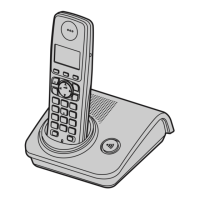
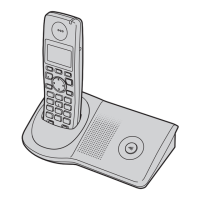
Model No. KX-TG7220E
KX-TG7222E
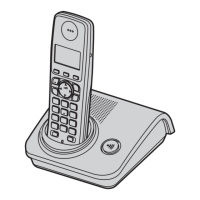
Digital Cordless Answering System
Model No. KX-TG7200E
KX-TG7202E
KX-TG7203E
Digital Cordless Phone
KX-TG7223E
KX-TG7224E
KX-TG7200
TG7200-7220E(e).book Page 1 Tuesday, May 22, 2007 9:34 AM

Other manuals for Panasonic KX-TG7200E

Questions and Answers

  • R
    Rodney JenkinsSep 9, 2025
    I fully charged the batteries, but the operating time seems to be short on my Panasonic Cordless Telephone, what should I do?
    • J
      Jerry GibbsSep 9, 2025
      If you fully charged the batteries, but the operating time seems to be short on your Panasonic Cordless Telephone, wipe the battery ends and the unit contacts with a dry cloth.
  • K
    Kelly HendricksAug 23, 2025
    Why does my Panasonic Cordless Telephone unit not ring?
    • R
      rosskelliAug 23, 2025
      If the Panasonic Cordless Telephone unit does not ring, the ringer volume may be turned off. Adjust the ringer volume.
  • J
    Jeanette RodriguezAug 25, 2025
    Why do I hear a busy tone when {C} is pressed on my Panasonic KX-TG7200E?
    • A
      Adam CruzAug 25, 2025
      If you press {C} and hear a busy tone on your Panasonic Cordless Telephone, it could be that the handset is too far from the base unit, so move closer and try again. Another possibility is that another handset is in use or the answering system is being used. Wait and try again later.
  • D
    Daniel BrownAug 27, 2025
    Why is the handset display blank on my Panasonic KX-TG7200E Cordless Telephone?
    • E
      Edward OlsonAug 27, 2025
      If the handset display is blank on your Panasonic Cordless Telephone, the handset may not be turned on. Turn the power on.
  • K
    Kimberly PerkinsAug 27, 2025
    What to do if I cannot make or receive calls on my Panasonic KX-TG7200E?
    • W
      woodsherriAug 27, 2025
      If you are unable to make or receive calls on your Panasonic Cordless Telephone, first check that the base unit AC adaptor and telephone line cord are properly connected. If you're using a splitter, remove it and connect the unit directly to the wall socket to see if that resolves the issue. If it works without the splitter, the splitter is the problem. If the issue persists, disconnect the base unit and connect the telephone line to a known working telephone. If the working telephone operates correctly, have your unit repaired by service personnel. If the working phone doesn't operate properly, contact your service provider/telephone company. Also, ensure that the key lock feature is turned off.
  • D
    Douglas WilliamsAug 29, 2025
    Why is there static or sound cutting in and out on my Panasonic Cordless Telephone?
    • K
      Kenneth GomezAug 29, 2025
      If you hear static or the sound cuts in and out on your Panasonic Cordless Telephone, it could be due to interference from other electrical units. Try placing the handset and base unit away from other electrical appliances. Also, ensure you are close enough to the base unit. If you are using DSL service, consult page 40.
  • L
    laura02Sep 18, 2025
    Why is caller information not displayed on my Panasonic Cordless Telephone?
    • L
      Lauren GuerreroSep 18, 2025
      Caller information is not displayed on your Panasonic Cordless Telephone because you need to subscribe to Caller ID service. Contact your service provider/telephone company for details. If you are using a telephone line with DSL service, consult page 40.
  • C
    Cassidy WagnerSep 18, 2025
    Why, when I try to operate the answering system with the base unit on my Panasonic KX-TG7200E Cordless Telephone, does the answer on indicator on the base unit flash for a few seconds and I cannot operate the answering system?
    • F
      fadamsSep 18, 2025
      When you try to operate the answering system with the base unit of your Panasonic Cordless Telephone, and the answer on indicator on the base unit flashes for a few seconds and you cannot operate the answering system, another handset is being used, so wait for the other user to finish. Alternatively, a caller is leaving a message, so wait for the caller to finish.
  • B
    Brian SandersSep 7, 2025
    What to do if my Panasonic Cordless Telephone handset/base unit stops working while being used?
    • L
      lmillerSep 8, 2025
      If your Panasonic Cordless Telephone handset/base unit stops working while being used, disconnect the base unit AC adaptor and turn off the handset. Then, reconnect the base unit AC adaptor, turn on the handset, and try again.
  • A
    Angela SchmidtSep 4, 2025
    What to do if the batteries should be charging but the battery icon does not change on my Panasonic KX-TG7200E?
    • M
      Matthew KingSep 4, 2025
      If the batteries should be charging but the battery icon does not change on your Panasonic Cordless Telephone, clean the charge contacts and charge again.

Summary

Preparation and Introduction

Product Introduction

Welcome message and information for future reference.

Declaration of Conformity

Compliance with R&TTE Directive and contact details.

Phone Model Illustrations

Your Phone Models

Illustrations of different phone models.

Included Accessories

Supplied Accessories

List of accessories included with the phone models.

Optional Accessories

Additional;Replacement Accessories

Optional accessories available for purchase.

Preparation Safety Information

General Safety and Environment

General safety, environment, and battery precautions.

Product Disposal Advice

Product Disposal Information

Disposal, transfer, return advice for households and businesses.

Controls and Displays

Base Unit Controls

Diagrams and labels for base unit controls.

Handset Controls

Diagrams and labels for handset controls.

Preparation Usage

Navigator Key and Display Icons

Using the navigator key and understanding display icons.

Connections

How to connect the telephone line and AC adaptor.

Battery and Location Setup

Location and Battery Installation

Optimal base unit location and battery installation steps.

Battery Charging

Battery Charging and Level Indicators

Instructions for charging batteries and interpreting battery level.

Unit Setup and Power

Battery Performance and Power

Battery performance details and powering the unit on/off.

Initial Unit Setup

Setting display language and date/time.

Date and Time Setting

Setting Date and Time Details

Detailed steps for setting the date and time.

Making and Answering Calls

Making Calls

Instructions for making calls, speakerphone, and redial.

Answering Calls and Auto Talk

How to answer calls and use the auto talk feature.

Call Lists and Pause Function

Using redial list, erasing entries, and pause function.

Call Features During a Call

Handset Locator and Mute

Locating handset and muting voice during calls.

R Button, Call Waiting, and Privacy

Using R button, Call Waiting, and Call Privacy features.

Key Lock and Call Share

Locking handset and sharing calls with another handset.

Phonebook Management

Phonebook Overview and Adding Entries

Using the handset phonebook and adding new entries.

Finding, Editing, and Erasing Entries

Searching, modifying, and deleting phonebook entries.

Phonebook Dialing

Chain Dialing from Phonebook

Dialing phonebook entries while on a call.

Handset Settings

Customizing Handset Settings

General steps for customizing handset settings.

Date, Time, Alarm, Ringer Settings

Setting date, time, alarm, ringer volume, and ringtone.

Display, Registration, and Options

Adjusting display, registering handset, keytones, auto talk.

Special Alarm Settings

Special Alarm Settings

Detailed instructions for setting alarm modes (Off, Once, Daily).

Base Unit Settings

Customizing Base Unit Settings

General steps for customizing base unit settings.

Ringer Volume and Call Options

Adjusting base unit ringer volume and recall time.

Base Unit PIN and Repeater Mode

Managing base unit PIN and setting repeater mode.

Caller ID Service Features

Using Caller ID and Features

Importance, features, call waiting ID, and caller list.

Editing Caller List Entries

How to edit caller numbers before calling back.

Managing Caller Information

Managing Caller Information

Erasing caller info and saving to phonebook.

Voice Mail Service

Voice Mail Service Explanation

Explanation of voice mail service by provider.

Answering System Operations

Answering System Overview and Controls

Capabilities, memory, turning on/off, and greeting messages.

Greeting Messages

Recording and using greeting messages.

Answering System Message Handling

Greeting Message Management

Playing back and erasing greeting messages.

Listening to and Managing Messages

Listening to messages and playback operations.

Answering System Advanced Operations

Erasing Messages and Call Back

Erasing all messages, editing numbers for call back.

Direct Command and Remote Operation

Operating system via dial keys and remotely.

Remote Answering System Control

Remote Operation Setup and Commands

Setting up remote operation and using remote commands.

Answering System Settings and Control

Remote Answering System Control

Turning the answering system on remotely.

Answering System Settings

Configuring number of rings, recording time, call screening.

Answering System Customization

Caller Recording Time and Call Screening

Adjusting recording time and enabling call screening.

Multi-unit Operation

Operating Additional Handsets

Using multiple handsets and registering them.

Deregistering Handsets

How a handset can cancel its own registration.

Multi-unit Call Handling

Range Extension and Repeater Mode

Using a DECT repeater and setting repeater mode.

Intercom and Call Transfer

Making intercom calls and transferring calls between handsets.

Conference Calls and Phonebook

Conference Calls and Phonebook Copying

Conducting conference calls and copying phonebook entries.

Phonebook Copying

Copying All Phonebook Entries

How to copy all phonebook entries at once.

Useful Information on Character Entry

Character Entry Basics

How to enter characters using dial keys and modes.

Character Entry Tables

Layouts for Alphabet, Numeric, and Greek character entry.

Additional Character Entry Tables

Extended and Cyrillic Character Tables

Layouts for Extended 1, Extended 2, and Cyrillic entry.

Troubleshooting Error Messages

Common Error Messages and Solutions

List of error messages and how to resolve them.

General Telephone Troubleshooting

General Telephone Troubleshooting

Solutions for issues like flashing 'Y' or blank display.

Troubleshooting Call and Ringing Issues

Troubleshooting Call and Ringing Issues

Solutions for problems with making/receiving calls, unit not ringing.

Troubleshooting Battery, PIN, and Caller ID

Troubleshooting Battery, PIN, and Caller ID

Solutions for short battery life, PIN issues, and no caller ID.

Answering System and DSL Troubleshooting

Answering System and DSL Troubleshooting

Resolving answering system issues and DSL connection advice.

Product Specifications

Technical Features and Standards

DECT, GAP, frequency range, bit rate, modulation, voice coding.

Power, Dimensions, and Weight

Power consumption, physical dimensions, and mass of units.

Guarantee Information

Conditions of Guarantee

Terms and conditions of the product guarantee.

Document Index

Alphabetical Index

Alphabetical index of topics and page numbers.

Sales and Support Information

Customer Care Centre and Contact

Contact details for customer support and product information.

Direct Sales and Online Ordering

Information on ordering accessories and products online.

Panasonic KX-TG7200E Specifications

General IconGeneral
BrandPanasonic
ModelKX-TG7200E
CategoryCordless Telephone
LanguageEnglish

Related product manuals