EasyManua.ls Logo

Panasonic KX-TG7230E - User Manual

Panasonic KX-TG7230E
44 pages
Print Icon
To Next Page IconTo Next Page
Loading...
This unit is Caller ID compatible. To display the caller’s
phone number, you must subscribe to Caller ID service.
Charge the batteries for about 7 hours before initial use.
Please read these operating instructions before using the unit and save
them for future reference.
Operating Instructions
Model No. KX-TG7230E
KX-TG7232E
Digital Cordless Answering System
Model No. KX-TG7210E
KX-TG7212E
KX-TG7213E
KX-TG7214E
Digital Cordless Phone
KX-TG7233E
KX-TG7234E
KX-TG7210
TG7210-7230E(e).book Page 1 Tuesday, October 16, 2007 12:59 PM

Other manuals for Panasonic KX-TG7230E

Questions and Answers

  • K
    Kevin WileySep 23, 2025
    How to erase the missed call number from the display on my Panasonic KX-TG7230E?
    • C
      cjensenSep 23, 2025
      If you want to erase the missed call number (e.g., “3 Calls”) from the display of your Panasonic Cordless Telephone, view them using the following method: * Press {j/OK}. * Select “Caller List”. * Press {V} to search from the most recent call, or press {^} to search from the oldest call.
  • P
    patricia68Aug 23, 2025
    How to fix a Panasonic KX-TG7230E that doesn't ring?
    • M
      Mary MendozaAug 25, 2025
      If your Panasonic Cordless Telephone is not ringing, it is possible that the ringer volume is turned off. Adjust the ringer volume.
  • J
    Jerry SheppardAug 25, 2025
    Why is my Panasonic KX-TG7230E not recording new messages?
    • S
      sarahabbottAug 26, 2025
      If your Panasonic Cordless Telephone is not recording new messages, there are a few potential causes: * The answering system is turned off. Turn it on. * The recording time is set to “Greeting Only”. Select “1 Minute” or “3 Minutes”. * If you subscribe to the voice mail service, messages are recorded by your service provider/telephone company not your telephone. Change the unit’s “Number of Rings” setting or consult your service provider/telephone company.
  • J
    Jared ElliottAug 27, 2025
    What to do if my Panasonic KX-TG7230E handset or base unit stops working?
    • M
      michele43Aug 27, 2025
      If your Panasonic Cordless Telephone handset/base unit stops working while being used, disconnect the base unit AC adaptor and turn off the handset. Connect the base unit AC adaptor, turn on the handset and try again.
  • M
    Matthew OwensAug 27, 2025
    Why is there static or cutting out sound on my Panasonic Cordless Telephone?
    • C
      Courtney CoffeyAug 27, 2025
      If you are experiencing static or sound cutting in and out on your Panasonic Cordless Telephone, it could be due to: * Interference from other electrical units. Place the handset and the base unit away from other electrical appliances. * Being too far from the base unit. Move closer to the base unit.
  • D
    Danielle JacksonSep 18, 2025
    Why does my Panasonic Cordless Telephone ring and stop recording when creating a greeting or listening to messages?
    • J
      Jeanette ThomasSep 18, 2025
      The unit rings and stops recording a greeting message or listening to messages because a call is being received. Answer the call and try again later.
  • A
    ariel66Sep 15, 2025
    Why does the answer on indicator flash when I try to use the answering system on my Panasonic KX-TG7230E?
    • L
      lfloydSep 15, 2025
      When you attempt to operate the answering system with the base unit and the answer on indicator flashes, it means: * Another handset is being used. Wait for the other user to finish. * A caller is leaving a message. Wait for the caller to finish.
  • S
    Susan RaySep 16, 2025
    Why is the operating time short even after fully charging the batteries on my Panasonic KX-TG7230E?
    • C
      Christopher MyersSep 17, 2025
      If the operating time seems short even after fully charging the batteries on your Panasonic Cordless Telephone, wipe the battery ends (S, T) and the unit contacts with a dry cloth.
  • S
    spinedaSep 6, 2025
    What does it mean if '7' still flashes after fully charging the batteries on my Panasonic KX-TG7230E Cordless Telephone?
    • A
      Ashley RileySep 7, 2025
      If the '7' continues to flash on your Panasonic Cordless Telephone even after fully charging the batteries: * Clean the charge contacts and charge again. * It may be time to replace the batteries.
  • R
    Rebecca JohnsonSep 3, 2025
    Why is the 'w' flashing on my Panasonic Cordless Telephone?
    • K
      Kyle HurleySep 3, 2025
      The 'w' flashing on your Panasonic Cordless Telephone indicates a problem. It could be due to several reasons: * The handset is not registered to the base unit. You should register it. * The handset is too far from the base unit. Try moving closer. * The base unit AC adaptor is not connected. Check the connections. * You are using the handset or base unit in an area with high electrical interference. Place the handset and base unit away from interference sources, such as antennas and mobile phones.

Summary

Preparation

Introduction

Thank you for purchasing the phone, warranty reference, and contact details.

Your Phone Models

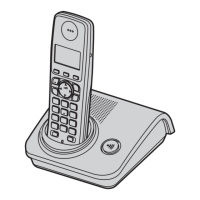
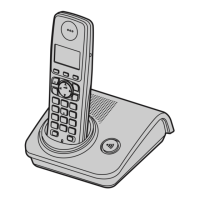
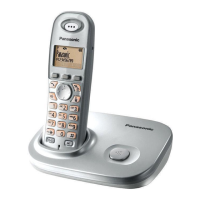
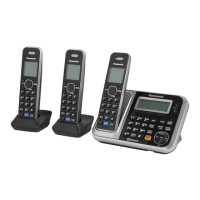
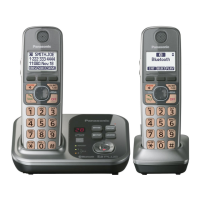
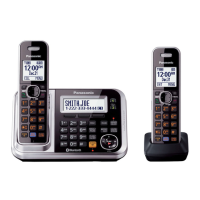
Displays images of different phone models (KX-TG7210/KX-TG7230, etc.).

Supplied Accessories

Lists and quantifies accessories included with the phone models.

Additional Accessories

Lists optional accessories available for purchase.

Important Information

Covers general precautions, environmental conditions, and warnings for safe usage.

Battery Precautions and Disposal

Covers safe handling of batteries and proper disposal of the product.

Base Unit Controls

Identifies and explains the function of buttons on the base unit.

Handset Controls and Display Icons

Explains handset buttons and the meaning of display icons.

Connecting the Unit

Instructions for connecting the telephone line cord and AC adaptor.

Battery Installation and Charging

Details on how to install, replace, and charge batteries.

Battery Performance and Power Management

Information on battery life, performance, and how to turn the unit on/off.

Initial Unit Setup: Language and Time

Guides on setting the display language and date/time.

Making and Answering Calls

Making Calls

Instructions for initiating calls, using speakerphone, and managing the redial list.

Answering Calls and Auto Talk

How to answer incoming calls and configure the auto talk feature.

Advanced Call Features and Handset Management

Covers handset locator, call privacy, key lock, and in-call features like mute and call waiting.

Phonebook

Handset Phonebook Management

Instructions for adding, finding, and searching phonebook entries.

Editing and Erasing Phonebook Entries

Guides on how to edit existing entries and erase single or all entries.

Chain Dial Feature

Allows dialing numbers from the phonebook while on a call.

Handset Settings

Customizing Handset Settings

Overview of handset settings like date/time, ringer, display, and registration.

Setting Alarms on the Handset

Detailed steps for setting an alarm on the handset.

Base Unit Settings

Base Unit Settings Configuration

How to configure base unit settings like ringer volume and PIN via the handset.

Caller ID Service

Using Caller ID Service Features

Explains how to use Caller ID, what features are available, and display behavior.

Managing the Caller List

How to view, edit, and call back entries from the caller list.

Storing Caller Information to Phonebook

Process for saving caller details into the handset's phonebook.

Voice Mail Service Overview

Explanation of voice mail service provided by the service provider.

Answering System Features

Answering System Overview and Capacity

Introduction to the answering system, its capabilities, and memory limits.

Controlling the Answering System

Instructions to turn the answering system on or off using the base unit or handset.

Recording a Greeting Message

Steps to record a custom greeting message for the answering system.

Managing Greeting Messages

How to play back or erase recorded greeting messages.

Listening to and Managing Messages

Instructions for listening to messages, controlling playback, and using base/handset.

Erasing Messages and Caller Callbacks

Steps to erase all messages and how to call back callers from the answering system.

Direct Command Operation

Using dial keys for direct control of the answering system.

Remote Operation of Answering System

How to operate the answering system remotely using a touch-tone phone.

Answering System Settings Configuration

Adjusting settings like number of rings, recording time, and call screening.

Setting Caller Recording Time

Adjusting the maximum recording time for callers.

Enabling Call Screening

How to screen calls while a message is being left.

Multi-unit Operation

Operating Additional Handsets

Information on adding up to 6 handsets to the base unit.

Registering a Handset to the Base Unit

Steps to register a new or existing handset to the base unit.

Deregistering a Handset

How a handset can cancel its own registration with the base unit.

Extending Base Unit Range

Using a DECT repeater to increase signal range.

Setting Repeater Mode

Instructions to turn the repeater mode on or off for range extension.

Intercom Between Handsets

How to make intercom calls between handsets.

Transferring Calls Between Handsets

Steps to transfer an outside call to another handset.

Setting Up Conference Calls

How to conduct conference calls with an outside party and another handset.

Copying Phonebook Entries

Transferring phonebook entries between compatible handsets.

Copying All Phonebook Entries

Instructions to copy all phonebook entries to another handset.

Useful Information

Character Entry and Modes

Explains how to enter characters using dial keys and available entry modes.

Character Entry Tables

Displays character mapping for Alphabet, Numeric, and Greek entry modes.

Advanced Character Entry Tables

Character mapping for Extended 1, Extended 2, and Cyrillic entry modes.

Troubleshooting Error Messages

Lists common error messages and their causes/solutions.

General Troubleshooting

Addresses issues like flashing indicator, blank display, and power problems.

Troubleshooting Call and Connectivity Issues

Solutions for call issues, no ringing, battery charging display, static, and intermittent beeps.

Further Troubleshooting and PIN Management

Addresses short battery life, missing caller info, registration problems, PIN issues, and missed call display.

Answering System Troubleshooting

Solves issues with message recording, handset/remote operation, and interruptions.

DSL User Connection Advice

Recommendation for DSL users to connect a filter to the telephone line.

Product Specifications

Technical details including standard, frequency, power, dimensions, and weight.

Guarantee Conditions

Terms and conditions of the product's warranty.

Sales and Support Information

Sales and Support Information

Contact details for customer care, product support, and sales information.

Panasonic KX-TG7230E Specifications

General IconGeneral
TypeCordless Telephone
Frequency1.9 GHz
Number of Handsets1
Caller IDYes
Phonebook Capacity50 entries
Talk TimeUp to 10 hours
Standby TimeUp to 120 hours
DisplayLCD
Battery TypeNi-MH
SpeakerphoneYes
Call WaitingYes
IntercomYes
Power SourceAC adapter
RangeUp to 300 meters outdoors, 50 meters indoors

Related product manuals