EasyManua.ls Logo

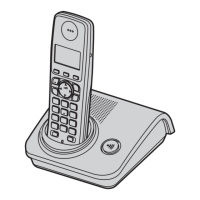
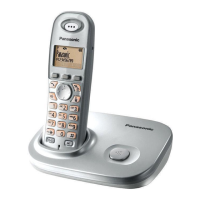
Panasonic KX-TG7210E - User Manual

Panasonic KX-TG7210E
44 pages
Print Icon
To Next Page IconTo Next Page
Loading...
This unit is Caller ID compatible. To display the caller’s
phone number, you must subscribe to Caller ID service.
Charge the batteries for about 7 hours before initial use.
Please read these operating instructions before using the unit and save
them for future reference.
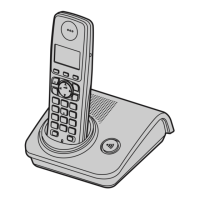
Operating Instructions
Model No. KX-TG7230E
KX-TG7232E
Digital Cordless Answering System
Model No. KX-TG7210E
KX-TG7212E
KX-TG7213E
KX-TG7214E
Digital Cordless Phone
KX-TG7233E
KX-TG7234E
KX-TG7210
TG7210-7230E(e).book Page 1 Tuesday, October 16, 2007 12:59 PM

Other manuals for Panasonic KX-TG7210E

Questions and Answers

  • R
    Robert FarrellSep 23, 2025
    How to erase the missed call number from the display on my Panasonic Cordless Telephone?
    • L
      Laura HintonSep 23, 2025
      If you want to erase the missed call number (e.g., “3 Calls”) from the display of your Panasonic Cordless Telephone, view them using the following method: * Press {j/OK}. * Select “Caller List”. * Press {V} to search from the most recent call, or press {^} to search from the oldest call.
  • S
    Scott SnyderAug 23, 2025
    How to fix a Panasonic KX-TG7210E Cordless Telephone that doesn't ring?
    • T
      Thomas LeeAug 23, 2025
      If your Panasonic Cordless Telephone is not ringing, it is possible that the ringer volume is turned off. Adjust the ringer volume.
  • J
    Joseph FryeAug 25, 2025
    Why is my Panasonic KX-TG7210E not recording new messages?
    • R
      Rebecca DavidsonAug 25, 2025
      If your Panasonic Cordless Telephone is not recording new messages, there are a few potential causes: * The answering system is turned off. Turn it on. * The recording time is set to “Greeting Only”. Select “1 Minute” or “3 Minutes”. * If you subscribe to the voice mail service, messages are recorded by your service provider/telephone company not your telephone. Change the unit’s “Number of Rings” setting or consult your service provider/telephone company.
  • T
    tammystanleyAug 27, 2025
    What to do if my Panasonic Cordless Telephone handset or base unit stops working?
    • M
      markbellAug 27, 2025
      If your Panasonic Cordless Telephone handset/base unit stops working while being used, disconnect the base unit AC adaptor and turn off the handset. Connect the base unit AC adaptor, turn on the handset and try again.
  • M
    Marvin PalmerAug 27, 2025
    Why is there static or cutting out sound on my Panasonic KX-TG7210E Cordless Telephone?
    • L
      Larry MathewsAug 28, 2025
      If you are experiencing static or sound cutting in and out on your Panasonic Cordless Telephone, it could be due to: * Interference from other electrical units. Place the handset and the base unit away from other electrical appliances. * Being too far from the base unit. Move closer to the base unit.
  • E
    Erik GrahamSep 18, 2025
    Why does my Panasonic Cordless Telephone ring and stop recording when creating a greeting or listening to messages?
    • C
      Cynthia KennedySep 18, 2025
      The unit rings and stops recording a greeting message or listening to messages because a call is being received. Answer the call and try again later.
  • T
    Troy MooreSep 15, 2025
    Why does the answer on indicator flash when I try to use the answering system on my Panasonic KX-TG7210E?
    • D
      Denise DaltonSep 15, 2025
      When you attempt to operate the answering system with the base unit and the answer on indicator flashes, it means: * Another handset is being used. Wait for the other user to finish. * A caller is leaving a message. Wait for the caller to finish.
  • K
    Krista CollierSep 16, 2025
    Why is the operating time short even after fully charging the batteries on my Panasonic Cordless Telephone?
    • C
      Chad RitterSep 17, 2025
      If the operating time seems short even after fully charging the batteries on your Panasonic Cordless Telephone, wipe the battery ends (S, T) and the unit contacts with a dry cloth.
  • J
    Joshua HowardSep 6, 2025
    What does it mean if '7' still flashes after fully charging the batteries on my Panasonic Cordless Telephone?
    • B
      Benjamin RivasSep 6, 2025
      If the '7' continues to flash on your Panasonic Cordless Telephone even after fully charging the batteries: * Clean the charge contacts and charge again. * It may be time to replace the batteries.
  • M
    Mark TaylorSep 4, 2025
    Why is the 'w' flashing on my Panasonic KX-TG7210E Cordless Telephone?
    • C
      Christy ValenzuelaSep 4, 2025
      The 'w' flashing on your Panasonic Cordless Telephone indicates a problem. It could be due to several reasons: * The handset is not registered to the base unit. You should register it. * The handset is too far from the base unit. Try moving closer. * The base unit AC adaptor is not connected. Check the connections. * You are using the handset or base unit in an area with high electrical interference. Place the handset and base unit away from interference sources, such as antennas and mobile phones.

Panasonic KX-TG7210E Specifications

General IconGeneral
BrandPanasonic
ModelKX-TG7210E
CategoryCordless Telephone
LanguageEnglish

Related product manuals