EasyManua.ls Logo

Panasonic KX-TG7842 - User Manual

Panasonic KX-TG7842
96 pages
Print Icon
To Next Page IconTo Next Page
Loading...
Operating Instructions
Model No. KX-TG7841
KX-TG7842
KX-TG7843
KX-TG7844
KX-TG7845
KX-TG365SK
KX-TG7871
KX-TG7872
KX-TG7873
KX-TG7874
KX-TG7875
KX-TG385SK
Link-to-Cell Cellular Convergence Solution
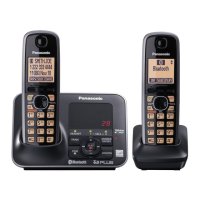
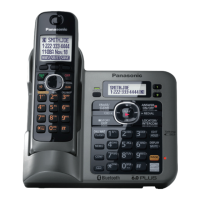
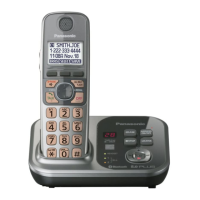
Model shown is KX-TG7841.
Before initial use, see “Getting Started”
on page 10.
Thank you for purchasing a Panasonic product.
Please read these operating instructions before using the unit and save them for
future reference.
Consulte “Guía Rápida Española”, página 80.
For assistance, visit our Web site: http://www.panasonic.com/help for customers
in the U.S.A. or Puerto Rico.
Please register your product: http://www.panasonic.com/prodreg
TG78xx(en)_1210_ver101.pdf 1 2012/12/10 21:19:23

Table of Contents

Questions and Answers

  • K
    Kelly WalterSep 10, 2025
    What to do if my Panasonic Telephone unit does not work?
    • A
      Amy SkinnerSep 10, 2025
      If your Panasonic Telephone unit isn't working, try the following: 1. Ensure the batteries are correctly installed. 2. Fully charge the batteries. 3. Check all connections. 4. Unplug the base unit’s AC adaptor to reset it, then reconnect and try again. 5. Ensure the handset is registered to the base unit.
  • J
    Janet MartinAug 23, 2025
    Why I cannot hear a dial tone on my Panasonic Cordless Telephone?
    • J
      johnbushAug 23, 2025
      If you cannot hear a dial tone on your Panasonic Cordless Telephone, ensure the CELL 1 or CELL 2 indicator is lit. Check that the base unit’s AC adapter and telephone line cord are properly connected. You can also test the telephone line by connecting it to a known working telephone to determine if the issue is with the phone or the line.
  • A
    adamalvarezAug 25, 2025
    What to do if my Panasonic Cordless Telephone handset beeps and/or flashes?
    • M
      michaelbatesAug 25, 2025
      If the handset of your Panasonic Cordless Telephone beeps and/or flashes, it usually indicates that the battery charge is low. You should fully charge the batteries.
  • N
    Natasha MuellerAug 26, 2025
    Why Panasonic Cordless Telephone base unit beeps?
    • C
      Christopher GarciaAug 27, 2025
      The Panasonic Cordless Telephone base unit beeps to indicate that new messages have been recorded. You should listen to the new messages.
  • T
    Thomas WardAug 27, 2025
    Why is my Panasonic KX-TG7842 base unit beeping?
    • R
      Richard JordanAug 27, 2025
      If your Panasonic Telephone is beeping, it indicates that new messages have been recorded. To stop the beeping, listen to the new messages.
  • J
    John PattersonAug 29, 2025
    Why does my Panasonic Telephone handset beep and/or flash?
    • J
      Jonathan WilsonAug 29, 2025
      If your Panasonic Telephone handset is beeping and/or flashing, it usually means the battery charge is low. To resolve this, fully charge the batteries.
  • P
    porteraustinSep 18, 2025
    What to do if I cannot pair a cellular phone to my Panasonic Telephone?
    • M
      Megan AguilarSep 18, 2025
      If you are unable to pair a cellular phone to the Panasonic Telephone base unit, it could be due to compatibility issues. Confirm that your cellular phone supports the hands-free profile (HFP) specification. Also, ensure that the Bluetooth feature of your cellular phone is turned on. Try turning off and on your cellular phone. If your cellular phone is already connected to another Bluetooth device, turn it off or disconnect it. Some cellular phones may require you to enter the Bluetooth PIN to pairing; confirm that you entered the correct PIN.
  • C
    Collin JonesSep 12, 2025
    What to do if Panasonic Cordless Telephone display is in a language I cannot read?
    • S
      susan87Sep 12, 2025
      If the display on your Panasonic Cordless Telephone is in a language you cannot read, you should change the display language.
  • C
    Cindy NunezSep 8, 2025
    What to do if I cannot register a handset to a Panasonic Cordless Telephone base unit?
    • S
      Stacy HowardSep 8, 2025
      If you cannot register a handset to a Panasonic Cordless Telephone base unit, it may be because the maximum number of handsets (6) is already registered. Cancel unused handset registrations from the base unit.
  • R
    rsnyderSep 5, 2025
    What to do if I cannot pair a cellular phone to Panasonic Cordless Telephone base unit?
    • A
      Amber BairdSep 5, 2025
      If you cannot pair a cellular phone to the Panasonic Cordless Telephone base unit, first confirm that your cellular phone supports the hands-free profile (HFP) specification. Ensure that the Bluetooth feature on your cellular phone is turned on. If your cellular phone is already connected to another Bluetooth device, turn it off or disconnect it. Some cellular phones may require you to enter the base unit PIN to pair; confirm that you entered the correct PIN. If the Bluetooth technology on your cellular phone may not be functioning normally, turn off and on your cellular phone.

Panasonic KX-TG7842 Specifications

General IconGeneral
Number of Handsets2
Expandable HandsetsYes, up to 6
Frequency1.9 GHz
DECT 6.0Yes
Caller IDYes
Call WaitingYes
SpeakerphoneYes
IntercomYes
Answering MachineYes
Phonebook Capacity100 names and numbers
TypeCordless Phone
RangeUp to 1000 feet
Standby TimeUp to 7 days
DisplayBacklit LCD
Headset JackYes (2.5mm)

Related product manuals