EasyManua.ls Logo

Panasonic KX-TG7733S - User Manual

Panasonic KX-TG7733S
88 pages
Print Icon
To Next Page IconTo Next Page
Loading...
Operating Instructions
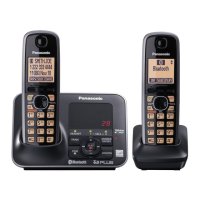
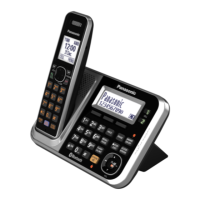
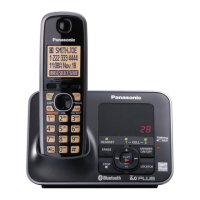
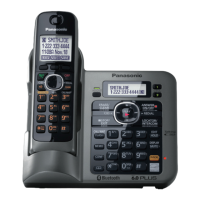
Model shown is KX-TG7731.
Link-to-Cell Cellular Convergence Solution
Model No. KX-TG7731
KX-TG7732
KX-TG7733
KX-TG254SK
KX-TG7741
KX-TG7742
KX-TG7743
KX-TG7745
Before initial use, see “Getting Started”
on page 11.
Thank you for purchasing a Panasonic product.
Please read these operating instructions before using the unit and save them for
future reference.
Consulte “Guía Rápida Española”, página 73.
For assistance, visit our Web site: http://www.panasonic.com/help for customers
in the U.S.A. or Puerto Rico.
Please register your product: http://www.panasonic.com/prodreg
TG7731_41_(en-en)_1121_ver.021.p1 1 2011/11/21 12:02:11

Table of Contents

Other manuals for Panasonic KX-TG7733S

Questions and Answers

  • T
    Tiffany NelsonJul 26, 2025
    Why does my Panasonic Telephone unit not work?
    • P
      Patrick SharpJul 26, 2025
      If your Panasonic Telephone unit isn't working, try these steps: Ensure the batteries are correctly installed. Fully charge the batteries. Check all connections. Unplug the base unit’s AC adapter to reset it, then reconnect and try again. Also, ensure the handset is registered to the base unit.
  • D
    David JonesJul 30, 2025
    What to do if I cannot hear a dial tone on my Panasonic KX-TG7733S Telephone?
    • R
      Rachel WoodsJul 30, 2025
      If you cannot hear a dial tone on your Panasonic Telephone, ensure the base unit’s AC adapter is properly connected. Verify that the CELL 1 or CELL 2 indicator lights green. Also, make sure the telephone line cord is correctly connected. If the issue persists, disconnect the base unit from the telephone line and connect the line to a known working telephone to identify whether the issue is with the phone or the line.
  • T
    Tammy CantuAug 3, 2025
    Why I cannot register a cellular phone to my Panasonic Telephone base unit?
    • B
      Brandon WilsonAug 3, 2025
      You may not be able to register a cellular phone to the Panasonic Telephone base unit because of compatibility issues. Confirm that your cellular phone supports the hands-free profile (HFP) specification. Also, ensure that the Bluetooth feature on your cellular phone is turned on. Try turning off and on your cellular phone. If your cellular phone is already connected to another Bluetooth device, turn it off or disconnect it. Some cellular phones may require you to enter the base unit PIN to register; confirm that you entered the correct PIN.
  • S
    sallyjohnsonAug 7, 2025
    Why I cannot register a handset to my Panasonic Telephone base unit?
    • C
      coleshawnAug 7, 2025
      You may not be able to register a handset to the Panasonic Telephone base unit because the maximum number of handsets (6) is already registered to the base unit. Cancel unused handset registrations from the base unit.
  • A
    athompsonAug 11, 2025
    What to do if I cannot connect a cellular phone to my Panasonic KX-TG7733S base unit?
    • S
      shahlawrenceAug 11, 2025
      If you cannot connect a cellular phone to the Panasonic Telephone base unit, first confirm that your cellular phone is turned on and is within the base unit range. If auto connection is on, consider that wireless environment might cause a delay. You can connect to the base unit manually. Ensure that the cellular phone has been registered to the base unit.
  • S
    Stephen ParkAug 16, 2025
    What does it mean when the indicator on my Panasonic KX-TG7733S handset flashes slowly?
    • L
      lhowardAug 16, 2025
      If the indicator on your Panasonic Telephone handset flashes slowly, it means new messages or new voice mail messages have been recorded. Listen to the new messages or the new voice mail messages.
  • P
    peter59Aug 21, 2025
    Why does my Panasonic Telephone receiver volume change to level 4?
    • K
      Kristen JosephAug 21, 2025
      The receiver volume on your Panasonic Telephone returns to level 4 after you hang up. Press MjN or MkN to adjust the volume every time or as needed.

Summary

Critical Safety and Usage Guidelines

For Your Safety

Crucial safety precautions for safe operation, covering power and installation.

Important Safety Instructions

General safety precautions to reduce risks of fire, electric shock, and injury.

Getting Started

Initial Setup and Connections

Steps for connecting the base unit, charger, and installing batteries.

Link to Cell Functionality

Link to Cell Feature Overview

Explanation of how to make and receive cellular calls using the home phone.

Registering and Managing Cellular Phones

Steps for pairing cellular phones via Bluetooth and managing their settings.

Call Operations with Handset

Making Cellular and Landline Calls

Step-by-step guide for initiating cellular and landline calls using the handset.

Answering Calls and Using Features

How to answer calls, use hold, mute, and other call management features.

Call Operations with Base Unit

Making and Answering Calls via Base Unit

Procedures for initiating and receiving cellular and landline calls from the base unit.

Phonebook and Programming

Programmable Settings and Codes

Guide to customizing features using menus and direct command codes.

Bluetooth Headset and Phonebook Transfer

Copying Phonebook Entries via Bluetooth

Transferring contacts from a cellular phone to the unit's shared phonebook.

Answering System and Voice Mail

Answering System Operation

Turning the answering system on/off, call screening, and message playback.

Intercom, Locator, and Call Transfers

Troubleshooting and Useful Information

General Troubleshooting Guide

Solutions for common problems related to handset, cellular connection, and basic functions.

Panasonic KX-TG7733S Specifications

General IconGeneral
Frequency1.9 GHz
TechnologyDECT 6.0
Handsets Included3
Answering SystemYes
SpeakerphoneYes
Caller IDYes
Call WaitingYes
DisplayLCD
RangeUp to 1000 feet
Talk TimeUp to 13 hours
IntercomYes
ExpandableUp to 6 handsets
Headset JackYes
TypeCordless
BatteryNiMH

Related product manuals