EasyManua.ls Logo

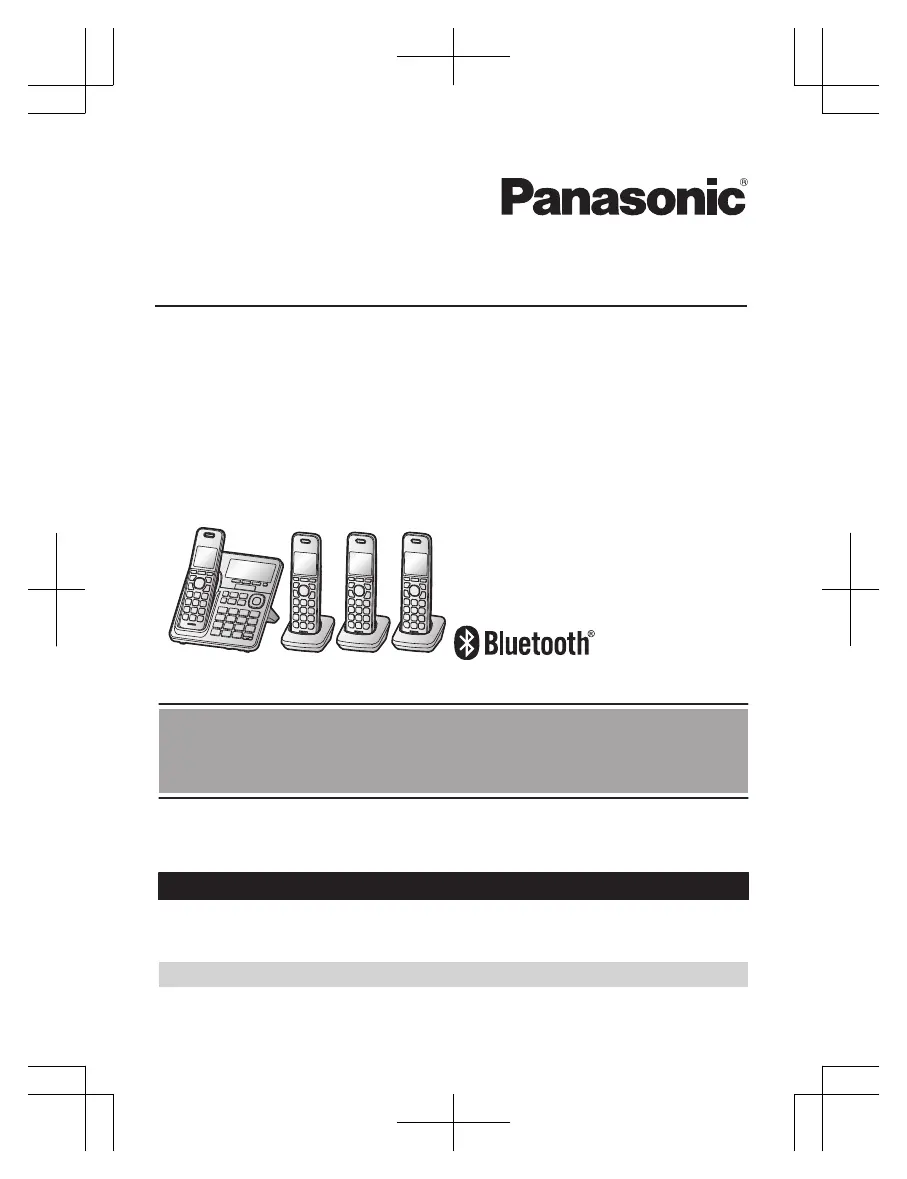
Panasonic KX-TG994SK - User Manual

Panasonic KX-TG994SK
116 pages
Print Icon
To Next Page IconTo Next Page
Loading...
Operating Instructions
Cordless Phone
Model No.
KX-TGF973
KX-TG994SK
KX-TGF975
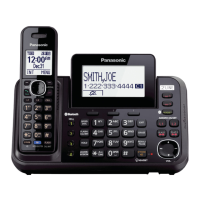
Model shown is KX-TG994SK.
Before initial use, see “Getting Started”
on page 12.
Thank you for purchasing a Panasonic product.
Please read these operating instructions before using the unit and save them for
future reference.
Consulte “Guía Rápida Española”, página 100.
For assistance, visit our Web site: http://shop.panasonic.com/support for
customers in the U.S.A.
Please register your product: http://shop.panasonic.com/support
KX-TGF97xUSA(en-us)_0928_ver121.pdf 1 9/28/2022 11:24:37 AM

Table of Contents

Other manuals for Panasonic KX-TG994SK

Questions and Answers

  • B
    Brittany KingSep 12, 2025
    Why can't I copy phonebook entries from a cellular phone to my Panasonic KX-TG994SK Cordless Telephone?
    • M
      Matthew HerreraSep 12, 2025
      Confirm that the cellular phone supports Bluetooth wireless technology, and the Phone Book Access Profile (PBAP) or Object Push Profile (OPP) specification. If the cellular phone is already connected to another Bluetooth device, turn it off or disconnect it from the cellular phone. Someone is using a cellular line or headset. Turn the cellular phone off, then turn it on and try again. If an entry is already stored in the unit’s phonebook, the entry cannot be copied even by selecting another group. iPhone does not support individual phonebook copy.
  • R
    richardsbelindaAug 25, 2025
    How to fix Panasonic KX-TG994SK Cordless Telephone handset beeping and/or flashing?
    • N
      Nicholas HowardAug 25, 2025
      If the handset is beeping and/or flashing, it usually indicates that the battery charge is low. Fully charge the batteries to resolve this issue.
  • D
    David SnyderAug 25, 2025
    What to do if I cannot hear a dial tone on my Panasonic KX-TG994SK?
    • L
      lewiskarenAug 26, 2025
      If you cannot hear a dial tone, check that the base unit’s AC adaptor or telephone line cord is properly connected. If the connections are correct, disconnect the base unit from the telephone line and connect the line to a known working telephone. If the working telephone operates properly, contact our service personnel to have the unit repaired. If the working telephone does not operate properly, contact your phone service provider.
  • F
    Frank ReillySep 23, 2025
    What to do if liquid or other form of moisture has entered the handset/base unit of my Panasonic Cordless Telephone?
    • M
      Michael JohnsonSep 23, 2025
      Disconnect the AC adaptor and telephone line cord from the base unit. Remove the batteries from the handset and leave to dry for at least 3 days. After the handset/base unit are completely dry, reconnect the AC adaptor and telephone line cord. Insert the batteries and charge fully before use. If the unit does not work properly, contact an authorized service center.
  • C
    Carlos GeorgeSep 12, 2025
    Why can't I have a conversation using the headset or connect my headset to the base unit of my Panasonic KX-TG994SK?
    • M
      markpalmerSep 12, 2025
      Confirm that the Bluetooth wireless headset supports the HeadSet Profile (HSP) specification. Your Bluetooth headset is not paired, pair it. Turn your headset off, then turn it on and try again. If your headset is already connected to another Bluetooth device such as your cellular phone, disconnect the headset from your cellular phone, then perform the connecting procedure from the base unit. Only 1 Bluetooth device can be used with the unit at a time.
  • E
    Elizabeth SimmonsSep 17, 2025
    Why can't I operate the answering system remotely on my Panasonic Cordless Telephone?
    • B
      brandonperezSep 17, 2025
      If you cannot operate the answering system remotely, the remote access code is not set. Set the remote access code. You are entering the wrong remote access code. If you have forgotten your remote access code, enter the remote access code setting to check your current code. The answering system is turned off. You cannot operate the answering system when calling a cellular phone paired to the base unit.
  • T
    Tina BrownSep 5, 2025
    Why is the dedicated key for Telemarketing call block not displayed on my Panasonic KX-TG994SK Cordless Telephone?
    • C
      carrietaylorSep 5, 2025
      The MTELE.BLK.N key is not available while on the charger. Lift the handset from the charger. If the Auto talk feature is set to on, the call is answered automatically when the handset is lifted from the charger during an incoming call. Turn off the auto talk feature.
  • C
    christinajacksonSep 6, 2025
    Why does my Panasonic KX-TG994SK answer an incoming call on its own?
    • E
      Eric TurnerSep 6, 2025
      This might happen due to a false detection of ambient noise. Move the unit further away from the noise sources. If you are using other telephone that has Talking Caller ID feature turned on, it may also trigger false detection. Turn the Talking Caller ID feature off on the other telephone. To minimize false detection, decrease the sensitivity level of the answer by voice command.
  • B
    Bradley TorresSep 18, 2025
    I can make and answer cellular calls but cannot hear a sound on my Panasonic KX-TG994SK, what to do?
    • R
      robertsoncalvinSep 18, 2025
      The Bluetooth technology on your cellular phone may not be functioning normally. Turn off and on your cellular phone. Disconnect and reconnect the base unit AC adaptor and try again.
  • A
    April HuertaAug 30, 2025
    Why can't I connect a cellular phone to the Panasonic Cordless Telephone base unit?
    • N
      Nicholas ShortAug 30, 2025
      If you cannot connect a cellular phone to the base unit, confirm that your cellular phone is turned on and within base unit range. Ensure your cellular phone’s Bluetooth feature is turned on. Pair the cellular phone to the base unit. If your cellular phone is already connected to another Bluetooth device, disconnect the device, then perform the connecting procedure to the base unit. If your cellular phone is already registered on another Panasonic DECT phone, remove the registration of this phone on both your cellular phone and on the other Panasonic DECT phone.

Summary

Important Information

For your safety

Provides crucial safety precautions to prevent injury or property damage.

Important safety instructions

Details basic safety precautions for using the product.

Getting Started

Setting up

Guides users through the initial setup process for the phone system.

Link to Cell

Link to cell feature

Describes how to connect and use cellular calls via Bluetooth.

Pairing a cellular phone

Step-by-step guide to pair a cellular phone with the base unit.

Making;Answering Calls Using the Handset

Answering calls

How to answer incoming landline or cellular calls.

Making;Answering Calls Using the Base Unit

Power backup operation for landline

Explains how the system operates during a power failure.

Making cellular calls

Instructions for making cellular calls from the base unit.

Making landline calls

Instructions for making landline calls from the base unit.

Answer by Voice Command

Turning answer by voice command on;off

Guides on enabling or disabling the voice command answer feature.

Call Block

Storing unwanted callers

How to store numbers to block incoming calls.

Enhanced Call Block

Automated call block

Automatically screens and blocks unwanted calls.

Telemarketing call block

Feature to screen calls from telemarketers.

One ring scam alert

Alerts users about potential scam calls based on ring patterns.

Phonebook

Adding phonebook entries

Guide to adding new entries to the phonebook.

Programming

Menu list

Overview of accessing features via menus and codes.

Link to cell

Programming options for cellular phone integration.

Alarm

Setting and managing alarm functions.

Caller ID Service

Using Bluetooth Devices

Answering System for Landline

Answering system for landline

Overview of the answering system's capabilities.

Advanced new message alerting features

Useful Information

Troubleshooting

Provides solutions for common operational problems.

Panasonic KX-TG994SK Specifications

General IconGeneral
ModelKX-TG994SK
CategoryCordless Telephone
Number of Handsets4
Answering SystemYes
Link2CellYes
Talking Caller IDYes
BluetoothYes
Caller IDYes
Call WaitingYes
SpeakerphoneYes
Keypad BacklitYes
Display TypeLCD
Headset JackYes
IntercomYes
Backlit DisplayYes
Power SourceAC adapter
Battery TypeNi-MH
Battery Life7 days standby
TechnologyDECT 6.0

Related product manuals