EasyManua.ls Logo

Panasonic KX-TGE662 - User Manual

Panasonic KX-TGE662
108 pages
Print Icon
To Next Page IconTo Next Page
Loading...
Operating Instructions
HD Link2Cell Cordless Telephone
with Digital Answering Machine
Model No.
KX-TGE662
KX-TGE663
KX-TGE664
KX-TG854SK
KX-TG855SK
KX-TGE674
KX-TGE675
KX-TG865SK
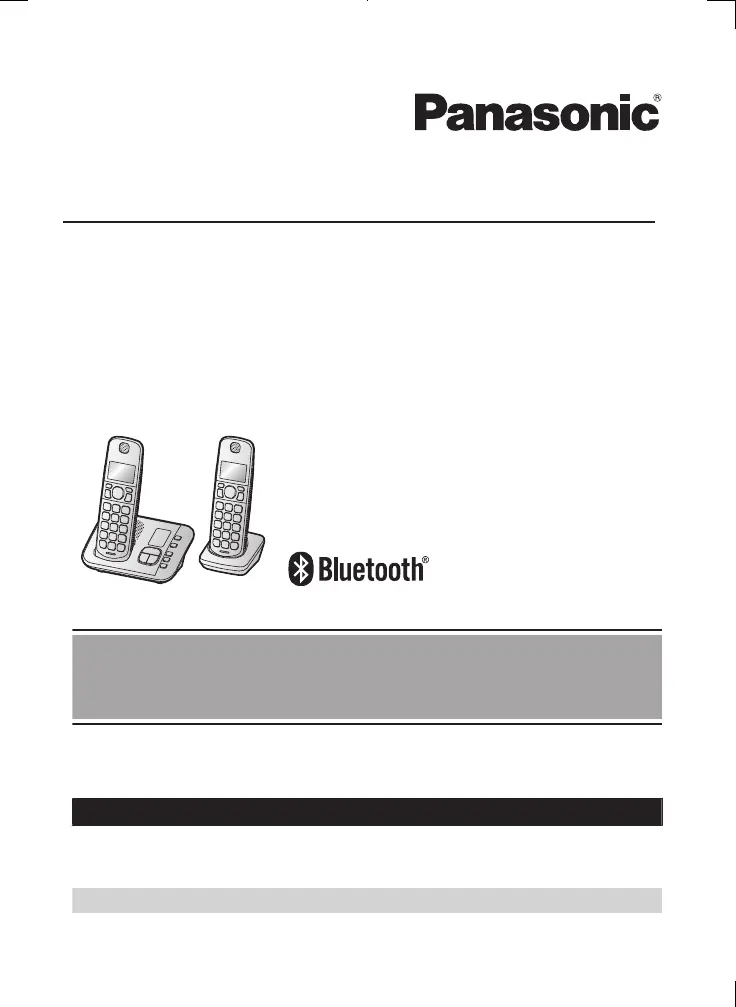
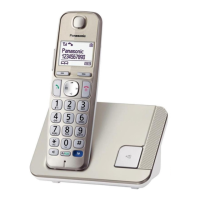
Model shown is KX-TGE662.
Before initial use, see “Getting Started”
on page 12.
Thank you for purchasing a Panasonic product.
Please read these operating instructions before using the unit and save them for
future reference.
Consulte “Guía Rápida Española”, página 89.
For assistance, visit our Web site: http://shop.panasonic.com/support for
customers in the U.S.A.
Please register your product: http://shop.panasonic.com/support
TGE66xUSA(en)_1129_ver034.pdf 1 29/11/2017 3:09:14 PM

Table of Contents

Other manuals for Panasonic KX-TGE662

Questions and Answers

  • J
    jaustinAug 19, 2025
    What to do if Panasonic KX-TGE662 Cordless Telephone unit does not work?
    • C
      christopher81Sep 12, 2025
      If your Panasonic Cordless Telephone unit does not work, try the following: * Ensure the batteries are correctly installed. * Fully charge the batteries. * Check all connections. * Unplug the base unit’s AC adaptor to reset it, then reconnect and try again. * Register the handset to the base unit.
  • P
    princesteveAug 21, 2025
    Why does my Panasonic KX-TGE662 handset beep and/or flash?
    • N
      nwardAug 21, 2025
      The battery charge is low. You should fully charge the batteries.
  • C
    Clarence TurnerAug 23, 2025
    What to do if I cannot connect a cellular phone to the Panasonic Cordless Telephone?
    • R
      Randy MatthewsAug 25, 2025
      First, make sure your cellular phone is turned on and is within the base unit range. Also, check that your cellular phone’s Bluetooth feature is turned on. If the auto connection feature is enabled, there might be a delay depending on the state of the wireless environment; in this case, you can connect to the base unit manually. Ensure the cellular phone has been paired to the base unit. If your cellular phone is already connected to another Bluetooth device, disconnect that device before connecting to the base unit. If your cellular phone is already registered on another Panasonic DECT phone, remove the registration of this phone on both your cellular phone and on the other Panasonic DECT phone.
  • J
    Jeffery JohnsonAug 26, 2025
    What to do if I cannot pair a cellular phone to the Panasonic KX-TGE662 Cordless Telephone base unit?
    • D
      Donna SchmidtAug 26, 2025
      Pairing issues can arise from several factors. Confirm that your cellular phone supports the hands-free profile (HFP) specification. Ensure that the Bluetooth feature of your cellular phone is turned on. If the Bluetooth technology on your cellular phone is not functioning normally, try turning your cellular phone off and on. If your cellular phone is already connected to another Bluetooth device, turn it off or disconnect it from your cellular phone. Some cellular phones may require you to enter the Bluetooth PIN to pairing; confirm that you entered the correct PIN.
  • R
    Richard SmithAug 28, 2025
    What to do if the Panasonic KX-TGE662 Cordless Telephone unit does not work?
    • J
      Jesus ButlerAug 28, 2025
      Make sure the batteries are installed correctly. Ensure the batteries are fully charged. Check all the connections. Unplug the base unit’s AC adaptor to reset the unit, then reconnect the adaptor and try again. Also, the handset may not have been registered to the base unit, in that case you should register the handset.
  • W
    williamfowlerAug 29, 2025
    Why I cannot hear a dial tone on my Panasonic KX-TGE662?
    • C
      Cynthia NolanAug 29, 2025
      The base unit’s AC adaptor or telephone line cord may not be connected. Check the connections. If the connections are correct, disconnect the base unit from the telephone line and connect the line to a known working telephone. If the working telephone operates properly, contact service personnel to have the unit repaired. If the working telephone does not operate properly, contact your phone service provider.
  • G
    grayvincentSep 1, 2025
    How to turn on Panasonic Cordless Telephone handset?
    • M
      Michael TaylorSep 1, 2025
      To turn on the Panasonic Cordless Telephone handset, place it on the base unit or charger.
  • M
    Mark WilsonSep 3, 2025
    What to do if the Panasonic KX-TGE662 handset does not turn on?
    • S
      Shane MccartySep 3, 2025
      Place the handset on the base unit or charger to turn on the handset.
  • M
    Megan TrujilloSep 5, 2025
    Why is my Panasonic KX-TGE662 unit not emitting the specified number of rings?
    • C
      Carolyn SavageSep 5, 2025
      The number of rings decreases by 1 from the specified number of rings if the first ring is turned off or automated call block is set to “Block”.
  • S
    Stephanie LucasSep 7, 2025
    Why does the Panasonic KX-TGE662 base unit beep?
    • J
      jennifer36Sep 7, 2025
      The base unit beeps when new messages have been recorded. Listen to the new messages.

Panasonic KX-TGE662 Specifications

General IconGeneral
TypeCordless Telephone
Frequency1.9 GHz
Number of Handsets2
Answering SystemYes
Caller IDYes
Call BlockYes
SpeakerphoneYes
Keypad on Base UnitYes
DisplayLCD
Hearing Aid CompatibleYes
IntercomYes
Expandable HandsetsYes
Battery TypeNi-MH
RangeUp to 1000 feet
Headset JackYes (2.5mm)

Related product manuals