EasyManua.ls Logo

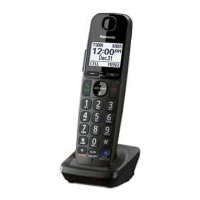
Panasonic KX-TGEA20EX - User Manual

Panasonic KX-TGEA20EX
112 pages
Print Icon
To Next Page IconTo Next Page
Loading...
Installation Manual
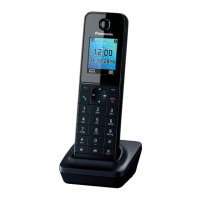
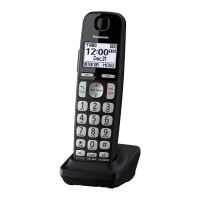
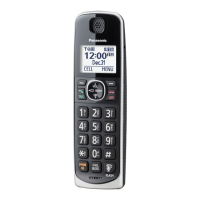
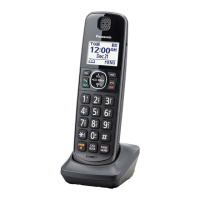
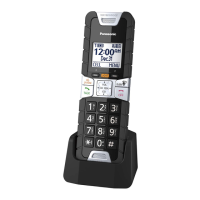
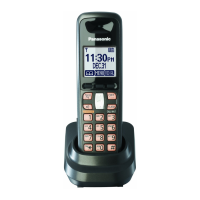
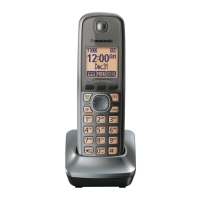
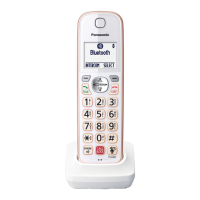
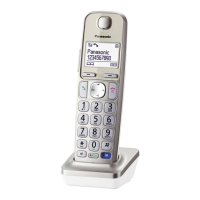
Additional Digital Cordless Handset
Model No. KX-TGEA20EX
KX-TGHA20EX
KX-TGEA20
Thank you for purchasing a Panasonic product.
This unit is an additional handset compatible with the following series of
Panasonic Digital Cordless Phone:
- KX-TGE210/KX-TGE220 (KX-TGEA20)
- KX-TGH210/KX-TGH220 (KX-TGHA20)
(The corresponding models are subject to change without notice.)
You must register this handset with your base unit before it can be used.
This installation manual describes only the steps needed to register and
begin using the handset. Please read the base unit’s operating instructions
for further details.
Please read this installation manual before using the unit and save it for
future reference.
KX-TGHA20
Svenska/
Dansk
Français/
Português/
Türkçe
Deutsch/
Suomi/
Italiano
English/
Norsk/
Español

Table of Contents

Questions and Answers

  • M
    Miranda SmithSep 12, 2025
    Why is the 2nd caller’s information not displayed during an outside call on my Panasonic Telephone?
    • J
      John MilesSep 12, 2025
      In order to use Caller ID, call waiting, or Call Waiting Caller ID (CWID), you must first contact your service provider/telephone company and subscribe to the desired service. After subscribing, you may need to contact your service provider/telephone company again to activate this specific service, even if you already subscribed to both Caller ID and Call Waiting with Caller ID services (CWID).
  • R
    Robert ByrdAug 25, 2025
    Why is my Panasonic Telephone handset beeping and/or flashing?
    • W
      Wendy GarciaAug 25, 2025
      If your handset is beeping and/or flashing, it likely means the battery charge is low. You should fully charge the batteries.
  • N
    nicholas44Aug 25, 2025
    How to fix time shifting on my Panasonic Telephone?
    • H
      Hannah MeyersAug 26, 2025
      If the time on your unit has shifted, it may be due to incorrect time information from incoming Caller ID. Set the time adjustment to “Manual” (off).
  • P
    Paul FowlerSep 23, 2025
    Why does my Panasonic Telephone base unit beep?
    • A
      Angel HendrixSep 23, 2025
      If the base unit is beeping, it indicates that new messages have been recorded. Listen to the new messages.
  • P
    Patrick GoodmanSep 13, 2025
    Why can't I have a conversation using the headset with my Panasonic Telephone?
    • C
      Carla MezaSep 13, 2025
      If you cannot have a conversation using the headset: * Confirm that the Bluetooth wireless headset supports the HeadSet Profile (HSP) specification. * Your Bluetooth headset is not paired. Pair it. * Turn your headset off, then turn it on and try again.
  • E
    Emily ReedSep 18, 2025
    Why does my Panasonic Telephone unit not emit the specified number of rings?
    • I
      ikingSep 19, 2025
      If the unit does not emit the specified number of rings, it could be because if the first ring is turned off, the number of rings decreases by 1 from the specified number of rings.
  • T
    Timothy CruzSep 6, 2025
    What to do if I cannot make local calls with the Panasonic Telephone handset using a cellular line?
    • V
      Vickie GarciaSep 6, 2025
      If you cannot make local calls with the handset using a cellular line, you may need to add your area code when making cellular calls. Store your area code in order to automatically add it to the beginning of the 7-digit phone number when making cellular calls.
  • J
    Jeremy RothSep 6, 2025
    Why can't I make or answer cellular calls with my Panasonic Telephone handset?
    • D
      Dale MillerSep 7, 2025
      If you are unable to make or answer cellular calls with the handset, consider the following: * Depending on the cellular phone’s compatibility, you may not be able to make or answer cellular calls even if the cellular phone is connected to the base unit. Make sure that the CELL indicator lights up and the cellular phone is connected to the base unit. * Only 2 Bluetooth devices can be used with the unit at the same time (for example, 2 cellular lines, or the headset and 1 cellular line). * The cellular phone is being used separately from your system.
  • H
    Hector SchneiderSep 23, 2025
    How to change the PIN on my Panasonic Telephone?
    • Z
      zclarkSep 23, 2025
      Change the PIN using the following method: 1 MMENUN (right soft key) #619 2 *7000 3 Enter the new 4-digit PIN. a MOKN 4 Enter the new 4-digit PIN again. a MSAVEN a MOFFN
  • A
    Adam ThompsonAug 30, 2025
    Why is the handset display blank or dark on my Panasonic Telephone?
    • M
      Marie JimenezAug 30, 2025
      If your handset display is blank or dark, it could be due to these reasons: * The handset is in screen saver mode. To activate the display, press M N during a call or MOFFN at other times. * “LCD backlight” is set to “Off” while on charge. You can change this setting.

Panasonic KX-TGEA20EX Specifications

General IconGeneral
GAP CompatibleYes
Display1.8-inch LCD
BatteryNi-MH rechargeable battery
Caller IDYes
Number of Handsets1
Call WaitingYes
IntercomYes
TypeCordless Handset
CompatibilityCompatible with Panasonic KX-TG series
FeaturesIntercom
RangeUp to 50 meters indoors
Phonebook Capacity100
Headset JackYes (2.5mm)

Related product manuals