EasyManua.ls Logo

Panasonic KX-TS560ML - User Manual

Panasonic KX-TS560ML
28 pages
Print Icon
To Next Page IconTo Next Page
Loading...
Operating Instructions
Integrated Telephone System
Model No. KX-TS560ML
This unit is compatible with Caller ID. You must subscribe to the appropriate service offered
by your service provider/telephone company.
Please read these operating instructions before using the unit and save them for future
reference.
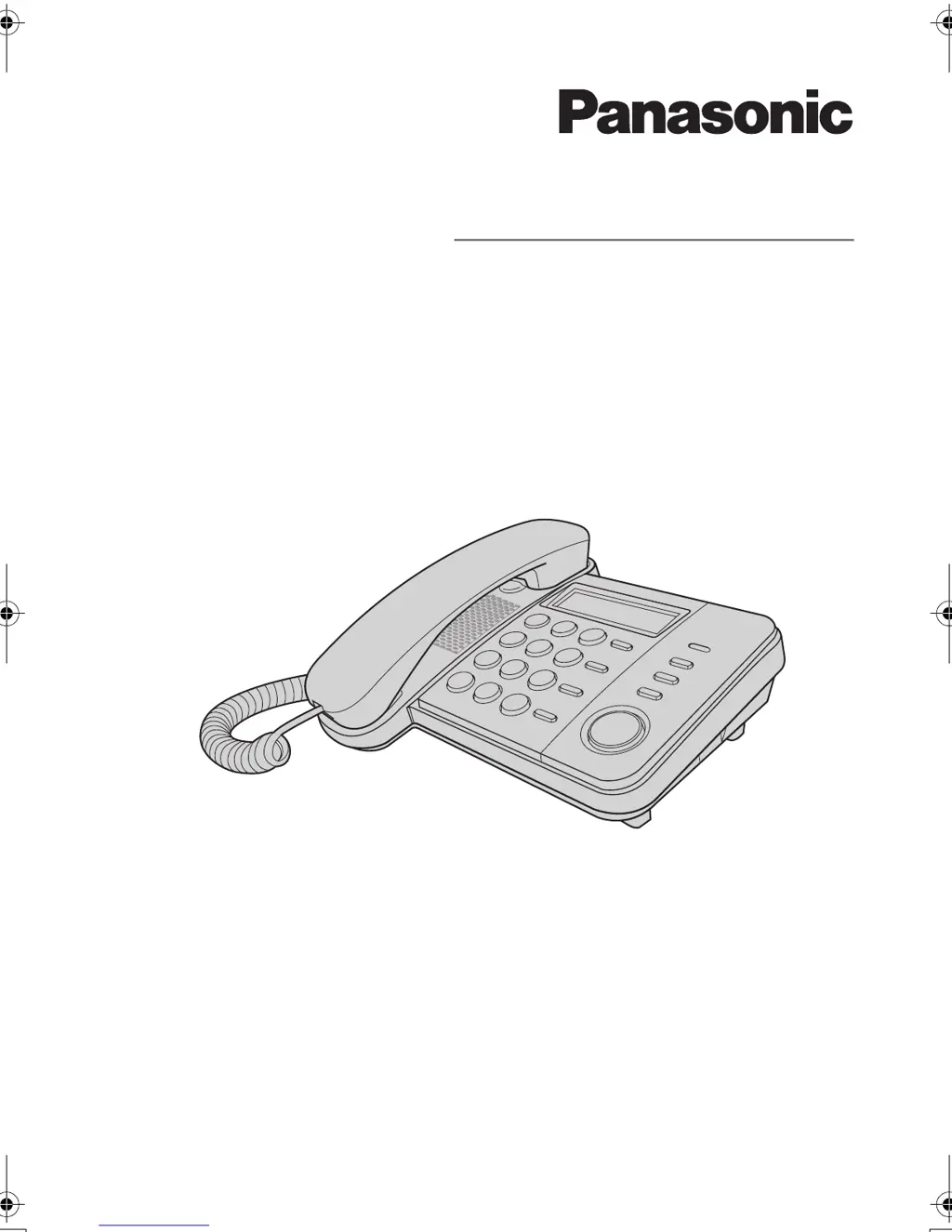
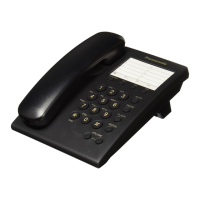
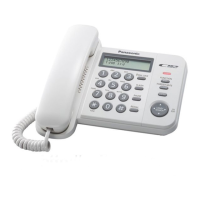
Model shown is KX-TS560ML
KX-TS560ML.book Page 1 Monday, November 10, 2008 2:29 PM

Questions and Answers

  • M
    Melissa GardnerAug 19, 2025
    Why can't I dial on my Panasonic KX-TS560ML Telephone?
    • J
      Jose DavisAug 19, 2025
      If you're having trouble dialing with your Panasonic Telephone, first check for a dial tone. If there isn't one, verify the connections. If a dial tone is present, the dialing mode may be set incorrectly, so adjust the settings. Also, check if dial lock is on, and if so, turn it off. Finally, ensure the number you're trying to dial isn't restricted; if it is, cancel the restriction.
  • L
    Lindsey MorenoAug 22, 2025
    How to make my Panasonic KX-TS560ML ring?
    • J
      Jeffrey Kelley DDSAug 22, 2025
      If your Panasonic Telephone doesn't ring, check the RINGER selector. If it's set to OFF, switch it to HIGH or LOW.
  • J
    John LawsonAug 25, 2025
    How to fix a Panasonic Telephone that does not work?
    • B
      Brandon MillerAug 25, 2025
      If your Panasonic telephone is not working, first ensure all connections are properly established. If the issue persists, try removing and then reinstalling the batteries to reset the device.
  • S
    Susan LopezAug 26, 2025
    Why is caller information not displayed on my Panasonic Telephone?
    • A
      Adriana HeathAug 26, 2025
      If caller information isn't showing on your Panasonic Telephone, you might need to subscribe to a Caller ID service. Contact your telephone company for details. Also, try installing or replacing the batteries. Ensure the unit is directly connected to the wall jack, especially if you're using additional telephone equipment. If you have DSL/ADSL service, use a DSL/ADSL filter between the unit and the phone line. Finally, disconnect any other telephone equipment that might be interfering and try again.
  • J
    James HarringtonAug 28, 2025
    Why does my Panasonic KX-TS560ML Telephone not display missed calls?
    • C
      Courtney TurnerAug 28, 2025
      The number of missed calls won't show on your Panasonic Telephone during standby if you've already accessed the caller list and no new missed calls have come in since. If there are unviewed missed calls, the number will appear when you enter the caller list.
  • C
    Carlos SandersAug 30, 2025
    What to do if the other party cannot hear me on my Panasonic KX-TS560ML?
    • D
      Daniel EvansAug 30, 2025
      If the other party can't hear you during a call on your Panasonic Telephone, it might be because the {HANDSET MUTE} was activated. To resolve this, press the {HANDSET MUTE} button again to cancel the mute function.
  • A
    Adam HudsonSep 1, 2025
    How to fix a blank display on a Panasonic KX-TS560ML Telephone?
    • M
      Martha MorganSep 1, 2025
      If your Panasonic Telephone display is blank, try installing new batteries.
  • M
    moorenicholeSep 3, 2025
    Why can't I store a name and number in my Panasonic KX-TS560ML Telephone?
    • A
      Anna WilcoxSep 3, 2025
      If you are unable to store a name and phone number in your Panasonic Telephone's memory, it could be due to several reasons. Programming is not possible when the handset is off the cradle. Ensure the batteries are installed and not low. Avoid pausing for more than 60 seconds while storing. Do not enter a number longer than 32 digits. Emergency numbers (#) cannot be stored when dial lock or call restriction is active. If the phonebook memory is full, erase other stored items.
  • T
    Tiffany FosterSep 6, 2025
    Why can't I program my Panasonic KX-TS560ML Telephone?
    • C
      carlos20Sep 6, 2025
      If you can't program features on your Panasonic Telephone, it might be because the handset is off the cradle, or you are viewing caller information. Also, avoid pausing for over 60 seconds while programming.
  • M
    michaeljonesSep 7, 2025
    What to do if my Panasonic KX-TS560ML Telephone rings during programming?
    • R
      robert81Sep 8, 2025
      If your Panasonic Telephone starts ringing while you are programming or searching, it means a call is coming in. Answer the call, and then restart your programming or search after you hang up.

Summary

Introduction to Panasonic Telephone

Accessory Information

Lists supplied accessories including handset, handset cord, and telephone line cord.

Safety Precautions for Operation

Provides warnings and precautions for safe operation, installation, and battery use.

Important Safety Instructions

Lists basic safety precautions to reduce risks of fire, electric shock, and injury.

Best Performance Guidelines

Details environmental conditions, routine care, and disposal notices for optimal operation.

Preparation and Setup

Telephone Controls Overview

Identifies and explains the function of various buttons and keys on the telephone unit.

Using the Navigator Key

Explains how to navigate menus and adjust volume using the navigator key.

Display Items Explained

Explains various symbols and their meanings as shown on the telephone's display.

Battery Installation and Replacement

Provides instructions for installing and replacing batteries, including precautions.

Connecting the Telephone

Details how to connect the handset, telephone line cord, and use filters.

Connecting Communication Devices

Explains how to connect external devices like computers or answering machines via the DATA jack.

Operating Instruction Symbols

Defines symbols used in the manual for buttons, menus, and navigation.

Initial Unit Setup

Guides users on setting the date, time, dialling mode, and area code.

Programming Features

Customizable Settings

Outlines features that can be customized via the display menu, including phonebook and clock.

Programmable Settings Procedures

Details specific procedures for call restriction and changing the unit password.

Making and Answering Calls

Making Calls and Adjusting Volume

Instructions on making calls, adjusting volume, using redial, and erasing numbers.

Pause Function for PBX;Long Distance

Explains how to use the pause function for PBX or long distance services.

Answering Calls and Ringer Volume

Instructions on answering incoming calls and adjusting the ringer volume.

In-Call Features

Covers handset mute and flash functions for enhanced call management.

Call Waiting Service Usage

Explains how to use call waiting features, including answering and switching calls.

Dial Lock Feature

Details how to turn the dial lock feature on/off to prohibit outside calls.

Phonebook Management

Adding New Entries

Guides on how to add names and phone numbers to the phonebook.

Storing Emergency Numbers

Instructions on how to store numbers as emergency numbers for dial lock/call restriction.

Finding and Calling Phonebook Entries

Explains how to scroll, search alphabetically, and call from the phonebook.

Editing Existing Phonebook Entries

Instructions on how to modify existing names and numbers in the phonebook.

Erasing Phonebook Entries

Describes how to remove specific entries from the phonebook.

Chain Dialing from Phonebook

Explains how to dial phone numbers from the phonebook while on a call.

Caller ID Service

Using Caller ID Service Features

Explains compatibility and subscription requirements for Caller ID features.

Caller ID Feature Details

Details how caller numbers are displayed, including handling of unknown callers.

Missed Call Indication

Explains how missed calls are indicated and displayed on the unit.

Phonebook Name Display with Caller ID

Describes how names stored in the phonebook are displayed for incoming calls.

Caller List Management

Instructions on viewing, editing, and erasing caller information.

Saving Caller Info to Phonebook

Guides on saving incoming call details into the phonebook.

Useful Information and Troubleshooting

Wall Mounting Instructions

Provides step-by-step instructions and diagrams for mounting the unit on a wall.

Troubleshooting Common Issues

Lists common problems and their solutions for the telephone unit.

Product Specifications

Lists technical specifications such as power source, dimensions, weight, and operating conditions.

Index

Panasonic KX-TS560ML Specifications

General IconGeneral
TypeCorded
SpeakerphoneYes
Caller IDYes
Phonebook Entries50
RedialYes
Ringer Volume ControlYes
Wall MountableYes
Call WaitingYes
Power SourcePhone line

Related product manuals