EasyManua.ls Logo

Panasonic KX-TS620FX - User Manual

Panasonic KX-TS620FX
60 pages
Print Icon
To Next Page IconTo Next Page
Loading...
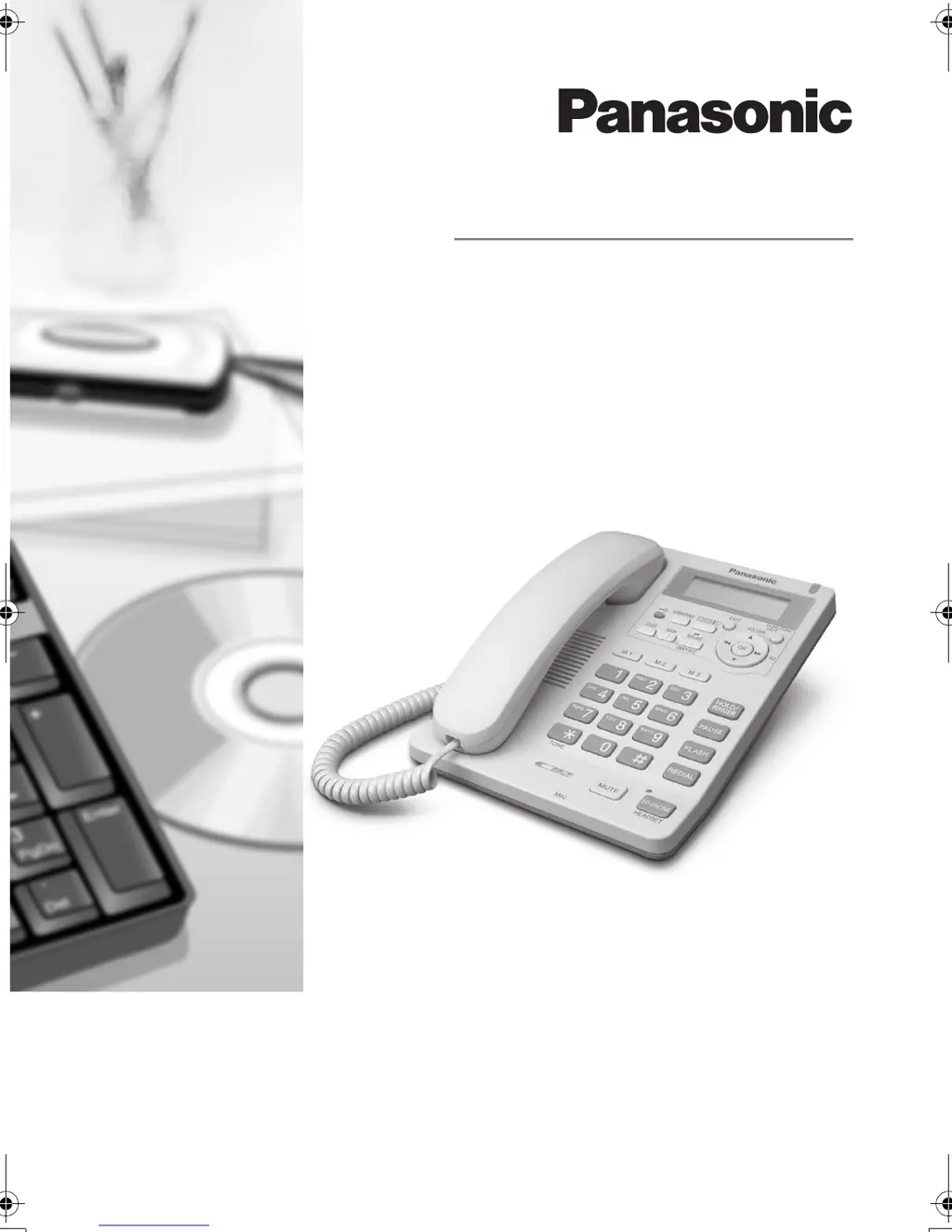
Operating Instructions
Telephone Answering System
Model No. KX-TS620FX
This unit is compatible with Caller ID. To use this feature, you must subscribe to the
appropriate service offered by your service provider.
Please read these Operating Instructions before using the unit and save for future
reference.
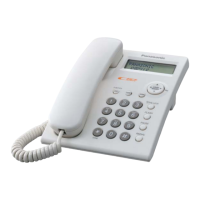
Model shown is KX-TS620FXW
TS620FX.book Page 1 Monday, July 17, 2006 4:00 PM

Table of Contents

Questions and Answers

  • A
    Amy McknightAug 20, 2025
    Why does my Panasonic KX-TS620FX Telephone not show the caller ID?
    • J
      Jennifer RobbinsAug 20, 2025
      If your Panasonic Telephone does not display the caller's phone number, ensure the AC adapter is properly connected. Note that caller information may not be displayed if you receive a call while viewing lists or programming. Other equipment or electrical appliances might be interfering; try disconnecting them. Telephone line noise could also be a factor; consult your telephone company. If you have DSL service, a noise filter is recommended.
  • M
    Michael ChenAug 22, 2025
    How to fix a Panasonic KX-TS620FX that does not work?
    • D
      Daniel BaileyAug 22, 2025
      If your Panasonic Telephone is not working, first check the settings. If that doesn't resolve the issue, unplug the AC adapter to reset the device, then plug it back in and try again.
  • H
    Holly FoxAug 25, 2025
    How to make my Panasonic KX-TS620FX Telephone ring?
    • H
      Holly HernandezAug 25, 2025
      If your Panasonic Telephone isn't ringing, the ringer volume may be set to OFF. To resolve this, adjust the ringer volume to HIGH, MIDDLE, or LOW by pressing the {HOLD/RINGER} button.
  • K
    kennethcamposAug 26, 2025
    What to do if Panasonic KX-TS620FX Telephone answering system does not record messages?
    • M
      Michael SparksAug 26, 2025
      If your Panasonic Telephone answering system is on but not recording messages, check if the recording time is set to “Greeting only”. If so, select “1 minute”, “2 minutes” or “3 minutes”. Also, the memory might be full, so erase some or all of the messages.
  • R
    Ryan WalkerAug 28, 2025
    Why can't I dial on my Panasonic KX-TS620FX Telephone?
    • P
      Patrick WhiteAug 28, 2025
      If you cannot dial on your Panasonic Telephone, verify that the dialing mode selection is correct. Also, check if dial lock mode is enabled and cancel it if necessary. Finally, ensure the dialed number is not restricted.
  • A
    Ashley AndersonAug 29, 2025
    What does it mean when the message full indicator flashes on a Panasonic KX-TS620FX Telephone?
    • C
      Claire MurphyAug 30, 2025
      If the MESSAGE indicator on your Panasonic Telephone is flashing rapidly and “Message full” is displayed, it means the memory is full. To fix this, erase some or all of the messages.
  • J
    Jason RamirezSep 1, 2025
    Why can't the other party hear me on my Panasonic KX-TS620FX Telephone?
    • K
      kimjenniferSep 1, 2025
      If the other party cannot hear you during a conversation on your Panasonic Telephone, the {MUTE} button may have been pressed. If “ ” is displayed, press {MUTE}.
  • D
    Dr. Emily MurphySep 2, 2025
    Why can't I redial on my Panasonic KX-TS620FX Telephone?
    • L
      Luke HarringtonSep 3, 2025
      If you cannot redial on your Panasonic Telephone by pressing {REDIAL}, it is possible that the last number dialed was more than 32 digits long. In this case, the number will not be redialed correctly.
  • C
    courtney70Sep 5, 2025
    How to fix Panasonic KX-TS620FX if you cannot store a name and number?
    • M
      mirandamarkSep 5, 2025
      If you're unable to store a name and phone number in your Panasonic Telephone's memory, ensure the AC adapter is connected. Avoid pausing for more than 60 seconds while storing. Do not enter a phone number longer than 32 digits. Note that you cannot store a phone number in the Direct Dial memory or as an emergency number if Dial Lock or Call Restriction is active. If “Phonebook full” is displayed, erase items from the Phonebook memory.
  • D
    David HernandezSep 6, 2025
    Why can't I operate the answering system on my Panasonic KX-TS620FX?
    • D
      Dawn PottsSep 7, 2025
      If you cannot operate the answering system on your Panasonic Telephone, it might be because someone else is currently using it, or the unit is recording a message. To answer the call, lift the handset or press {SP-PHONE/HEADSET}.

Panasonic KX-TS620FX Specifications

General IconGeneral
TypeCorded Phone
Number of Lines1
SpeakerphoneNo
Caller IDYes
DisplayLCD
Dialing ModeTone/Pulse
Phonebook entries50
RedialYes
Wall MountableYes
Call WaitingYes
Ringer Volume ControlYes
Handset Volume ControlYes
PhonebookYes

Related product manuals