EasyManua.ls Logo

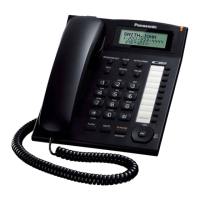
Panasonic KX-TS880EX - User Manual

Panasonic KX-TS880EX
36 pages
Print Icon
To Next Page IconTo Next Page
Loading...
Operating Instructions
Integrated Telephone System
Model No. KX-TS880EX
Thank you for purchasing a Panasonic product.
This unit is compatible with Caller ID. You must subscribe to the appropriate
service offered by your service provider/telephone company.
Please read these operating instructions before using the unit and save them for
future reference.
KX-TS880EX.book Page 1 Tuesday, November 23, 2010 3:41 PM

Questions and Answers

  • A
    Angela HuntAug 15, 2025
    Why is caller information not displayed on my Panasonic Telephone?
    • B
      Bruce RussellAug 15, 2025
      Several factors can cause caller information not to be displayed on your Panasonic Telephone. First, ensure you have subscribed to Caller ID service with your service provider or telephone company. Second, install or replace the batteries. Third, plug the unit directly into the wall jack. Fourth, it is recommended to connect a DSL/ADSL filter between the unit and the telephone line jack. Finally, disconnect any other devices and try again.
  • O
    ovalentineAug 18, 2025
    Why can't I store a name and phone number in my Panasonic Telephone?
    • S
      Samuel GarciaAug 18, 2025
      If you're unable to store a name and phone number in your Panasonic Telephone's memory, make sure the batteries are installed and not low. Also, programming is not possible when the handset is off the cradle, when “ ” is displayed, or when “W” is displayed. Avoid pausing for over 60 seconds while storing, and do not enter a phone number more than 32 digits long. Finally, you cannot store emergency numbers (#). If “Phonebook full” is displayed, erase other stored items from the phonebook memory.
  • B
    Beth TurnerAug 21, 2025
    What to do if my Panasonic KX-TS880EX Telephone display is blank?
    • S
      Stacey Allen DVMAug 21, 2025
      If the display on your Panasonic Telephone is blank, install new batteries.
  • S
    Steven WeeksAug 25, 2025
    Why is the LCD display response slow on my Panasonic Telephone?
    • A
      Amy HowardAug 26, 2025
      A slow LCD display response on your Panasonic Telephone can be due to a low contrast setting or low batteries. Try changing the LCD contrast setting to a higher level or install/replace the batteries.
  • B
    Bob JacobsAug 27, 2025
    Why can't I program items on my Panasonic KX-TS880EX?
    • M
      Mr. Eric Palmer MDAug 27, 2025
      You cannot program items on your Panasonic Telephone when the handset is off the cradle, while viewing caller information, or when “ ” or “W” is displayed. Also, do not pause for over 60 seconds while programming.
  • J
    John SmithAug 30, 2025
    What to do if my Panasonic KX-TS880EX rings during programming?
    • T
      Tammy HernandezAug 31, 2025
      If your Panasonic Telephone starts to ring during programming or searching, answer the call and start again after hanging up.
  • A
    Alexandra MillerSep 2, 2025
    Why is information erased from the redial list on my Panasonic Telephone?
    • J
      Jennifer CarpenterSep 2, 2025
      If the “ ” icon flashes on your Panasonic Telephone, replace the batteries as soon as possible to prevent the information stored in the redial list from being erased.
  • S
    Sarah HarrisSep 5, 2025
    Why does the display exit the caller list on my Panasonic KX-TS880EX Telephone?
    • C
      Cristina SpencerSep 6, 2025
      If the display exits the caller list on your Panasonic Telephone, do not pause for over 60 seconds while searching.
  • T
    timothy27Sep 9, 2025
    Why doesn't the number of missed calls display on my Panasonic Telephone?
    • M
      Mary RobinsonSep 9, 2025
      If the number of missed calls does not display during standby mode on your Panasonic Telephone, the number of missed calls will be displayed when you enter the caller list, provided there are unviewed missed calls.
  • T
    Thomas AndersonSep 12, 2025
    What to do if liquid entered my Panasonic Telephone?
    • J
      Jennifer FriedmanSep 12, 2025
      If liquid or moisture has entered your Panasonic Telephone, disconnect the telephone line cord from the unit. Remove the batteries and let the unit dry for at least 3 days. After it is completely dry, reconnect the telephone line cord and insert the batteries.

Summary

Operating Instructions

Introduction

Safety and Operation Guidelines

Essential safety precautions for installation, operation, and general product care.

Preparation

Battery Installation and Replacement

Instructions for installing, replacing, and precautions for using batteries.

Connection Guide

How to connect the handset, line cord, and DSL/ADSL filter.

Initial Unit Setup

Guide to setting display language, date, and time for initial use.

Making and Answering Calls

Making Calls

Instructions for initiating calls using the handset or speakerphone, and adjusting audio levels.

Redial Functionality

Details on using the redial list, automatic redial features, and how to clear stored numbers.

Answering Calls

Guides on how to receive incoming calls and adjust the ringer volume.

One-Touch Dialler

Storing and Dialling Numbers

Guides for saving and retrieving phone numbers using one-touch dial buttons.

Programming

Navigating Programmable Settings

Guide to accessing and modifying various programmable features via the menu system.

Caller ID Service

Using Caller ID Features

Details on displaying caller information, missed calls, and private name display.

Troubleshooting

Unit Operation Issues

Troubleshooting steps for problems like the unit not working, not ringing, or blank display.

Dialling and Voice Issues

Solutions for dialling problems, restricted numbers, and voice clarity during calls.

Panasonic KX-TS880EX Specifications

General IconGeneral
TypeCorded Phone
DesignDesktop
SpeakerphoneYes
Caller IDYes
DisplayLCD
Ringer Volume ControlYes
RedialYes
Wall MountableYes
Call WaitingYes
Handset Volume ControlYes
FlashYes
Pulse/Tone SwitchableYes
DialingTone/Pulse
PhonebookYes
Memory50 Numbers

Related product manuals