Useful Information
Battery recharge
Problem
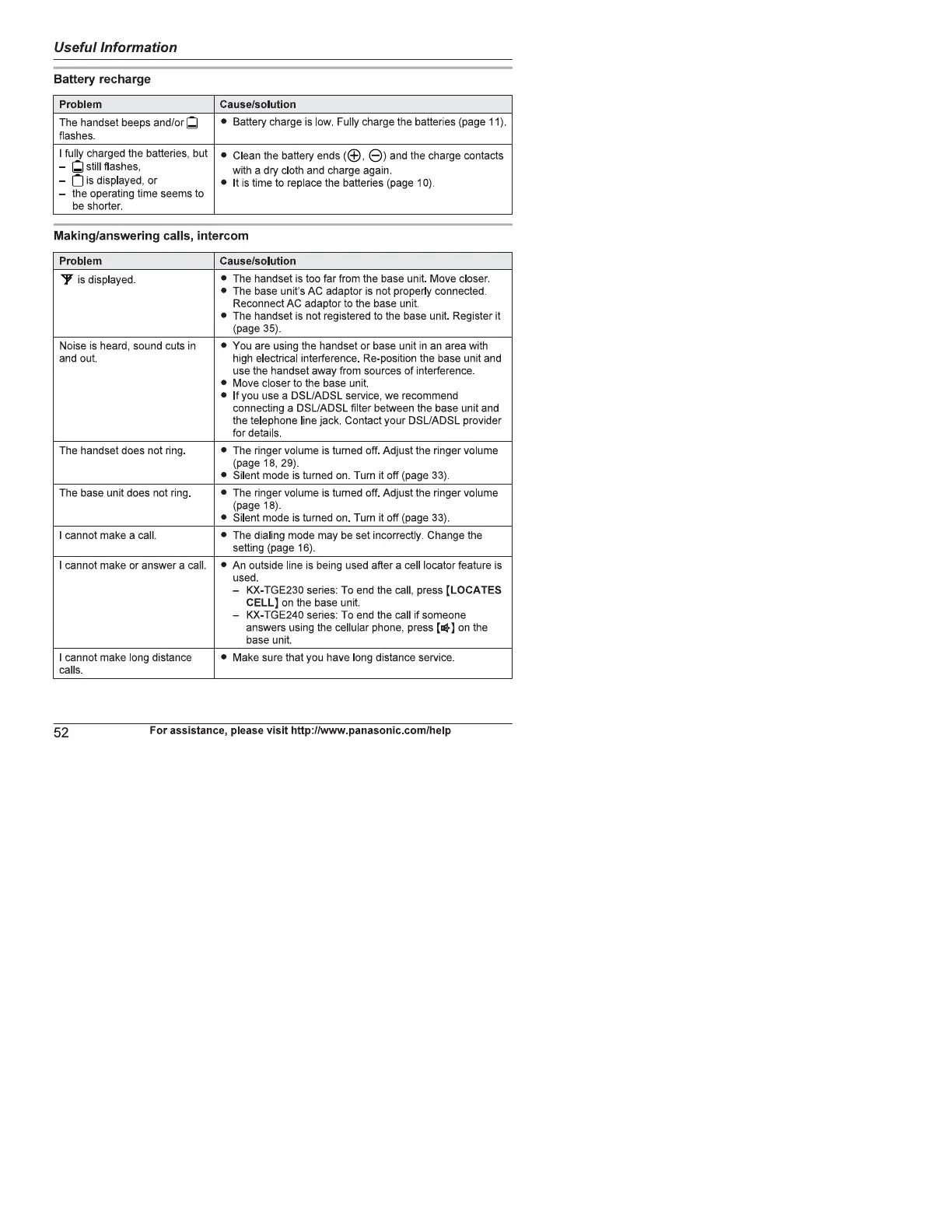
The handset beeps and/or
flashes.
I fully charged the batteries, but
still flashes,
is displayed, or
the operating time seems to
be shorter.
Cause/solution
• Battery charge is low. Fully charge the batteries (page 11).
• Cleanthebatteryends(C 9) andthechargecontacts
with a dry cloth and charge again.
• It is time to replace the batteries (page I O)
Making/answering calls, intercom
Problem
Y ISdisplayed
Noise is heard, sound cuts in
and out.
The handset does not ring
The base unit does not ring.
I cannot make a call.
I cannot make or answer a call.
I cannot make long distance
Cause/solution
•
The handset is too far from the base unit. Move closer.
The base unit's AC adaptor is not properly connected.
Reconnect AC adaptor to the base unit.
The handset is not registered to the base unit. Register it
(page 35)
You are using the handset or base unit in an area with
high electrical interference. Re-position the base unit and
use the handset away from sources of interference
Move closer to the base unit.
If you use a DSL/ADSL service, we recommend
connecting a DSL/ADSL filter between the base unit and
the telephone line jack. Contact your DSWADSL provider
for details.
The ringer volume is turned off. Adjust the ringer volume
(page 18, 29).
Silent mode is turned on Turn it off (page 33)
The ringer volume is turned off. Adjust the ringer volume
(page 18)
Silent mode is turned on. Turn it off (page 33).
The dialing mode may be set incorrectly. Change the
setting (page 16).
An outside line is being used after a cell locator feature is
used.
— KX-TGE230 series: To end the call, press (LOCATES
CELL) on the base unit.
— KX-TGE240 series: To end the call if someone
answers using the cellular phone, press on the
base unit.
Make sure that you have long distance service
calls.
52
For assistance, please visit http://www.panasonic.com/help










 To Next Page