Preparation
- 26 -
• Press the shutter button halfway or turn the camera off and on to cancel [POWER SAVE].
• [POWER SAVE] is set to [5MIN.] in the Intelligent auto mode.
• [POWER SAVE] is fixed to [2MIN.] when [AUTO LCD OFF] is set to [15SEC.] or [30SEC.].
• The status indicator lights while the LCD monitor is turned off. Press any button to turn on the
LCD monitor again.
• [AUTO LCD OFF] does not work while operating menu or playback zoom.
• [POWER SAVE] does not work in the following cases.
– When using the AC adaptor
– When connecting to a PC or a printer
– When recording or playing back motion pictures
– During a slide show
–[AUTO DEMO]
• [AUTO LCD OFF] does not work in the following cases.
– When using the AC adaptor
– When connecting to a PC or a printer
– While the self-timer is set
– While recording motion pictures
– While the menu screen is displayed
–[AUTO DEMO]
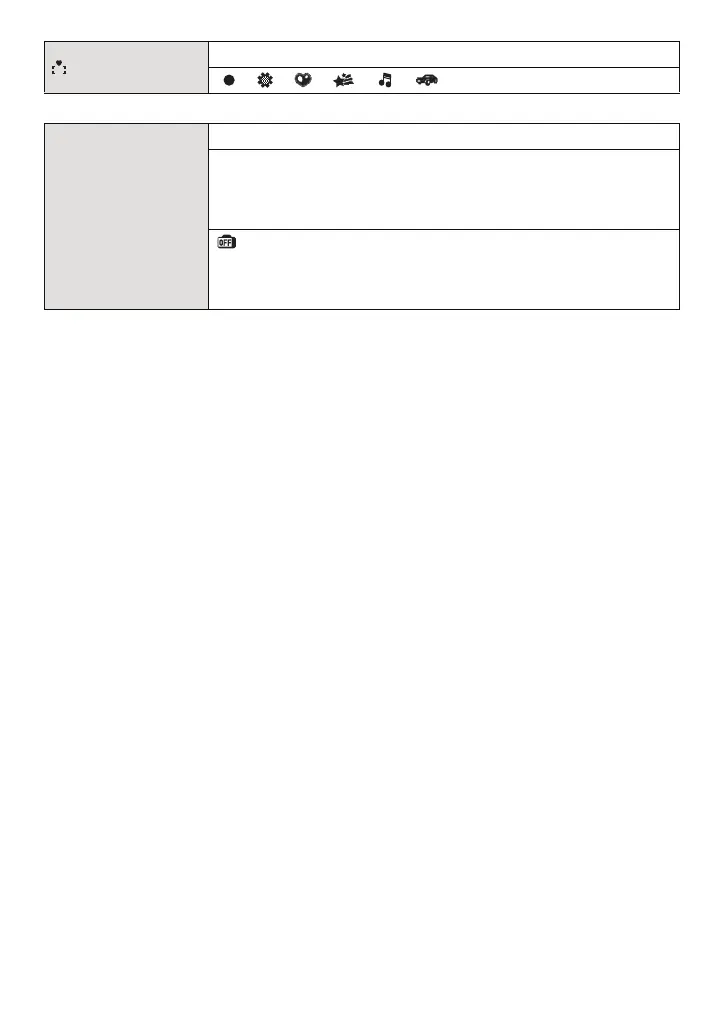
[FOCUS ICON]
Change the focus icon.
[ ]/[ ]/[ ]/[ ]/[ ]/[ ]
q [ECONOMY]
You can conserve the battery life by setting these menus.
p [POWER SAVE]:
The camera is automatically turned off if the camera has not been
used for the time selected on the setting.
[OFF]/[2MIN.]/[5MIN.]/[10MIN.]
[AUTO LCD OFF]:
The LCD monitor is automatically turned off if the camera has not
been used for the time selected on the setting.
[OFF]/[15SEC.]/[30SEC.]


 To Next Page
 Loading...