Advanced
41
VQT0V10
Taking Pictures with
the Self-timer
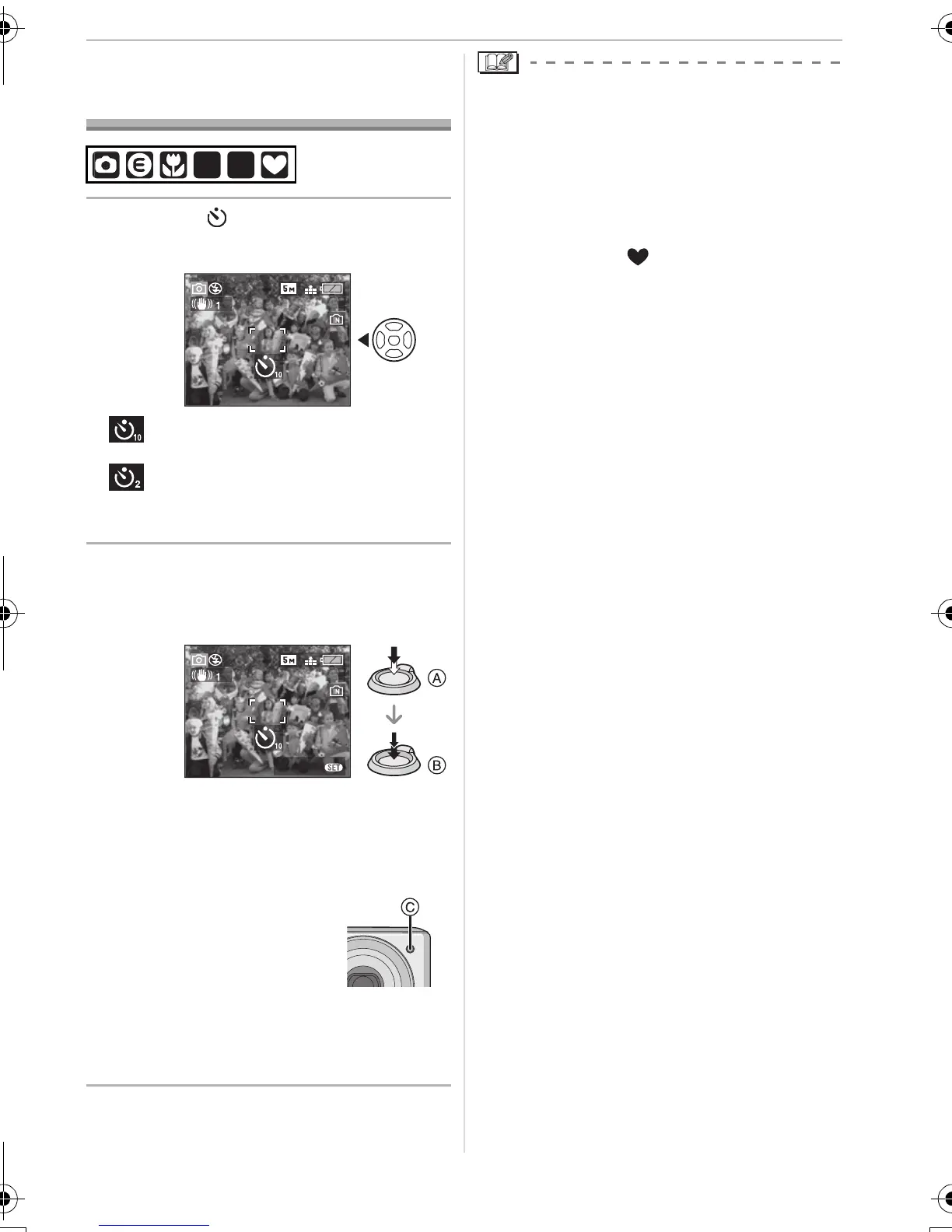
1 Press 2 [ ] to select the
self-timer mode.
: Self-timer set to 10 seconds
;
: Self-timer set to 2 seconds
;
No display: canceled
2 Press the shutter button halfway
to focus and then press it fully to
take the picture.
• A: Press the shutter button halfway to
focus.
• B: Press the shutter button fully to take
the picture.
• The self-timer indicator
C blinks and the
shutter is activated
after 10 seconds (or
2 seconds).
• If you press [MENU/SET] while the
self-timer is set, the self-timer setting is
canceled.
• When using a tripod etc., setting the
self-timer to 2 seconds is a convenient
way to avoid the jitter caused by pressing
the shutter button.
• When you press the shutter button once
fully, the subject is automatically focused
just before recording.
• In simple mode [ ], the self-timer is fixed
to 10 seconds.
• When you set the self-timer in burst mode,
the camera starts taking a picture 2 or
10 seconds after the shutter button is
pressed. The number of pictures taken at
one time is fixed to 3.
• We recommend using a tripod when
recording with the self-timer. (When you
use a tripod, make sure the tripod is stable
when the camera is attached to it.)
SCN1
SCN
2
3
CANCEL
3
MENU
VQT0V10ENG.book 41 ページ 2005年12月27日 火曜日 午後8時34分


 To Next Page
 Loading...