EasyManua.ls Logo

Panasonic LUMIX DMC-LS75 - User Manual

Panasonic LUMIX DMC-LS75
112 pages
Print Icon
To Next Page IconTo Next Page
Loading...
Operating Instructions
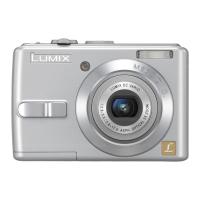
Digital Camera
Model No.DMC-LS75
DMC-LS70
DMC-LS60
Before use, please read these
instructions completely.
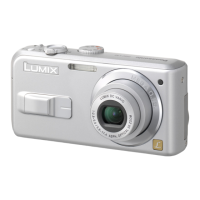
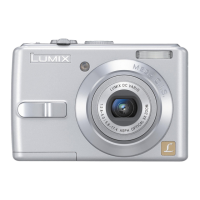
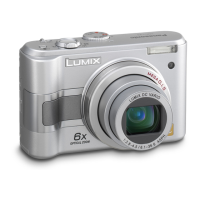
The illustration shows
DMC-LS75.
GN
VQT1C84

Table of Contents

Questions and Answers

  • M
    Michael AndrewsSep 9, 2025
    Why does the brightness or color of my Panasonic LUMIX DMC-LS75 picture differ from the actual scene?
    • C
      Chad JohnsonSep 9, 2025
      If the brightness or color of the picture from your Panasonic Digital Camera differs from the actual scene when using a fast shutter speed under fluorescent lights, this is a normal characteristic of such lighting and not a malfunction.
  • A
    Alexander VillegasAug 22, 2025
    What to do if the computer does not recognise the card in my Panasonic LUMIX DMC-LS75 Digital Camera?
    • V
      Victoria GriffinAug 23, 2025
      If the computer does not recognize the card in your Panasonic Digital Camera, disconnect the USB connection cable, then insert the card and reconnect the cable.
  • C
    Christian KnightAug 25, 2025
    Why does my Panasonic LUMIX DMC-LS75 Digital Camera turn off immediately when the battery is full?
    • D
      david49Aug 25, 2025
      If your Panasonic Digital Camera turns off immediately even when the battery is full, it might be due to a mismatch between the battery type and the setting in the camera's [BATTERY TYPE] menu. This isn't necessarily a malfunction, but the remaining battery power may not be displayed accurately. To resolve this, check the [BATTERY TYPE] settings in the [SETUP] menu.
  • T
    taylor74Aug 27, 2025
    How to clean the lens on a Panasonic LUMIX DMC-LS75 Digital Camera?
    • M
      Michael LoganAug 27, 2025
      If the recorded pictures from your Panasonic Digital Camera appear pale, it could be due to dirt on the lens. To clean it, turn on the camera, eject the lens barrel, and gently wipe the lens surface with a soft, dry cloth.
  • J
    Joy CruzAug 27, 2025
    Why are my Panasonic LUMIX DMC-LS75 images grainy or noisy?
    • D
      David MccoyAug 27, 2025
      If your Panasonic Digital Camera is producing grainy or noisy images, especially indoors, it could be due to high ISO sensitivity or slow shutter speed. Try reducing the ISO sensitivity to improve image quality.
  • M
    Michael JensenAug 29, 2025
    How to adjust the brightness of the LCD monitor on a Panasonic Digital Camera?
    • K
      Kristie BellAug 29, 2025
      If your Panasonic Digital Camera's LCD monitor is too bright or dark, you can adjust the brightness in settings. Also, check if the high angle mode is activated.
  • R
    Raven CummingsSep 17, 2025
    Why does the folder or file number appear as [-] and the display goes black on my Panasonic Digital Camera?
    • M
      Meredith MorrisSep 17, 2025
      If the folder or file number appears as [-] and the display goes black on your Panasonic Digital Camera, it may be because the picture was changed on a computer or taken on a different manufacturer’s camera. You will need to reformat the card to delete this type of picture.
  • R
    Ryan GarzaSep 18, 2025
    Why can't I print pictures with my Panasonic Digital Camera?
    • M
      Melissa MillerSep 22, 2025
      If the pictures cannot be printed with printers from your Panasonic Digital Camera, check if the printer supports PictBridge. You cannot print pictures with printers which do not support PictBridge. Set the camera’s mode dial to Print mode.
  • B
    brian14Sep 7, 2025
    Why is my Panasonic LUMIX DMC-LS75 picture blurred?
    • E
      Erin LawrenceSep 8, 2025
      If your Panasonic Digital Camera is producing blurred pictures and the optical image stabilizer isn't effective, especially in shaded areas or indoors, it might be due to slow shutter speed. Hold the camera firmly with both hands when taking pictures.
  • R
    rebecca36Sep 4, 2025
    Why does my Panasonic LUMIX DMC-LS75 take multiple pictures with one shutter press?
    • A
      April MccallSep 4, 2025
      If your Panasonic Digital Camera is taking two or three pictures with a single press of the shutter button, check if the camera is set to burst mode.

Summary

Information for Your Safety

Safety Warnings and Precautions

Essential safety guidelines regarding product usage and handling.

Preparation and Setup

Camera Components and Accessories

Identifies camera parts and lists standard accessories.

Battery and Card Handling

Guidance on using and caring for batteries and memory cards.

Setting Camera Functions

How to set date/time and configure setup menu options.

Basic Camera Operations

Taking Pictures

Step-by-step guide to capture images.

Zoom and Playback

Using zoom for framing and reviewing captured images.

Advanced Shooting Techniques

Flash and Scene Modes

Mastering flash settings and utilizing scene modes.

Exposure, ISO, and Self-Timer

Adjusting exposure, ISO, and using the self-timer.

Playback Menu Functions

Organizing and Editing Pictures

Creating slideshows, marking favorites, and basic edits.

Printing and Protection Settings

Setting up DPOF prints and protecting images.

Connecting to Other Equipment

PC and Printer Connectivity

Transferring images to PC and printing via PictBridge.

TV Playback

Viewing photos and videos on a television screen.

Cautions and Troubleshooting

Camera Handling and Safety

Guidelines for safe and optimal camera usage.

Troubleshooting Common Issues

Solutions for problems with batteries, shooting, and display.

Camera Specifications

Detailed Technical Data

Lists key technical specifications, dimensions, and performance data.

Panasonic LUMIX DMC-LS75 Specifications

General IconGeneral
Megapixel7.2 MP
Camera typeCompact camera
Sensor typeCCD
Image stabilizerYes
Image sensor size1/2.5 \
Supported aspect ratios3:2, 4:3, 16:9
Digital zoom4 x
Optical zoom3 x
Focal length range5.8 - 17.4 mm
Digital SLRNo
Camera shutter speed8 - 1/2000 s
Focal length (35mm film equivalent)35 - 105 mm
Focus adjustmentAuto
Flash modesauto, Flash off, Red-eye reduction
Flash range (tele)0.3 - 2.6 m
Flash range (wide)0.3 - 4.7 m
Internal memory27 MB
Compatible memory cardsmmc, sd, sdhc, xd
Motion JPEG frame rate30 fps
Display diagonal2.5 \
Display resolution (numeric)115000 pixels
USB version2.0
Product colorBlack
Battery technologyAlkaline
Power requirements110 - 240 V AC
Number of batteries supported2
Bundled softwareLUMIX Simple Viewer PhotofunStudio ArcSoft [PhotoImpression, Photobase]
Scene modesbeach, Candlelight, Fireworks, Night landscape, Night portrait, Portrait, Sports, Sunset, Landscape (scenery)
Photo effectsblack&white, Sepia, Vivid
White balanceauto, Cloudy, daylight, Shade
Weight and Dimensions IconWeight and Dimensions
Depth29.7 mm
Width93.7 mm
Height62 mm
Weight184 g

Related product manuals