This document provides operating instructions for the Panasonic MC-YL699 vacuum cleaner, a robust appliance designed for efficient cleaning and long-lasting operation. The manual covers essential safety precautions, assembly, operation, maintenance, and troubleshooting.
Function Description
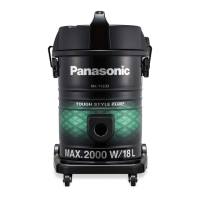
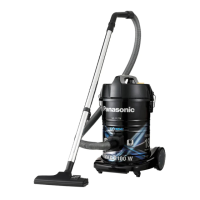
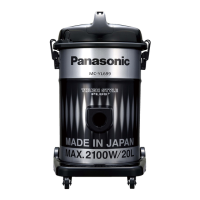
The Panasonic MC-YL699 is a versatile vacuum cleaner primarily designed for dry vacuuming. It features a powerful motor and a large dust box, making it suitable for various cleaning tasks in homes and other environments. Beyond its primary vacuuming function, the device also includes a blower operation, allowing users to dislodge dust from hard-to-reach areas by blowing air. This dual functionality enhances its utility for comprehensive cleaning.
Usage Features
The vacuum cleaner is designed for user-friendly operation with several convenient features:
Assembly:
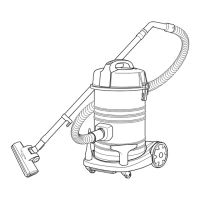
The device's components, including the curved wand, hose, extension wands, and floor nozzle, are designed for straightforward assembly. The manual illustrates how to connect these parts, emphasizing the importance of securing connections until a click is heard, ensuring proper fit and preventing dislodgement during use. Accessories like the crevice tool and upholstery nozzle are initially stored inside the dust box for convenience.
Operation:
- Power Control: The vacuum cleaner is equipped with an ON/OFF switch for easy power management.
- Suction Regulation: A suction regulator is integrated into the curved wand, allowing users to adjust the suction power as needed for different surfaces and cleaning tasks. This is particularly useful when cleaning delicate items or when the vac gauge indicates high suction.
- Floor Nozzle: The floor nozzle features a lever (A/B) to switch between settings optimized for different flooring types: lever A for hard floors and lever B for carpets. This ensures effective cleaning across various surfaces.
- Blower Function: For areas where the nozzle cannot reach, the hose can be connected to the blower inlet to dislodge dust by blowing air. It's important to note that the extension wand should not be used during blower operation as it can become hot.
- Vac Gauge: The device includes a vac gauge that indicates when the dust box is full or when there's an obstruction. If the gauge turns red, it's a signal to check and empty the dust box or clear any blockages.
- Thermal Cut-out: To prevent motor overheating, the vacuum cleaner is fitted with a thermal cut-out device that automatically shuts off the appliance. If this occurs, users should disconnect the cleaner, check for obstructions in the dust compartment, filters, hose, or tube, and allow it to cool for approximately 60 minutes before resuming operation.
- Accessories: The MC-YL699 comes with specialized accessories:
- Crevice Tool: Ideal for cleaning narrow and tight spaces.
- Upholstery Nozzle: Designed for cleaning cushions, draperies, and other upholstered surfaces.
- Portability: A carrying handle is provided for easy transportation of the vacuum cleaner, especially when navigating stairs or moving it between cleaning areas. The dolly with wheels further enhances its mobility.
- Cord Storage: A cord storage hook is included for neat and convenient storage of the power cord when the appliance is not in use.
- Standby Storage: The device has a standby storage hole, allowing the hose connection wand to be securely stored when not in active use.
Maintenance Features
Proper maintenance is crucial for the longevity and optimal performance of the Panasonic MC-YL699. The manual outlines clear steps for cleaning and caring for the device:
Dust Disposal:
- Checking the Vac Gauge: The vac gauge serves as an indicator for when the dust box needs emptying. A red indication signals that it's time to discard the dust.
- Removing the Dust Box: The process involves pulling the clamps upward to release the motor housing, which is then lifted using the carrying handle.
- Emptying the Dust: The expander is pulled upward and shaken approximately ten times to dislodge dust. The manual explicitly advises against shaking it up and down or leaving the hose connected during this step. Finally, the filter is removed, and the dirt and dust are emptied from the dust box.
Filter Maintenance:
- Removing the Filter: The expander is detached from the filter as illustrated in the manual.
- Washing the Filter: The filter should be washed by hand with water. It is crucial not to use a washing machine or dryer, as this can damage the filter.
- Drying and Reinstallation: After washing, the filter must be completely air-dried before reinstallation. Reinstallation follows the reverse steps of removal. It is essential to ensure the filter supporter is correctly placed to prevent deformation and dust leakage.
- Secondary Filter: If the secondary filter becomes dirty, it should also be rinsed with water and thoroughly dried before reuse.
General Cleaning:
- Appliance Body: The exterior of the vacuum cleaner body and accessories should be wiped with a soft cloth dampened with water.
- Hose Care: Users are advised not to bend, pull, step on, or place heavy objects on the hose to prevent damage.
- Safety Precaution: Before any cleaning or maintenance, the vacuum cleaner must be unplugged from the socket outlet to prevent electric shock.
Troubleshooting:
The manual provides guidance for common issues:
- Cleaner Not Working: If the cleaner fails to operate, users should check if it's properly plugged in and if the socket outlet is functional. If the thermal cut-out has activated, allow the device to cool for about 60 minutes. If the problem persists after these checks, the appliance should be taken to an Authorized Service Centre.
- Reduced Suction Performance: If suction power decreases, users should stop the cleaner, unplug it, and check for blockages in the wands, hose, or accessories. The dust box should also be checked for fullness and emptied if necessary. Finally, the filters should be inspected for dust blockage and cleaned if dirty.

 Need help?
 General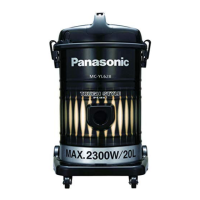


 To Next Page