EasyManua.ls Logo

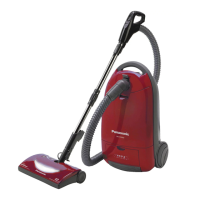
Panasonic MC-7630 - User Manual

Panasonic MC-7630
26 pages
Print Icon
To Next Page IconTo Next Page
Loading...
© 2004 Matsushita Electric Industrial Co., Ltd. All
rights reserved. Unauthorized copying and
distribution is a violation of law.
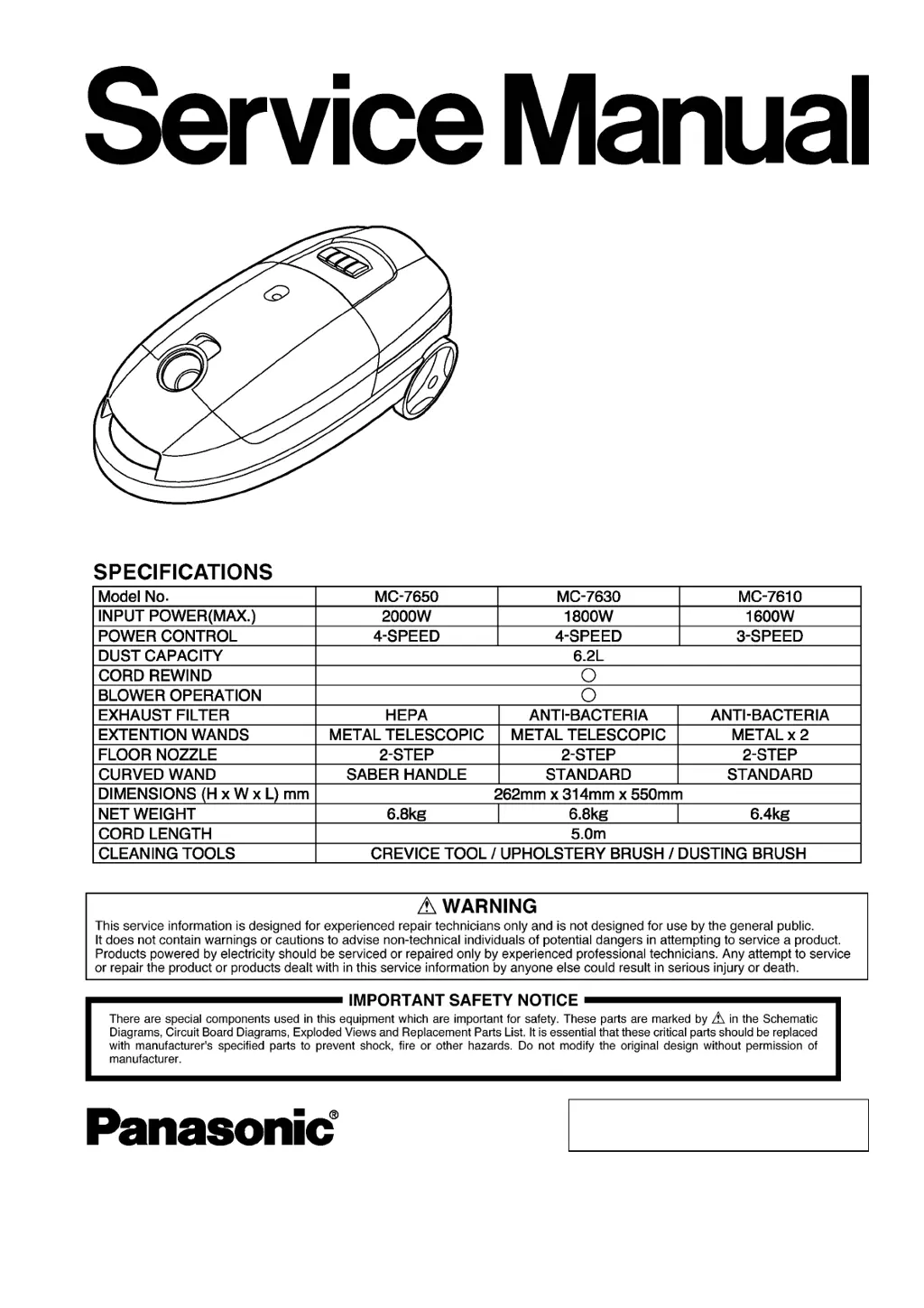
MC-7650
MC-7630
MC-7610
Product Color : Red (R), Black (K)
Vacuum Cleaner
Order No.VCD0312001C3

Questions and Answers

  • J
    Jessica WrightAug 9, 2025
    What to do if suction power cannot be changed on Panasonic MC-7630 Vacuum Cleaner?
    • S
      Stephen MooreAug 10, 2025
      If the suction power cannot be changed on your Panasonic Vacuum Cleaner (4-step speed inoperative), and any position checks open, replace the whole switch.
  • J
    James BaileyAug 16, 2025
    Why Panasonic MC-7630 motor does not rotate?
    • M
      Melissa ThompsonAug 16, 2025
      If your Panasonic Vacuum Cleaner motor doesn't rotate, several issues could be the cause. First, the power source might be defective, especially if the voltage is lower than specified. The cord could be open, indicated by no movement on a tester needle. Also, check for accumulated dust in the brush holder or worn-out brushes; adjust or replace them if there's a gap. Ensure all terminals are tightened, and if there's no continuity, the ON/OFF switch may be defective. In the absence of continuity, the motor or stator/rotor coil might be open.
  • C
    Crystal JacksonAug 22, 2025
    What to do if my Panasonic MC-7630 Vacuum Cleaner has poor suction power?
    • B
      bridgeswandaAug 22, 2025
      If your Panasonic Vacuum Cleaner has poor suction power and the dust bag indicator shows full, start by removing the dust. If there's a clog, clear it. Additionally, wash or replace the filter to improve suction.
  • E
    Emily MoralesAug 27, 2025
    How to fix noise and vibration in Panasonic Vacuum Cleaner?
    • E
      Erica WintersAug 27, 2025
      If your Panasonic Vacuum Cleaner is making excessive noise and vibration, you should clean the dust out of the motor fan and check the filter position and condition. Also, consider replacing the carbon brushes, replacing them at the same time.
  • T
    Tanner CarpenterSep 2, 2025
    How to fix a Panasonic MC-7630 cord that is wound improperly?
    • R
      Robert GordonSep 2, 2025
      If the cord on your Panasonic Vacuum Cleaner is wound improperly and 1-2 meters of the cord is not rewound, increase the cord reel tension by one turn.

Summary

Product Overview and Safety

Vacuum Cleaner Specifications

Detailed specifications for MC-7650, MC-7630, and MC-7610 models, including power, capacity, and dimensions.

Service Warning

Critical warning for experienced technicians regarding product servicing and potential hazards.

Important Safety Notice

Essential safety instructions concerning critical components and design modifications.

Schematic and Wiring Diagrams

Schematic Diagram (MC-7650;MC-7630;MC-7610)

Electrical schematic illustrating the internal circuitry of the vacuum cleaner.

Pictorial Wiring Diagram (MC-7650, MC-7630)

Visual representation of wiring for MC-7650 and MC-7630 models.

Pictorial Wiring Diagram (MC-7610)

Visual representation of wiring for the MC-7610 model.

Repair Procedures

Troubleshooting Guide

Motor Does Not Rotate

Diagnoses for issues when the vacuum cleaner motor fails to operate.

Poor Suction

Checks and causes for reduced suction power, including clogged dust bags or filters.

Suction Power Cannot Be Changed (4-Step Speed Inoperative)

Addresses problems with the 4-step speed selection not functioning.

Panasonic MC-7630 Specifications

General IconGeneral
BrandPanasonic
ModelMC-7630
CategoryVacuum Cleaner
LanguageEnglish

Related product manuals