EasyManua.ls Logo

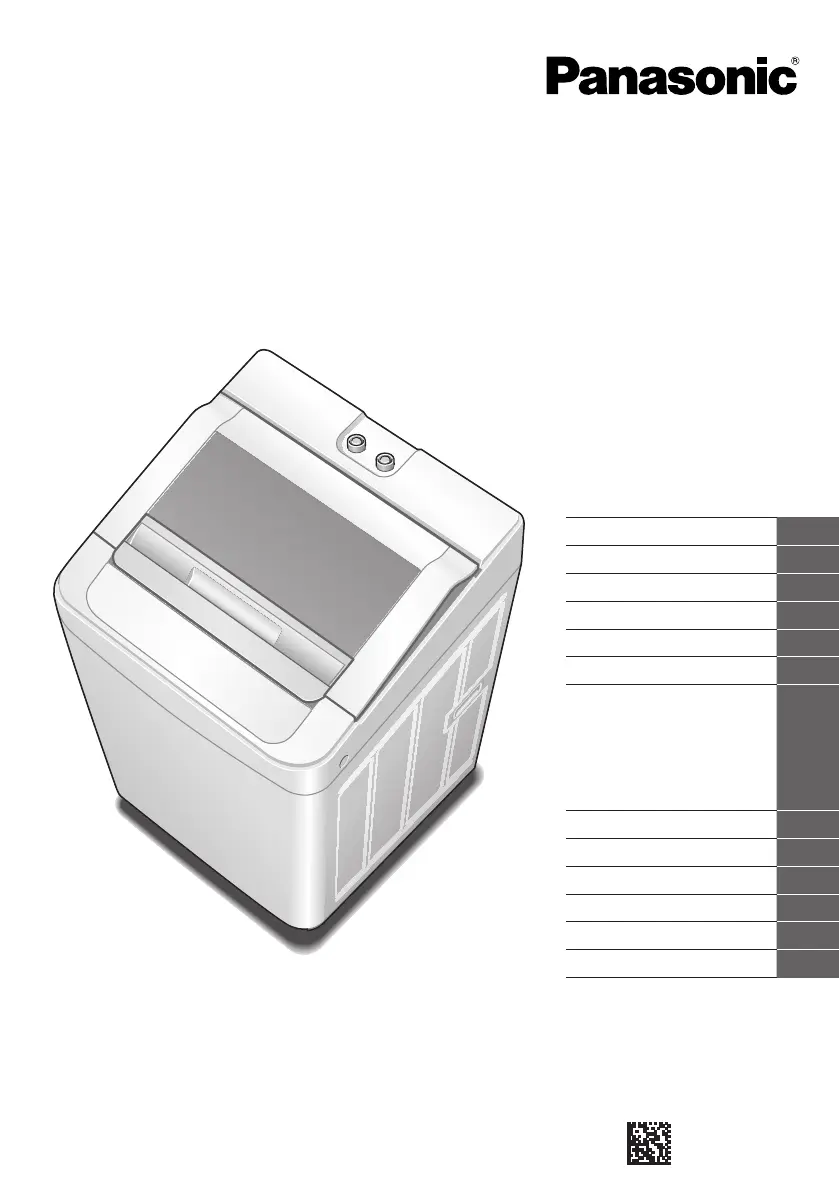
Panasonic NA-F62G6 - User Manual

Panasonic NA-F62G6
20 pages
Print Icon
To Next Page IconTo Next Page
Loading...
Contents
Safety Precautions
2
Part Names
3
Operation Panel
4
Variety of Programs
6
Detergent
8
Washing
9
Washing Options
10
Gentle Hand Wash
• Delicate
• Bed Sheets
• Power Soak
• Air Dry
Wash / Rinse / Spin
Convenient Functions
12
Maintenance
12
Installation
14
Troubleshooting
16
Error Display
17
Speci cations
18
Thank you for purchasing this
product.
- Read these instructions carefully for
optimum performance and safety
before use.
- Keep this manual for future reference.
Operating & Installation
Instructions
Fully Automatic Washing Machine
(Domestic use)
W9901-9LH00
A0315-0
Printed in India
March 2015
Model No.
NA-F75S6
NA-F70S6
NA-F75G6
NA-F70G6
NA-F65G6
NA-F62G6
NA-F70H6
NA-F65H6
NA-F62H6

Other manuals for Panasonic NA-F62G6

Questions and Answers

  • N
    Nicholas NewmanAug 14, 2025
    What to do if my Panasonic NA-F62G6 Washer has no operation?
    • D
      Dorothy HollandAug 14, 2025
      If your Panasonic Washer isn't operating, check these things: ensure there wasn't a power failure, and that the lid is completely closed. Also, verify that the power fuse hasn't blown or the breaker tripped, and that the power plug is fully inserted. Make sure the water faucet is turned on, you pressed 'Start,' and the timer reservation isn't set.
  • S
    Sarah OlsonAug 17, 2025
    What to do if my Panasonic NA-F62G6 Washer displays an error indication for past two times?
    • S
      Samantha HernandezAug 18, 2025
      If your Panasonic Washer displays an error, it will initially show [E]. Press the [Power Soak] button to switch between the last error and the error before that, returning to [E] as the initial mode. If there were previous abnormal alarms, [U] or [H] along with a number will be displayed. Note that [U12], [H15], and abnormal test checks are not recorded.
  • J
    Jose McleanAug 21, 2025
    Why is there no water supply to my Panasonic Washer?
    • S
      scarlsonAug 21, 2025
      If your Panasonic Washer isn't getting water, make sure the water faucet is turned on and that there isn't a water outage. Also, check if the water supply filter is clogged with dirt.
  • L
    Lisa ThorntonAug 25, 2025
    How to resume operation after a power failure with Panasonic NA-F62G6?
    • A
      Adam WatsonAug 25, 2025
      After a power failure, your Panasonic Washer will automatically resume operation from where it stopped, thanks to the Auto Restart function.
  • S
    Samuel RubioAug 27, 2025
    Why does the time indication on my Panasonic Washer increase or not change?
    • M
      Michael HamiltonAug 27, 2025
      The operation time on your Panasonic Washer may increase or not change if the laundry is concentrated on one side, or if the water supply or drainage isn't working well.
  • R
    Robin VargasAug 31, 2025
    Why does my Panasonic Washer operation suddenly change to rinse?
    • L
      Lisa DayAug 31, 2025
      If your Panasonic Washer suddenly switches to the rinse cycle, it's likely because the clothes are concentrated on one side of the tub. The machine automatically corrects this imbalance by starting the rinse process. Try to place clothes as evenly as possible.
  • D
    David EdwardsSep 3, 2025
    What to do if there is a water outage during a Panasonic NA-F62G6 Washer cycle?
    • J
      Joshua HamiltonSep 3, 2025
      If there's a water outage during a Panasonic Washer cycle, when the water supply returns, remove the water supply hose, release any turbid water from the faucet, and then restart the washing machine.
  • C
    Christopher CarlsonSep 7, 2025
    What to do if Panasonic NA-F62G6 Washer starts with rinse but no water is supplied?
    • E
      Elizabeth MeyersSep 7, 2025
      If your Panasonic Washer starts with the rinse cycle but no water is supplied, water will be supplied after the spin cycle if there is no water in the tub. If there is water in the tub, water will be supplied after water discharge.
  • R
    Ryan AvilaSep 9, 2025
    How to check the running number on my Panasonic NA-F62G6?
    • D
      David LewisSep 9, 2025
      Initially, [C] will be displayed on your Panasonic Washer. Press the [Power Soak] button to change the displayed digit of operation times. Press once to see the Thousands-Hundreds digits (e.g., [12] for 1234), and press twice for the Tens-Ones digits. The running number counts all [Wash Rinse Spin] processes. When the count exceeds 9999 times, only the Thousands digit is shown, continuing from [A000] to [A999].

Summary

Safety Precautions

Operation Panel

Detergent volume

Guideline for detergent amount based on water level indication.

Water level;remaining time

Displays water level and estimated remaining time during operation.

Detergent

Washing

Washing Options

Convenient Functions

Setting Child Lock

Function to prevent accidental operation by children.

Maintenance

Lint filter

Instructions for removing and cleaning the lint filter after each operation.

Water supply filter

Procedure to clean the water supply filter if water flow is poor.

Installation

Check the location

Advice on selecting a suitable installation location, avoiding hazards.

Connect the water tap adaptor and water supply hose

Steps to connect hoses to the water tap and machine.

Connect the power plug and grounding wire

Guidance on connecting the power plug and grounding.

Troubleshooting

Error Display

Panasonic NA-F62G6 Specifications

General IconGeneral
Capacity6.2 kg
Power Consumption340 W
Spin Speed700 rpm
Motor TypeUniversal Motor
Voltage220-240 V
Frequency50 Hz
TypeTop Load
Wash ProgramsDelicate

Related product manuals