EasyManua.ls Logo

Panasonic NH-P80G1 - User Manual

Panasonic NH-P80G1
32 pages
Print Icon
To Next Page IconTo Next Page
Loading...
Read Before Using 02
SAFETY PRECAUTIONS 04
Drying Instructions 10
Maintenance 17
Troubleshooting 21
Installation Instructions 24
Operating Instructions
& Installation Instructions
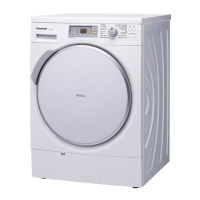
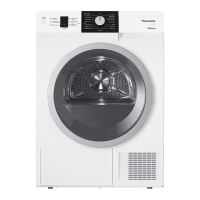
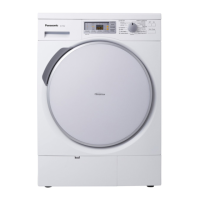
Heat Pump Tumble Dryer
(Domestic use)
Model No.
NH-P80G1
®
Thank you for purchasing this appliance.
- For optimum performance and safety, please read these instructions
carefully.
- Before connecting, operating or adjusting this appliance, please read the
instructions completely. Please keep this manual for future reference.
NH-P80G1_English.indb 1 2012/05/31 10:34:46

Questions and Answers

  • J
    Johnny FowlerJul 31, 2025
    What to do if my Panasonic NH-P80G1 does not work?
    • A
      Angie HowardJul 31, 2025
      If your Panasonic Dryer isn't working, start by checking the fuse or breaker. Also, ensure the mains plug is firmly connected to the socket. Make sure you've pressed the On and Start buttons, and that the door is properly closed.
  • D
    dorisjonesAug 8, 2025
    What to do if my laundry is not sufficiently dried in Panasonic NH-P80G1?
    • L
      Lauren SmithAug 8, 2025
      If your laundry isn't drying completely in your Panasonic Dryer (some parts are still damp), avoid adding more laundry mid-cycle. Also, make sure the laundry isn't tangled and that the load isn't too heavy. For small loads of synthetic fibers, use the Warm Timed program, or dry them with larger items. Finally, ensure the moisture sensors are clean.
  • C
    charles48Aug 14, 2025
    Why is my Panasonic Dryer drying repeatedly starts and stops?
    • M
      Michael SheppardAug 14, 2025
      The drying cycle on your Panasonic Dryer might repeatedly start and stop because the 'Anti-crease' function is enabled. This is normal behavior when this function is active.
  • D
    Donald StephensAug 22, 2025
    Why do the buttons on my Panasonic Dryer not work?
    • E
      Erik HicksAug 22, 2025
      If your Panasonic Dryer buttons aren't working, it could be because you're trying to change settings while it's drying. To fix this, switch the appliance off and then on again before setting the new settings. Alternatively, the Child Lock may be activated, so try deactivating it.

Summary

Read Before Using

Preparing the laundry

Guidance on sorting, checking, and preparing laundry for drying.

Using the Buttons

Explanation of all buttons, dials, and indicators on the control panel.

Control Panel Overview

Explanation of all buttons, dials, and indicators on the control panel.

Using the Buttons

Instructions for activating and deactivating the child lock feature.

Child Lock Operation

Instructions for activating and deactivating the child lock feature.

SAFETY PRECAUTIONS

WARNING: Critical Safety Information

Hazards that could cause death or serious injury.

General Use Safety

Safe operating practices for general use of the appliance.

CAUTION: Minor Safety Information

Hazards that could cause injury or damage to belongings.

Drying Instructions

Setting drying

Step-by-step guide to select a programme and start the drying process.

Selecting the Programme

Table detailing programmes, fabric types, and maximum load capacity.

Maintenance

Cleaning the fluff filter

Detailed steps for cleaning the fluff filter after every drying programme.

Cleaning the fine filter

Instructions for monthly cleaning of the fine filter.

Troubleshooting

Fault Checklist: Appliance & Button Issues

Common problems like appliance not working or buttons unresponsive.

Fault Checklist: Drying Problems

Troubleshooting for issues like repeated starts/stops and insufficient drying.

Fault Checklist: Time & Operation Issues

Diagnosing issues with drying time, static, and indicator lights.

Error Display Codes and Solutions

Explanation of error codes (U12, U15, U30, H) and corrective actions.

Installation Instructions

Checking After Installation: Checklist

A checklist to verify correct installation procedures were followed.

Checking After Installation: Test Run

Procedure for performing an initial test run without laundry.

Panasonic NH-P80G1 Specifications

General IconGeneral
Door hingeRight
Drum volume107 L
Control typeButtons, Rotary
Display typeLED
Loading typeFront-load
Drying systemCondensation
Product colorWhite
Built-in displayYes
Appliance placementFreestanding
Noise level65 dB
Drying class-
Drum capacity8 kg
Maximum spin speed1600 RPM
Minimum spin speed500 RPM
Number of drying programs16
Delay start (max)24 h
Energy consumption1.54 kWh
Package depth680 mm
Package width710 mm
Package height880 mm
Package weight64000 g
Weight and Dimensions IconWeight and Dimensions
Depth582 mm
Width597 mm
Height845 mm
Weight55000 g

Related product manuals