English
- Eng-11 -
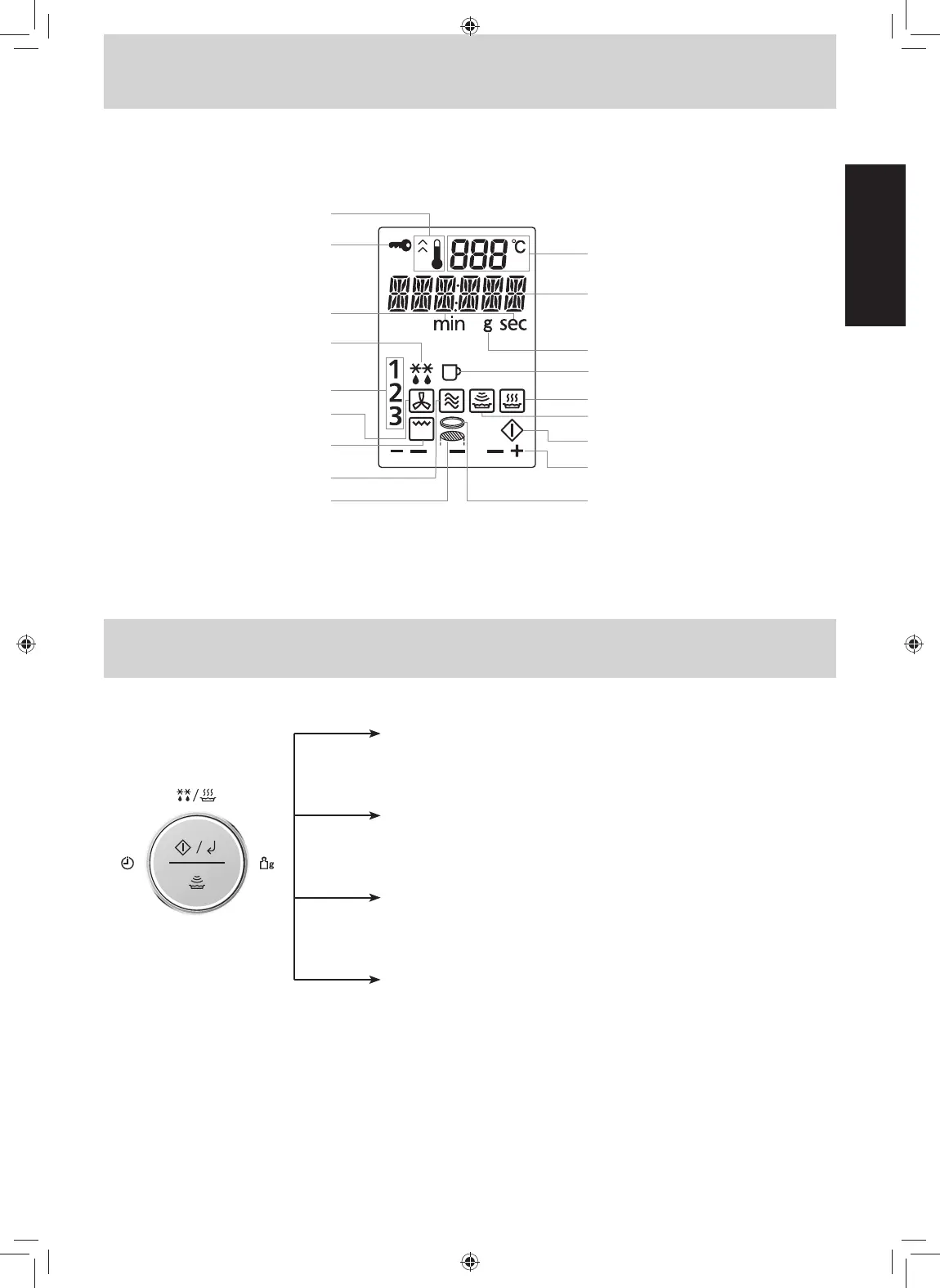
Display Window
Dial Feature
To help you operate the oven conveniently, the present state will appear in the display window.
Note: When cooking time is longer than 60 minutes, the time will appear in hours and minutes.
Preheating
Child Safety Lock Setting
Time (Minute/Second)
Defrost Mode/
Frozen Food Mark
3-Stage Display
Convection Mode
Grill Mode
Microwave Mode
Wire Rack
Temperature
Number/Character
Weight (g)
Beverage Program
Auto Cook Program
Sensor Cook Program
Start Mode
More/Less
Metal Tray
Cooking time
After selecting a manual cooking mode, enter time by turning the
dial. Use the dial for the Add Time function (page 27)
Start/Confirmation
Press the dial to start operating the oven or confirm the setting. If
during cooking the door is opened or Stop/Reset is pressed once,
Start has to be pressed again to continue cooking.
Auto Programs (Turbo Defrost, Auto/Sensor Cook)
When clock mode is displayed, turn the dial to select auto programs
and weight (pages 17, 29-36).
One Push Reheating
When Clock mode is displayed, press dial for quick start reheating
chilled meal (page 28)
F0003CD50KP-O-I_part-0710.indd 11 2019/7/10 9:04:39







 To Next Page