English
- Eng-20 -
Convection Setting
The oven can be used as a conventional oven using the CONVECTION mode which incorporates a heating
element with a fan. There is a choice of convection temperatures 40 °C and 100 °C - 220 °C. For quick selection
of the most commonly used cooking temperatures, the oven starts at 150 °C and then for each press the
temperature will count up in 10 °C stages to 220 °C, then to, 40 °C, 100 °C, 110 °C etc. This feature provides 2
modes to select. For best results always place food in a preheated oven.
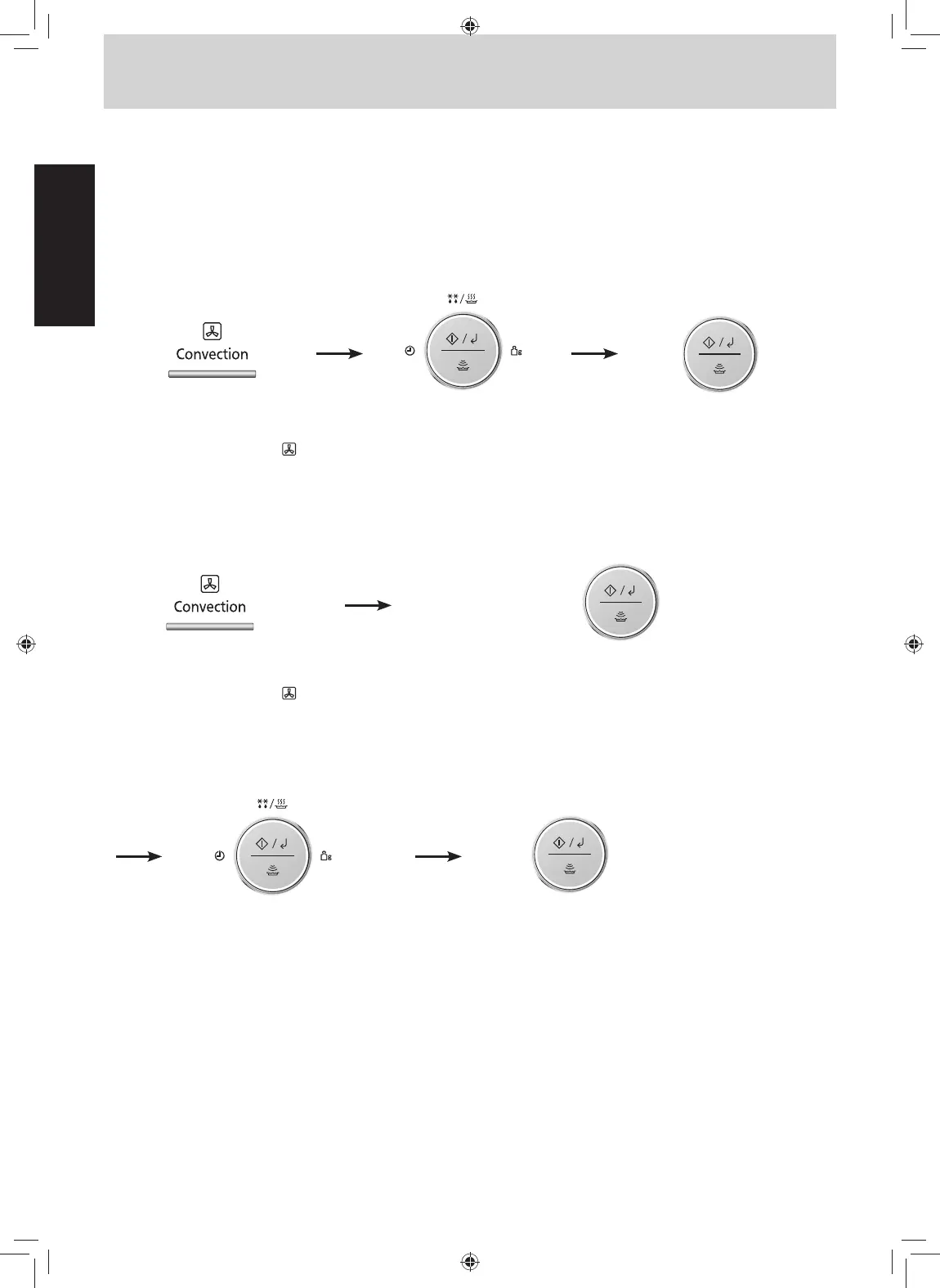
Without Preheating:
(40 °C is available in Convection without preheating.)
2. Select cooking time by
turning dial.
(up to 9 hours).
1. Press to select the desired
temperature.
The convection symbol "
"
will also appear.
3. Press dial to Start.
The cooking time appears
in the display window and
begins to count down.
Note:
* Open the door using the door release button, because if the Stop/Reset button is pressed the program may be
cancelled.
1. Press to select the desired
temperature.
The convection symbol "
"
will also appear.
3. Select cooking time by
turning dial.
(up to 9 hours).
4. Press dial to Start.
The cooking time appears in the
display window and begins to
count down.
2. Press dial to preheat.
A "P" will appear in the display window. When
the oven is preheated the oven will beep and
the "P" will flash.
Then open the door and place the food inside.*
With Preheating:
F0003CD50KP-O-I_part-0710.indd 20 2019/7/10 9:04:40







 To Next Page