13
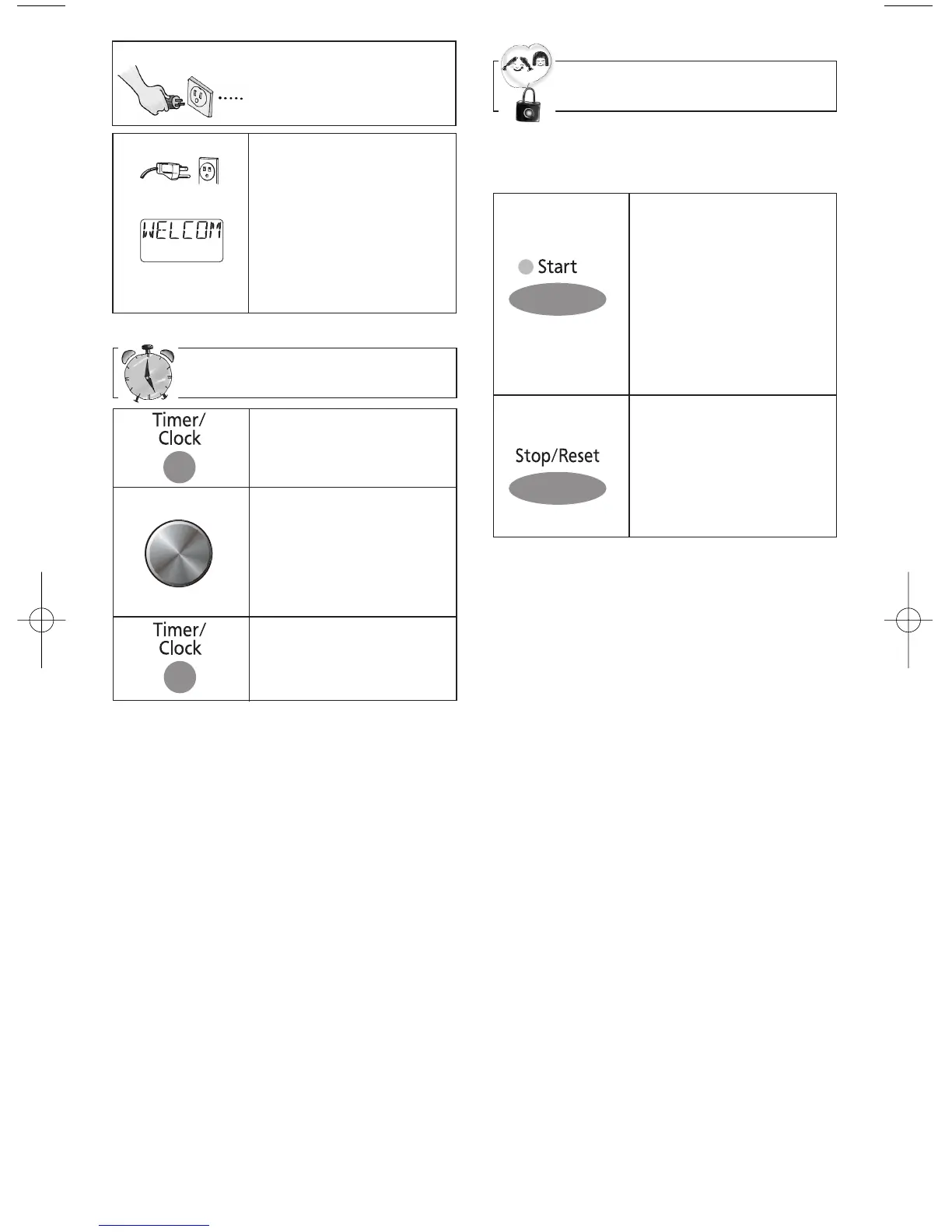
Setting the Clock
1.
• Press Timer/Clock
twice.
➤ Colon flashes.
2.
• Set time of day using
Time Dial.
➤ Time appears in
the display window;
colon continues
flashing.
3.
• Press Timer/Clock.
➤ Colon stops flash-
ing; time of day is
entered.
NOTES:
1. To reset the clock, repeat steps 1-3.
2. The clock will retain the time of day as
long as the oven is plugged in and
electricity is supplied.
3. Clock is a 12 hour display.
4. Oven will not operate while colon is
flashing.
Starting to Use
Your Oven
• Plug into a properly
grounded electrical
outlet.
“WELCOME TO
PANASONIC...REFER
TO OPERATING
INSTRUCTIONS
BEFORE USE” scrolls
across display window.
Child Safety Lock
This feature prevents the electronic oper-
ation of the oven until cancelled. It does
not lock the door.
NOTE:
You can set Child Safety Lock feature
when the display shows a colon or time of
day.
To Set:
• Press Start 3 times.
“LOCK” appears in the
display window.
➤"LOCK" continues
to be displayed until
Child Safety Lock is
cancelled. Keypads
may be pressed but
the microwave will not
start.
To Cancel:
• Press Stop/Reset 3
times.
➤ The display will
return to colon or
time of day when
Child Safety Lock
has been cancelled.
Time Dial
Rotate



 To Next Page