English
En-7
Child Safety Lock:
Using this system will make the oven controls inoperable; however, the door can be opened. Child Lock can be set when the display
shows a colon or the time.
To Set:
To Cancel:
•
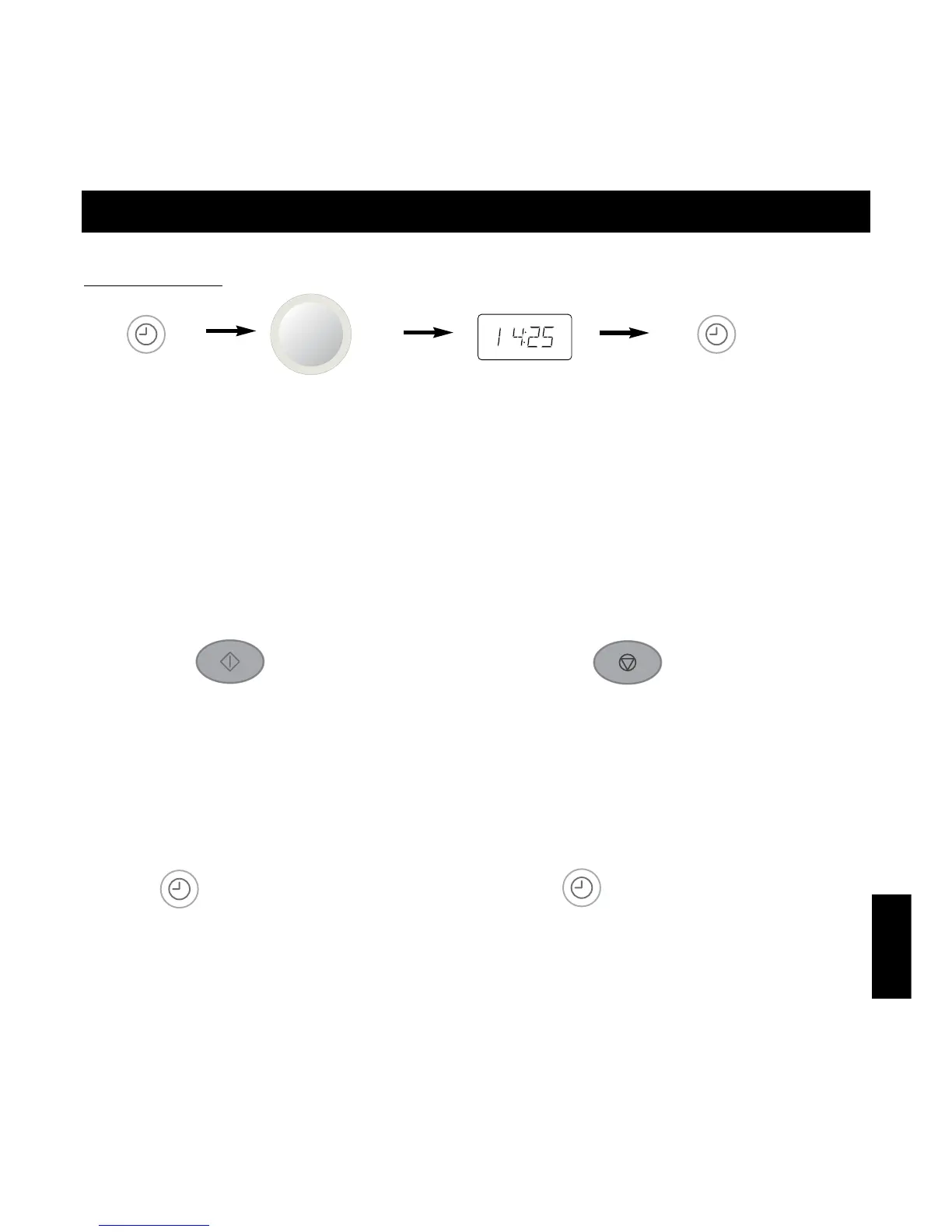
Press Start Button three times.
☛ The time of day will disappear.
Actual time will not be lost.
A ❊ is indicated in the display.
• Press Stop/Cancel Button three times.
☛ The time of day will reappear in the display.
Controls and Operation Procedure
Demonstration Mode:
This mode is used for retail store display.
To Set:
To Cancel:
• Press Clock/Timer Button four times.
• Press Clock/Timer Button four times.
Clock Setting:
Example: To set 14:25
• Press Clock/Timer
Button twice.
☛ The colon starts to
blink.
• Enter the time by turning the
Time/Weight Dial.
☛ The time appears in the display
and the colon blinks.
• Press Clock/Timer Button.
☛ The colon stops blinking and the
time of day is entered.
NOTE:
1. To reset the time of day repeat all the above steps.
2. The time of day is displayed, unless the power supply is interrupted.
3. This clock has a 24 hour display.



 To Next Page