50
For Automatic Change of the Brightness
of the VCR Display When the VCR Is
Switched Off
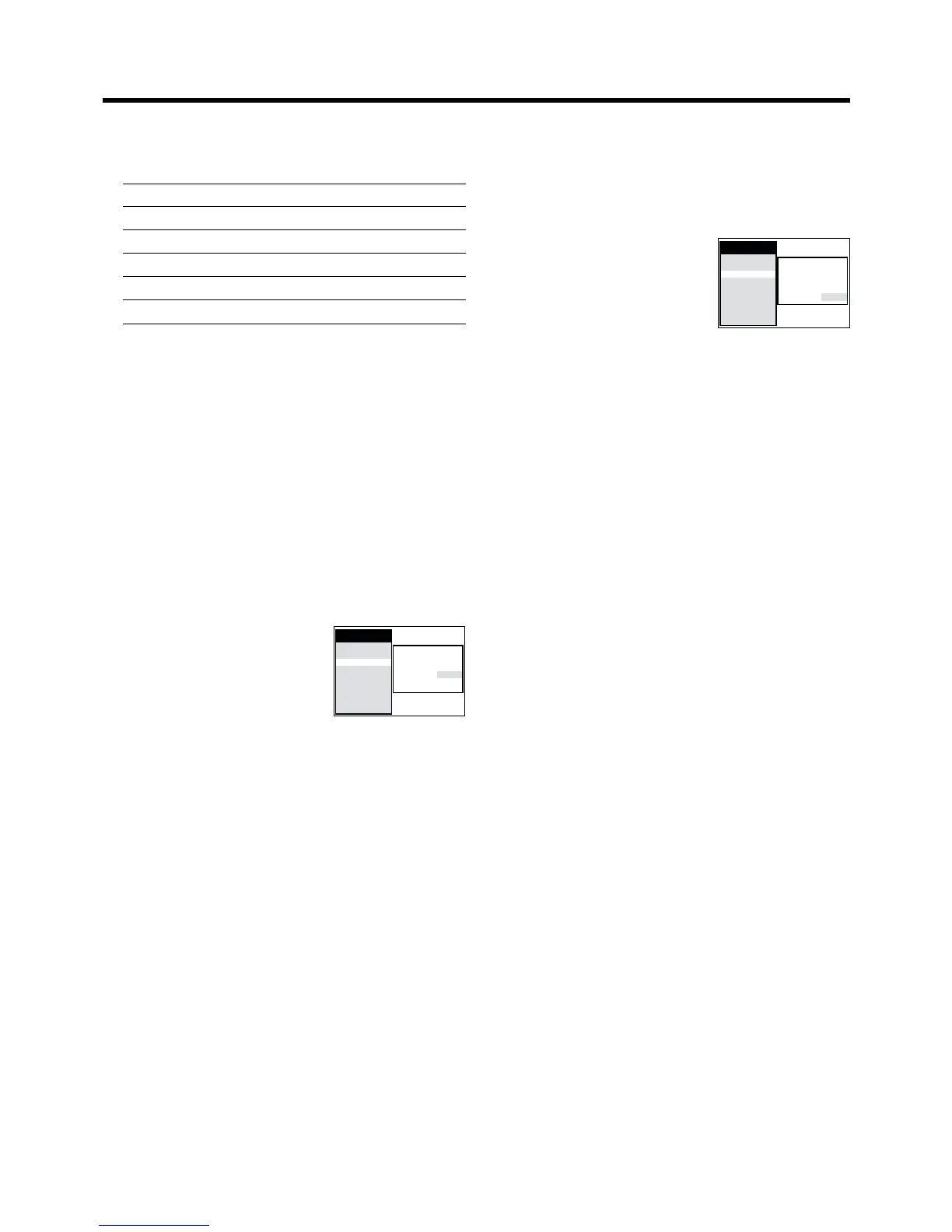
1 Press the MENU button U to display the Main menu on
the TV screen.
2 Press the Cursor buttons
(3421) R to select “Display”
and “VCR display” in this order.
Then, select the “VCR display”
field.
3 Press the Cursor buttons (34) R to select the desired
condition.
≥ When the VCR is switched off, the brightness of the
VCR display is as follows:
ON: Indications are brightly lit.
OFF: Indications are not lit.
DIMMED: Indications are dimly lit.
4 Press the OK button T to conclude the setting.
5 Press the EXIT button S to exit the On Screen Display.
Channel Guide
: OFF
OSD : 4:3
Power save : OFF
VCR display :
DIMMED
Main menu
Timer record
Tape Library
Display
Tuning
Clock
Functions
Language
Country
Satellite
8 Present time/Tape counter/Remaining tape time/Index
Search/One-Touch Recording (OTR)/Playback Off
Timer Function
Present time 17:24:31
Tape counter j2:35.47
Remaining tape time REMAIN: 2:34
Index Search 5 02
One-Touch Recording (OTR) OTR 60
Playback Off Timer Function 30
Notes:
≥ If “OSD” is set to “OFF”, none of the above indications
appear.
≥ None of the above indications appear during special
playback.
≥ During playback and when the AV input for the external
source is selected, indications 1, 2 and 3 do not appear.
≥ Some of the above indications do not appear when using
NTSC tapes.
For Reduced the VCR’s Power
Consumption When the VCR Is Switched
Off
1 Press the MENU button U to display the Main menu on
the TV screen.
2 Press the Cursor buttons
(3421) R to select “Display”
and “Power save” in this order.
Then, select the “Power save”
field.
3 Press the Cursor buttons (34) R to select “ON” or
“OFF”.
ON: In this setting, the power consumption is greatly
minimised when the VCR is turned off (Standby
mode). In this case, the following happens:
≥ The item “VCR display” is automatically set to
“OFF”.
≥ To turn the VCR on, keep the VCR-ON/OFF
button 1 pressed on the VCR main unit. It is not
possible to turn it on with the remote control.
≥ The Power save function works only when the
VCR is turned off (Standby mode). It does not
operate in the timer recording standby mode.
After all programmed timer recordings have
been made, and after all programmed data have
been erased, the VCR switches over to the
Power save mode.
≥ When the VCR is off, Pay TV programmes
cannot be watched on the TV because the
signal from the connected decoder is not looped
through. To watch them, turn on the VCR.
OFF: In this setting, the power consumption is not
reduced when the VCR is turned off (Standby
mode).
4 Press the OK button T to conclude the setting.
5 Press the EXIT button S to exit the On Screen Display.
Channel Guide
: OFF
OSD : 4:3
Power save : OFF
VCR display :
DIMMED
Main menu
Timer record
Tape Library
Display
Tuning
Clock
Functions
Language
Country
Satellite




 To Next Page