EasyManua.ls Logo

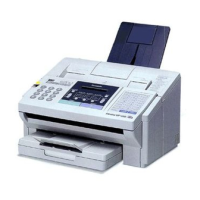
Panasonic Panafax UF-123 - User Manual

Panasonic Panafax UF-123
54 pages
Print Icon
To Next Page IconTo Next Page
Loading...

Table of Contents

Question and Answer IconNeed help?

Do you have a question about the Panasonic Panafax UF-123 and is the answer not in the manual?

Summary

Introduction

About Your Fax Machine

Safety Information

Critical safety guidelines and precautions for operating the fax machine.

The Parts and Controls

Overview of the physical components and operational controls of the fax machine.

External View

Visual identification of the fax machine's external parts and their locations.

Control Panel

Detailed explanation of buttons, lamps, and display elements on the fax machine's control panel.

Installation

Accessories

Lists and describes the items included with the fax machine upon purchase.

Installing; Replacing the Recording Paper

Step-by-step instructions for loading and changing the recording paper roll.

Connecting the Handset Cable and Telephone Line

Guide for connecting the handset and the external telephone line to the fax machine.

Connecting the Power Supply Cord

Instructions for connecting the fax machine to an AC power outlet.

Adjusting the Volume

Procedures for adjusting the ringer and monitor speaker volumes on the fax machine.

Lightning Precautions

Recommendations to protect the fax machine from lightning damage during thunderstorms.

Preparing for Initial Operation

User Parameters

Explains essential settings like date, time, ID, and dialing methods for basic operation.

Setting Date, Time, ID and Logo

Detailed steps for configuring the machine's date, time, user ID, and custom LOGO.

Setting the Dialing Method (Tone or Pulse)

Guide to configuring the fax machine for either Tone or Pulse dialing methods.

One-Touch; Abbreviated Dialing Numbers

Instructions for recording and using One-Touch and Abbreviated dialing for speed.

Filling Out the Station Directory Sheet

Guidance on manually updating the station directory for quick reference.

Function Key List

Visual chart detailing the functions assigned to various keys on the control panel.

Loading Documents

Documents You Cannot Send

Lists types of documents unsuitable for direct fax transmission.

How to Use Carrier Sheet

Instructions for using the carrier sheet for documents that are wrinkled or too small.

Sending Documents

One-Touch; Abbreviated Dialing

Steps for initiating document transmission using speed dialing features.

On-Hook Dialing (Direct Dialing)

Procedure for sending documents using direct dialing without lifting the handset first.

Off-Hook Dialing

Procedure for sending documents by lifting the handset before dialing.

Redialing

How to automatically redial the last dialed number if the line is busy or unanswered.

What to Do When You Hear a Voice Through the Speaker

Steps to follow when the receiving party responds verbally before fax transmission.

Receiving Documents

Telephone Mode (TEL)

Setting the machine for voice-only communication.

Fax Mode (FAX)

Setting the machine to automatically receive incoming faxes.

AUTO Mode (AUTOMATIC)

Configuring the machine to handle both voice and fax calls on a single line.

REMOTE Reception

Enabling remote activation of the fax machine using an external phone.

How to Set Fax Mode

Steps to switch the fax machine into Fax Mode for receiving.

How to Set Telephone Mode

Steps to switch the fax machine into Telephone Mode for voice calls.

How to Set Automatic Mode

Steps to configure the fax machine for Automatic (TEL/FAX) reception.

Dotted Line Page Separator

Making a Copy

Making Temporary Transmission Adjustments

Verification Stamp

Information about the verification stamp that confirms successful transmissions.

Setting Resolution

How to adjust the document's resolution (Standard, Fine, Super Fine) for optimal quality.

Setting Original (Contrast)

How to adjust the contrast setting for scanned documents.

Using the Halftone Setting

Using the Machines Telephone

Making a phone call

Instructions for using the fax machine's handset to make ordinary phone calls.

Voice Contact Request

Procedure to initiate voice communication after sending or receiving a fax.

Answering a Voice Contact Request

How to respond when the machine indicates a voice contact request.

Polling

Setting the Polling Password

Steps to set a password for secure document polling.

How to Poll

Instructions for requesting and receiving documents from another fax machine via polling.

Installation of TAM and External Telephone

Machine Setting Up

Setting Fax Parameter

How to configure fax parameters for optimal operation with a TAM.

Setting AUTO RECEIVE Mode

How to enable the AUTO RECEIVE mode for seamless TAM/FAX switching.

Receiving Document (with TAM connected)

Remote Reception

How to activate UF-123 using the external telephone

Detailed steps to activate remote reception via an external telephone.

Changing Fax Parameters

Fax Parameter Table

A comprehensive table listing all fax parameters, their settings, and descriptions.

Lists and Reports

One-Touch; Abbreviated Dialing Number List

How to print a list of all recorded One-Touch and Abbreviated dialing numbers.

Fax Parameter List

How to print a list of current fax parameter settings for reference.

Individual Transmission Journal (XMT Journal)

How to print transmission logs automatically or manually.

32 Transaction Journal

How to print a log of the last 32 transactions.

Character Code Table

How to print the character code table used for LOGO programming.

How to Print Out Lists and Reports

Step-by-step instructions for printing various lists and reports from the fax machine.

Abbreviated Number List

Sample output and explanation of the Abbreviated Number List printout.

Fax Parameter List

Sample output and explanation of the Fax Parameter List printout.

Individual Transmission Journal (XMT Journal)

Sample output and explanation of the XMT Journal printout.

32 Transaction Journal

Sample output and explanation of the 32 Transaction Journal printout.

Character Code Table

Sample output and explanation of the Character Code Table printout.

Problem Solving

Information Codes

List of error codes displayed by the machine and their corresponding meanings and solutions.

Clearing a Recording Paper Jam

Step-by-step guide to safely remove jammed recording paper from the machine.

Clearing a Document Jam

Step-by-step guide to safely remove jammed documents from the ADF.

Daily Care

Refilling or Replacing the Verification Stamp

Instructions for refilling or replacing the ink in the verification stamp.

Cleaning the Head Roller and Document Scanning Guide

Procedures for cleaning the head roller and document scanning guide for optimal performance.

Cleaning the Thermal Head

Instructions for cleaning the thermal head to ensure clear received copies.

Changing the Document Feed Tension

How to adjust the document feed tension pad to prevent multiple page feeding.

Checking the Telephone Line

Procedures for troubleshooting issues with the telephone line connection.

Troubleshooting with a Telephone Answering Machine (TAM) Connected

AUTO MODE (TAM;FAX AUTO SWITCHING)

Common issues and solutions when the fax machine is in AUTO mode with a TAM.

FAX MODE

Troubleshooting common problems encountered when the fax machine is in FAX mode with a TAM.

Character Code Table

Logo Programming Table

A table to assist in programming custom logos by mapping characters to codes.

Specifications

Summary

Introduction

About Your Fax Machine

Safety Information

Critical safety guidelines and precautions for operating the fax machine.

The Parts and Controls

Overview of the physical components and operational controls of the fax machine.

External View

Visual identification of the fax machine's external parts and their locations.

Control Panel

Detailed explanation of buttons, lamps, and display elements on the fax machine's control panel.

Installation

Accessories

Lists and describes the items included with the fax machine upon purchase.

Installing; Replacing the Recording Paper

Step-by-step instructions for loading and changing the recording paper roll.

Connecting the Handset Cable and Telephone Line

Guide for connecting the handset and the external telephone line to the fax machine.

Connecting the Power Supply Cord

Instructions for connecting the fax machine to an AC power outlet.

Adjusting the Volume

Procedures for adjusting the ringer and monitor speaker volumes on the fax machine.

Lightning Precautions

Recommendations to protect the fax machine from lightning damage during thunderstorms.

Preparing for Initial Operation

User Parameters

Explains essential settings like date, time, ID, and dialing methods for basic operation.

Setting Date, Time, ID and Logo

Detailed steps for configuring the machine's date, time, user ID, and custom LOGO.

Setting the Dialing Method (Tone or Pulse)

Guide to configuring the fax machine for either Tone or Pulse dialing methods.

One-Touch; Abbreviated Dialing Numbers

Instructions for recording and using One-Touch and Abbreviated dialing for speed.

Filling Out the Station Directory Sheet

Guidance on manually updating the station directory for quick reference.

Function Key List

Visual chart detailing the functions assigned to various keys on the control panel.

Loading Documents

Documents You Cannot Send

Lists types of documents unsuitable for direct fax transmission.

How to Use Carrier Sheet

Instructions for using the carrier sheet for documents that are wrinkled or too small.

Sending Documents

One-Touch; Abbreviated Dialing

Steps for initiating document transmission using speed dialing features.

On-Hook Dialing (Direct Dialing)

Procedure for sending documents using direct dialing without lifting the handset first.

Off-Hook Dialing

Procedure for sending documents by lifting the handset before dialing.

Redialing

How to automatically redial the last dialed number if the line is busy or unanswered.

What to Do When You Hear a Voice Through the Speaker

Steps to follow when the receiving party responds verbally before fax transmission.

Receiving Documents

Telephone Mode (TEL)

Setting the machine for voice-only communication.

Fax Mode (FAX)

Setting the machine to automatically receive incoming faxes.

AUTO Mode (AUTOMATIC)

Configuring the machine to handle both voice and fax calls on a single line.

REMOTE Reception

Enabling remote activation of the fax machine using an external phone.

How to Set Fax Mode

Steps to switch the fax machine into Fax Mode for receiving.

How to Set Telephone Mode

Steps to switch the fax machine into Telephone Mode for voice calls.

How to Set Automatic Mode

Steps to configure the fax machine for Automatic (TEL/FAX) reception.

Dotted Line Page Separator

Making a Copy

Making Temporary Transmission Adjustments

Verification Stamp

Information about the verification stamp that confirms successful transmissions.

Setting Resolution

How to adjust the document's resolution (Standard, Fine, Super Fine) for optimal quality.

Setting Original (Contrast)

How to adjust the contrast setting for scanned documents.

Using the Halftone Setting

Using the Machines Telephone

Making a phone call

Instructions for using the fax machine's handset to make ordinary phone calls.

Voice Contact Request

Procedure to initiate voice communication after sending or receiving a fax.

Answering a Voice Contact Request

How to respond when the machine indicates a voice contact request.

Polling

Setting the Polling Password

Steps to set a password for secure document polling.

How to Poll

Instructions for requesting and receiving documents from another fax machine via polling.

Installation of TAM and External Telephone

Machine Setting Up

Setting Fax Parameter

How to configure fax parameters for optimal operation with a TAM.

Setting AUTO RECEIVE Mode

How to enable the AUTO RECEIVE mode for seamless TAM/FAX switching.

Receiving Document (with TAM connected)

Remote Reception

How to activate UF-123 using the external telephone

Detailed steps to activate remote reception via an external telephone.

Changing Fax Parameters

Fax Parameter Table

A comprehensive table listing all fax parameters, their settings, and descriptions.

Lists and Reports

One-Touch; Abbreviated Dialing Number List

How to print a list of all recorded One-Touch and Abbreviated dialing numbers.

Fax Parameter List

How to print a list of current fax parameter settings for reference.

Individual Transmission Journal (XMT Journal)

How to print transmission logs automatically or manually.

32 Transaction Journal

How to print a log of the last 32 transactions.

Character Code Table

How to print the character code table used for LOGO programming.

How to Print Out Lists and Reports

Step-by-step instructions for printing various lists and reports from the fax machine.

Abbreviated Number List

Sample output and explanation of the Abbreviated Number List printout.

Fax Parameter List

Sample output and explanation of the Fax Parameter List printout.

Individual Transmission Journal (XMT Journal)

Sample output and explanation of the XMT Journal printout.

32 Transaction Journal

Sample output and explanation of the 32 Transaction Journal printout.

Character Code Table

Sample output and explanation of the Character Code Table printout.

Problem Solving

Information Codes

List of error codes displayed by the machine and their corresponding meanings and solutions.

Clearing a Recording Paper Jam

Step-by-step guide to safely remove jammed recording paper from the machine.

Clearing a Document Jam

Step-by-step guide to safely remove jammed documents from the ADF.

Daily Care

Refilling or Replacing the Verification Stamp

Instructions for refilling or replacing the ink in the verification stamp.

Cleaning the Head Roller and Document Scanning Guide

Procedures for cleaning the head roller and document scanning guide for optimal performance.

Cleaning the Thermal Head

Instructions for cleaning the thermal head to ensure clear received copies.

Changing the Document Feed Tension

How to adjust the document feed tension pad to prevent multiple page feeding.

Checking the Telephone Line

Procedures for troubleshooting issues with the telephone line connection.

Troubleshooting with a Telephone Answering Machine (TAM) Connected

AUTO MODE (TAM;FAX AUTO SWITCHING)

Common issues and solutions when the fax machine is in AUTO mode with a TAM.

FAX MODE

Troubleshooting common problems encountered when the fax machine is in FAX mode with a TAM.

Character Code Table

Logo Programming Table

A table to assist in programming custom logos by mapping characters to codes.

Specifications

Panasonic Panafax UF-123 Specifications

General IconGeneral
Printing MethodThermal Transfer
Paper SizeA4, Letter
TypePlain Paper Fax
CompatibilityITU-T Group 3
Automatic Document Feeder (ADF)10 sheets
Copier FunctionYes
Fax FeaturesDelayed Transmission, Polling
Telephone LinePSTN
ResolutionStandard/Fine/Superfine

Related product manuals